
TABLE OF CONTENTS
- Overview
- What is it?
- Why do it?
- What are the components of SEO?
- Where to Start?
- What are some basic strategies?
- What SEO tools does RediSite offer?
- Summary
- AEO & GEO
Overview
Major search engines like Google and Bing, use bots to crawl websites, index them into a database, and then apply many factors to determine rankings. Search engines utilize thousands of lines of code and complex algorithms that analyze content on websites in order return relevant results. Search engines represent a critical route that many people use to find your school's website, especially prospective families, donors, alumni, etc. Thus, having a website that is easily visible to these search engines is a must. This is how the concept of search engine optimization was born into existence.
What is it?
Search Engine Optimization, or SEO for short, is a term for the methods, practices, and processes of enhancing your website to make it more visible to search engines with the aim that your website appears as high as possible when relevant keywords are searched.
Why do it?
The purpose of SEO is to generate and maximize visitor traffic to your website from search results. Often referred to as "organic search traffic," meaning visitors who arrive on your website from search engine results. Traffic from search is often much higher than traffic from other sources, thus there is a large incentive to implement SEO. More than that, SEO best practices overlap with and lead to a more "accessible" website and one that is just more user friendly.
What are the components of SEO?
- Content - The actual front-end content of your site. This is all the text and images that are able to be seen by visitors.
- Structure & Organization - How your site and individual pages are structured.
- Back-end Information - The stuff that search engines see and use. Items like site and page titles and descriptions, page urls, image alt-text, sitemap, page speed, etc.
- Search Engine Coding & Algorithms - The actual coding, attributes, and algorithms used by search engines. At the end of the day, websites and where/how your site appears in search results are at the sole discretion of the coding and algorithms being deployed by search engines, which are dynamic and constantly changing.
Where to Start?
Search Yourself
A simple way to start delving into SEO is by searching your school's name on Google and see what comes up. Take note of the Titles and Text returned in the search results (these are called meta title and meta description). Where in the search results did you fall? Do the titles and descriptions returned look relevant and up to date? Try searching yourself in multiple search engines as well.
Lighthouse Tool
Use a tool like the Lighthouse scan tool that is offered in the Google Chrome browser. It is an automated tool to help you improve the quality of web pages. It reviews and audits performance, accessibility, and SEO. A great way to provide yourself with a baseline. (90+ is a great score, 100 is rare and near impossible to achieve).

Submit a Sitemap
You may also consider manually submitting an updated sitemap to Google. A sitemap lists all of the URLs for your site. While search engines like Google will eventually crawl your website (especially if it is a new site), it may be a good idea to jump start that. Note that as of December 2023, Google deprecated the ability for sitemaps to be automatically submitted. To ensure prompt indexing, it's advised to manually submit your sitemap using Google Search Console (for more information, please visit Improve your performance on Google Search). This would be a good idea if you recently went live with a new website or made major changes to content on your site.
What are some basic strategies?
To keep it basic, below are some of the rudimentary elements and strategies to consider for your website:
- Keywords and Brand Identity
- Content and Updates
- Link Building
- Review and Maintain
Research Keywords and Brand Identity
You should start with knowing your school community (identity, goals, values, etc.) and knowing your target audience. Keywords should be those that align with your brand identity and target audience. If you are a school that already uses Google (GMail etc), look into tools like Google Suggest and Google Keyword Planner. It may help to search your school as well as your competitors. Be sure to research, select, and use such keywords throughout your page names, content, call to actions, headers and Meta Titles and Descriptions (more on those later). However, avoid overusing or stuffing/forcing such words, as overuse can cause penalties in search engines. It is more than just using keywords; search engines are looking at quality and overall user experience. Google uses a "Brand Score" which is a measurement of how effectively a site communicates its brand identity through its navigation structure and overall presentation.
Content and Updates
Content creation and the maintenance of that content on your site is a big part of SEO. Keep it simple. Making your site small with fewer but high-quality pages leads to a better website. This helps with SEO, Accessibility, Mobile friendliness, and just a better user experience (the less is more approach). A simple easy to follow logical site structure (AKA main menu, navigation, page structure) and simple short relevant page names, make for very easy to remember and logical URLs (links) for your visitors. Relevant page titles are an important element, in other words how well does the name of the page match the content of the page. Be sure that page content contains keywords mentioned earlier, and that your content is also structured with Headings (H1, H2, etc; which Rediker uses as a default when building your site). Ensure that your page content is kept up to date. Freshness is used as a part of SEO. Too many pages become hard to maintain, thus outdated, as well as causes clutter. Not to mention too many pages likely means junk pages, or tons of pages with not much valuable content on them. SEO also prioritizes quality over quantity. The bots used to crawl your site will only crawl ones deemed important. Focus on creating valuable engaging pages and not just creating pages to create pages. Again, this makes for an easier to maintain site (less work to update it), a better overall user experience, and helps with your SEO journey. A simple short quote to remember is "quality and freshness."
Link Building
This is comprised of two types of links external and internal links. External links, known as "backlinks," are links to your website from other places. Again, like quality content, high-quality backlinks are better than pure quantity. You most likely already do this naturally as part of your school's existence. For example, having Social Media accounts for your school that also display and link to your website counts as backlinks. Additionally, being listed and or reviewed on platforms will also build backlinks. You may also look for paid opportunities to have your site link posted somewhere.
In addition to "backlinks," search engines analyze the internal link structure of your website. So, call to actions and links to relevant quality pages need to be a part of your website structure. This is especially true of your Home page! Providing links to relevant content pages within your website builds an internal link structure that search engines are also analyzing.
Review and Maintain
SEO is not a "one and done" process, it is an on-going effort; it requires review and maintenance. You should search for your school in multiple search engines on some sort of regular basis. Also look into using tools like Google Analytics, Google Tag Manager, and Google Search Console. Be sure to make updates to your site and content as needed. This does not need to be a full-time job, but it should still be something that school takes note of even if on an annual review basis.
What SEO tools does RediSite offer?
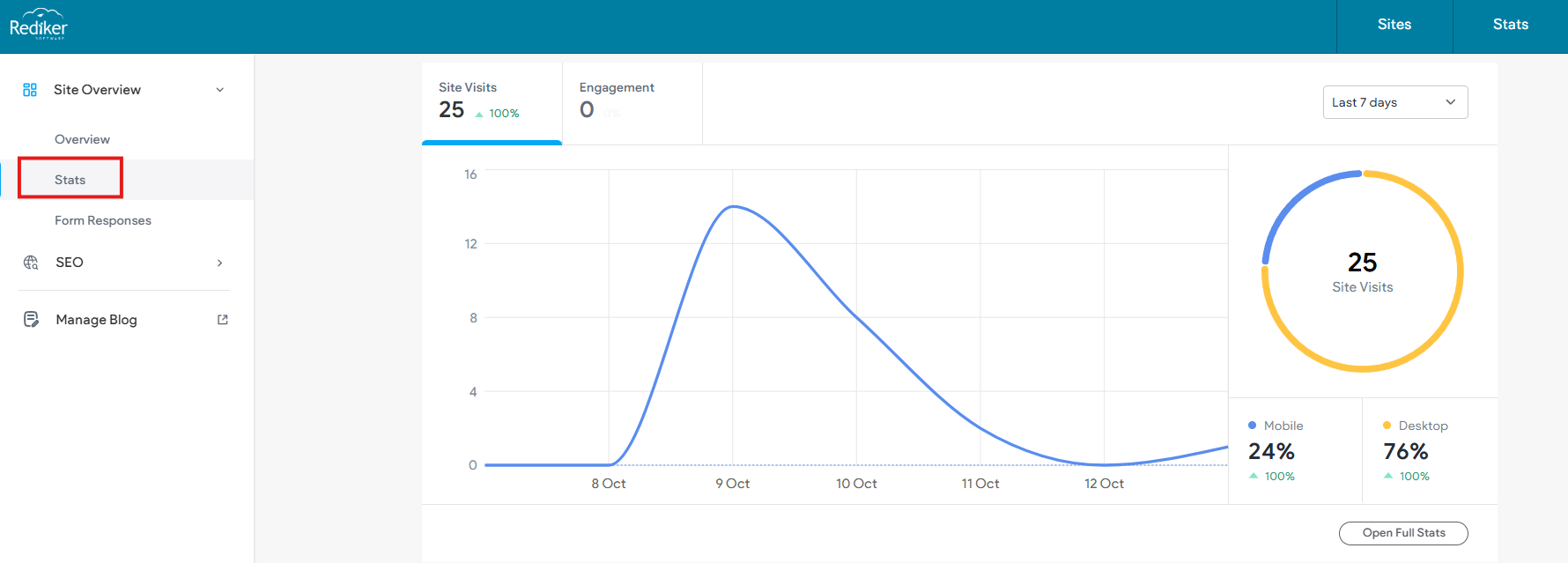
To help better manage your SEO you can use several built-in tools on your RediSite for DIY assistance as well as third-party tools. Most of these can be accessed right from your site's dashboard before you even enter the editor! When you log in look at left side panel, you can choose Stats or SEO. Under SEO you can access SEO Overview, Page SEO, and more.
- Statistics- RediSites offer built-in statistics. This allows your school to do a basic review of site and page statistics including traffic sources. See separate article.
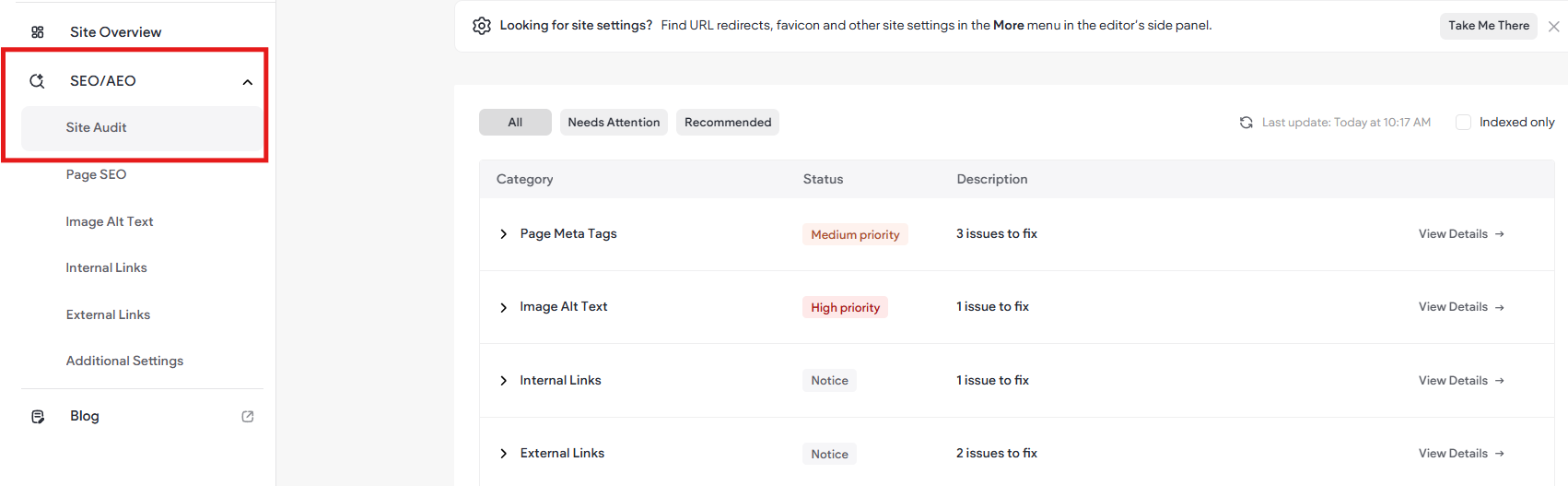
- Site Audit (SEO Overview)- On the Dashboard click SEO/AEO. View a summary of your site's SEO and fix issues to improve its ranking in traditional and AI search results. This tool lets you review and fix potential issues. It will flag and recommend items for review. The tool can also help not only update page meta data but can offer suggestions.
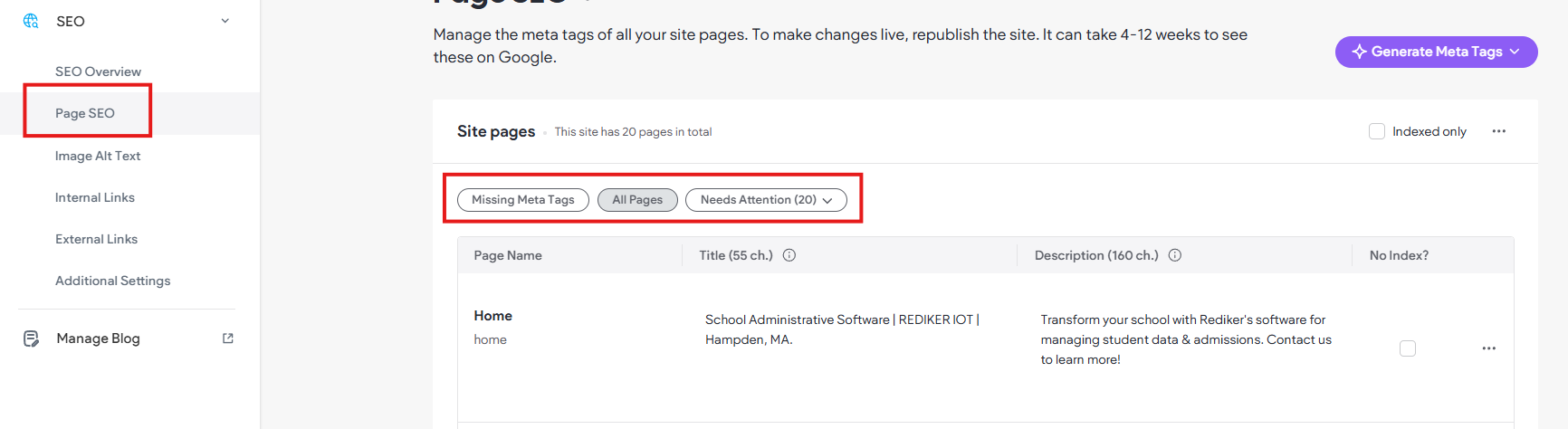
- Page SEO- You can edit individual page's meta title and description right from the Pages panel within the Editor. Just click the 3-dots to access the page settings and choose Edit Page SEO. It is far more efficient to use the Page SEO option from the dashboard under SEO/AEO. It will allow you to review pages with Missing Meta Tags, All Pages, or items that Needs Attention.
- AI Tool- Using the AI Assistant and the SEO Overview tools together can help you achieve better SEO. The AI tool can not only help with content writing it can generate your Page Meta Titles and Descriptions, as well as fill in image alt-text.
- Google Analytics/Google Tag Manager- If your school uses these tools you can easily hook it up to your Redisite. Just place your GA ID right into the dashboard to connect with your Google Analytics/Google Tag Manager account(s). Go to SEO & Settings, then choose Google Tools.
- Business Profile- Be sure to fill in the items like About us, Company Overview, etc. Access these items under Content then Connected Data (CMS). These are also used by search engines and AI tools.
- Sitemap- Access and review your sitemap using your domain/sitemap.xml (https://www.example.com/sitemap.xml). You can also use that link to submit your sitemap directly to Google if you need to.
- Draft Pages/No Index- If there are pages you don't want search engines to index be sure to use the "Set as Draft" and or the set page to "no index" in the page settings.
Additionally, Rediker offers professional services like site design (or redesign), content organization, and user training! When you pay to have your site designed or redesigned by our team, we pay attention to SEO elements and strategies. Having your main content editors trained in best-practices also helps to keep your site in good shape.
Summary
While SEO can be very complex, the best advice is to keep it simple and keep it quality! Please keep in mind that ultimately there is no 100% perfect answer to SEO, and that the search engines owned by Google or Microsoft are comprised of dynamic enterprise coding and algorithms, which are very complex as well as secretive and ever advancing. SEO originated as a way for people to attempt to take advantage of search engines (if not exploit them) and ensure their sites came out on top. While having a RediSite cannot change how those engines operate or where your site may fall in those searches, hosting your school site with a RediSite offers you the tools to review and easily manage the basics of SEO!
AEO & GEO
In addition to SEO, there is also the evolving landscape of Answer/AI Engine Optimization (AEO) and Generative Engine Optimization (GEO). Keep in mind that SEO is not going anywhere anytime soon, and the basics of traditional SEO are still very important and do share overlap with these other models. You have already experienced these technology trends in search. When you do a search and you see an AI Answer/Overview presented before the list of links and sites, that is AEO. Most informational queries, or prompts, are more likely to trigger AI answers and overviews. In other words, AI answers are generated within search when a people input questions or prompts into search, not just some keywords. For example, "what are the best private schools in my area" or "show me private schools with competitive academics." Thus, the key is human focused content that is written with such prompts in mind. One easy and helpful solution is to be sure you have Frequently Asked Questions on your landing pages. Also, ensure your content and pages are serving an intentional purpose. Quality intentional content enables AI models to easily scan your site and use it in answers to searched prompts.