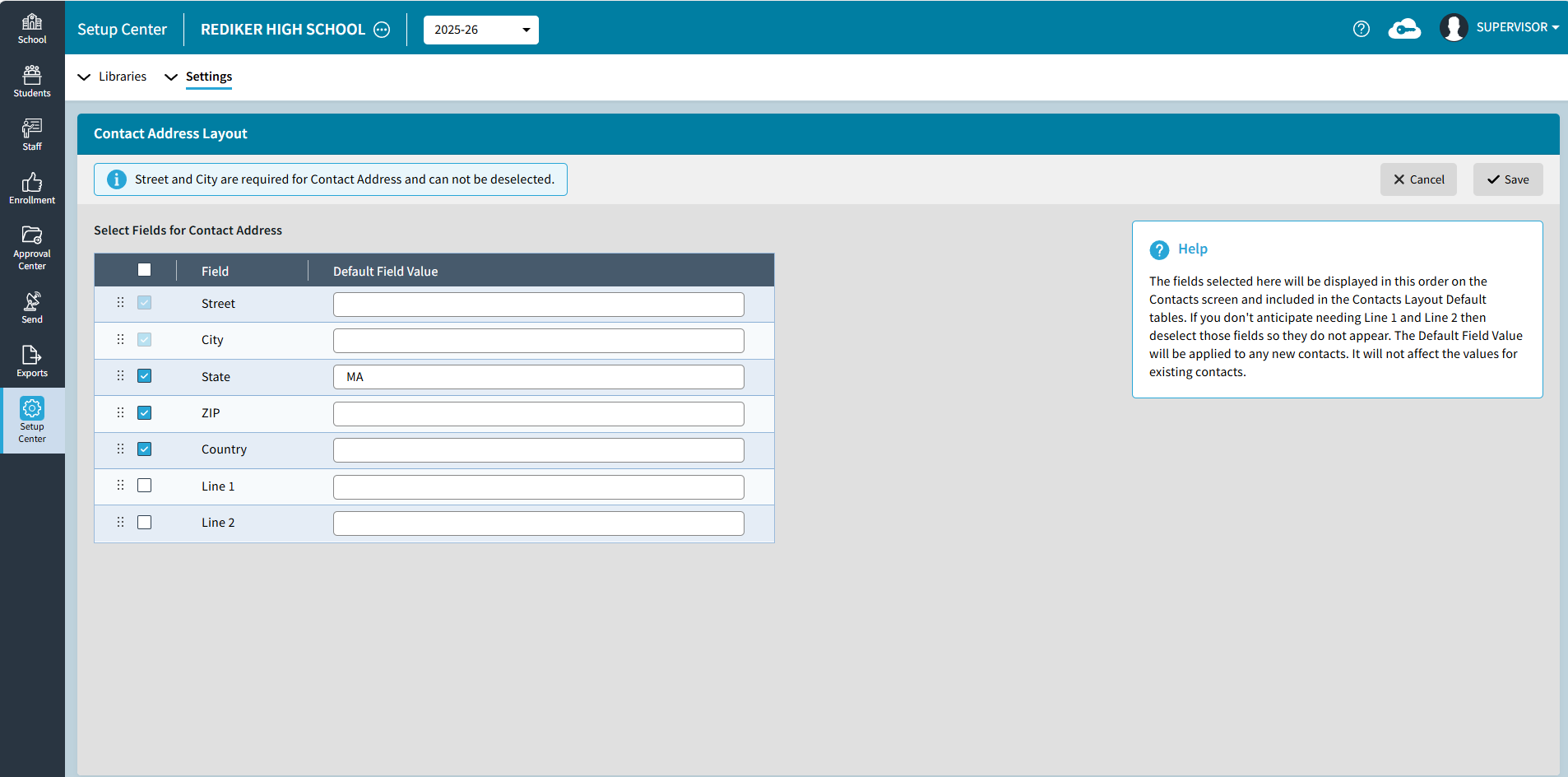
Setup Center > Settings > Contact Address Layout can be used by the Administrator's Plus Supervisor to select the contact fields and arrange the order of the Contact Address fields. This also determines the fields that are included on the Contacts Layout Default: One Student and Default: All Students.
The Default Field Value will be applied to any new contacts. It will not affect the values for existing contacts.
These settings apply to all schools that share their Master Contacts/Households.