We've released several new features, improvements, and feature fixes for AdminPlus.com. Non-hosted schools will need to update to the latest version of classic. Please see Administrator's Plus March 20th, 2026. Highlights of this update include:
| New Features | ||
|---|---|---|
| User Table with Last Login | Users > Basic View, available to only the AdminPlus Supervisor User, lists the user's Last Login date and if they are Currently Logged in to AdminPlus.com. Other Views available to the Supervisor display user rights. Users with SuperDB Edit rights to a SuperDB Table will be able to view SuperDB permissions for that table. | |
| View Copy | Multiple Student and Multiple Staff Lookup View Options include Copy. Users can copy a view to other users with demographic access. | |
| Batch Erase Column Grades & Narratives | Course Grades, Skill Grades, or Narratives can be erased for a selected Marking Period using School > Grades > Batch Processing. | |
| Batch Erase Course Narratives | Course Narratives can be erased using School > Grades > Batch Processing. | |
| Manage Study Halls | School > Schedule > Manage Study Halls tile displays the number of Study Halls. Click on the number to view or edit Study Halls. | |
| Change Relationship for Existing Contacts | Setup Center > Libraries > Relationships has a Batch Option to Change Existing Student Contact Relationships from one value to another. | |
| Add/Edit Departments | Setup Center > Libraries > Departments is used to define the Department Name, required Credits amount and which department's courses will Print in Master Schedule report in classic. | |
| Add/Edit Report Card Comments | Setup Center > Libraries > Report Card Comments is used to define the comments that can be given for each marking period. | |
| Edit Report Card Columns | Setup Center > Libraries > Report Card Columns is used to define the Report Card Column Names and Type. | |
| Improvements | ||
|---|---|---|
| RC - Course Grades Template Enhancements | Additional options have been added to the RC - Course Grades Template Settings. Page Orientation Control, Academic Box can include Comments, Cumulative GPA's /Credit Information Box, Generic Text Box, Footer (Signature, Stamp, Date), Watermark, and default fonts have been updated. | |
| Class Rank Option in Transcript Template | The Cumulative GPA's/Credit Information Box can include Rank or Rank With "out of". | |
| Custom Times on Grid Schedule | The custom times defined for a Rotation display next to the Meeting Time on Student and Staff Grid Schedules. | |
| Student Contact Tool Tips | The Contact Tile on the Student Snapshot screen includes tool tips to display the Relationship when you hover over the Relationship icon and displays "Lives with Student" when you hover over the Household icon. | |
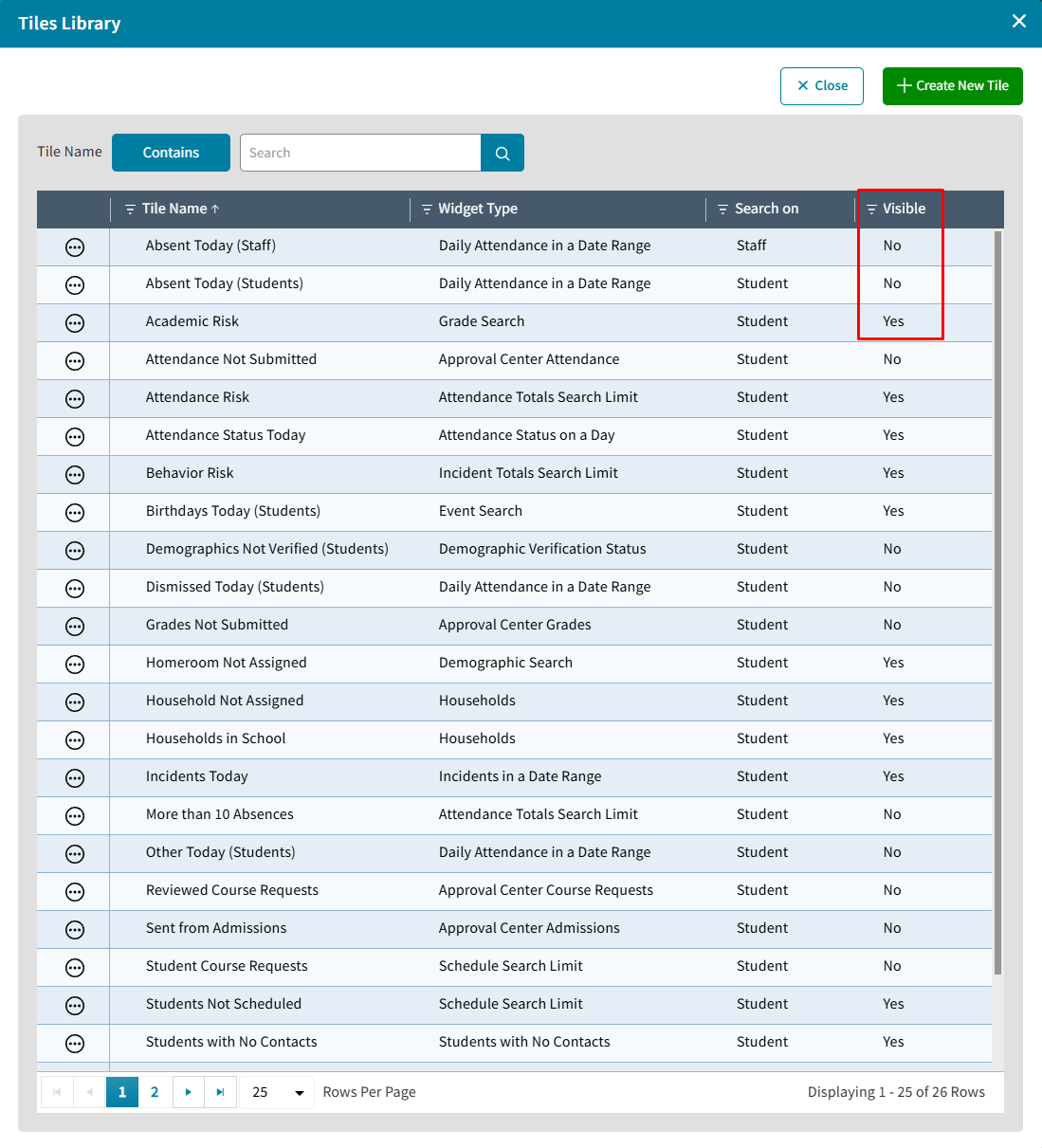
| Dashboard Library Simplified | The Dashboard Library screen has been simplified by removing the tile/chart numbers and changing Hide/Show to Visible No/Yes. | |
New Features
User Table with Last Login
The AdminPlus Supervisor can view Administrator's Plus User information by clicking Users from the left nav. Searching on the Classic AP User Name will filter the table for just that user. The Last Login field includes if the user is Currently Logged In.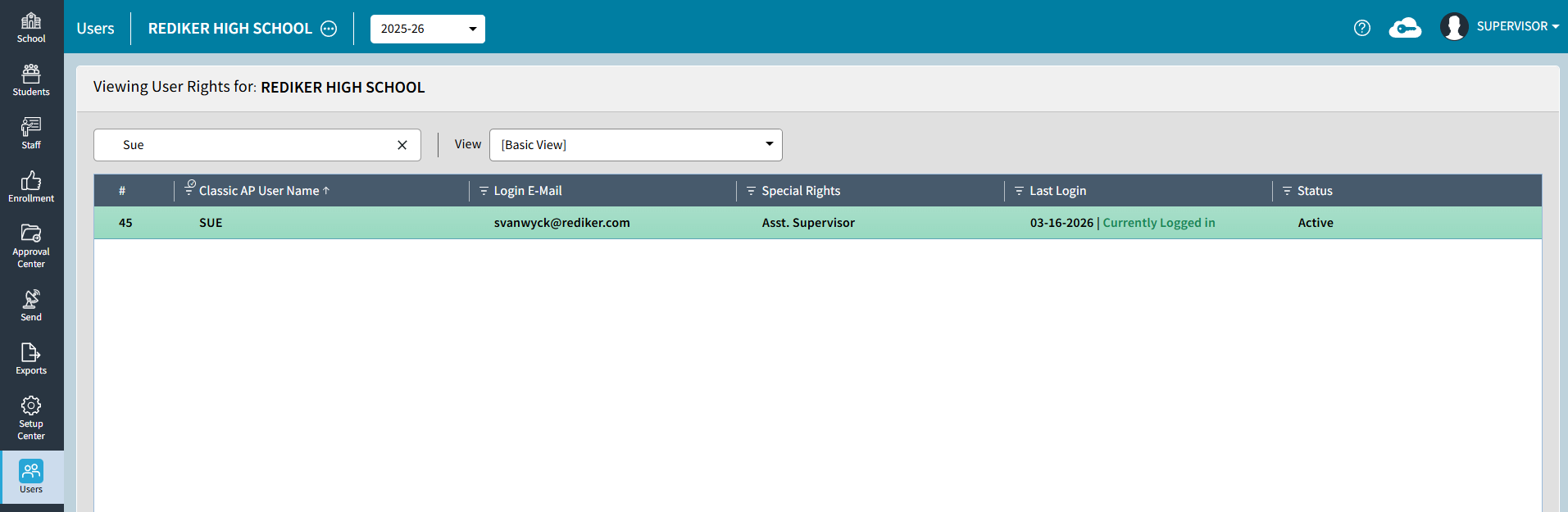
View Copy
Multiple Student and Multiple Staff Lookup View Options include Copy View. Users can copy a view to other users with demographic access.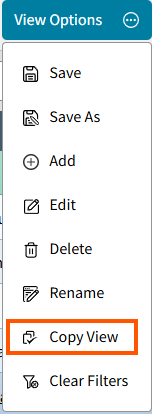
Batch Erase Column Grades & Narratives
Course Grades, Skill Grades, or Narratives can be erased for a selected Marking Period using Grades > Batch Processing > Erase Column Grades and Narratives. For more information see School Grades: Batch Processing.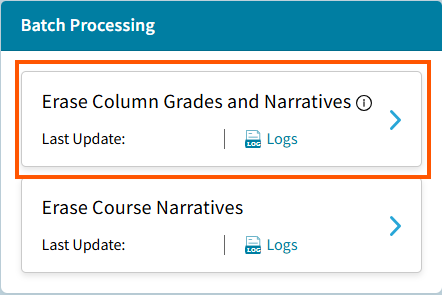
Batch Erase Course Narratives
Course Narratives can be erased using Grades > Batch Processing > Erase Course Narratives. For more information see School Grades: Batch Processing.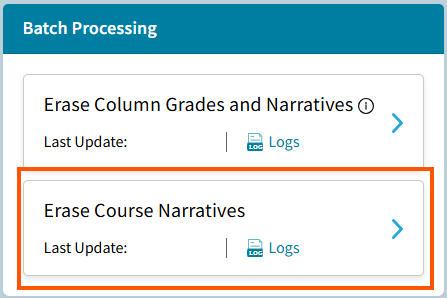
Manage Study Halls
School > Schedule > Manage Study Halls tile displays the number of Study Halls. Click on the number to view or edit Study Halls. For more information see School Schedule: Manage Study Halls.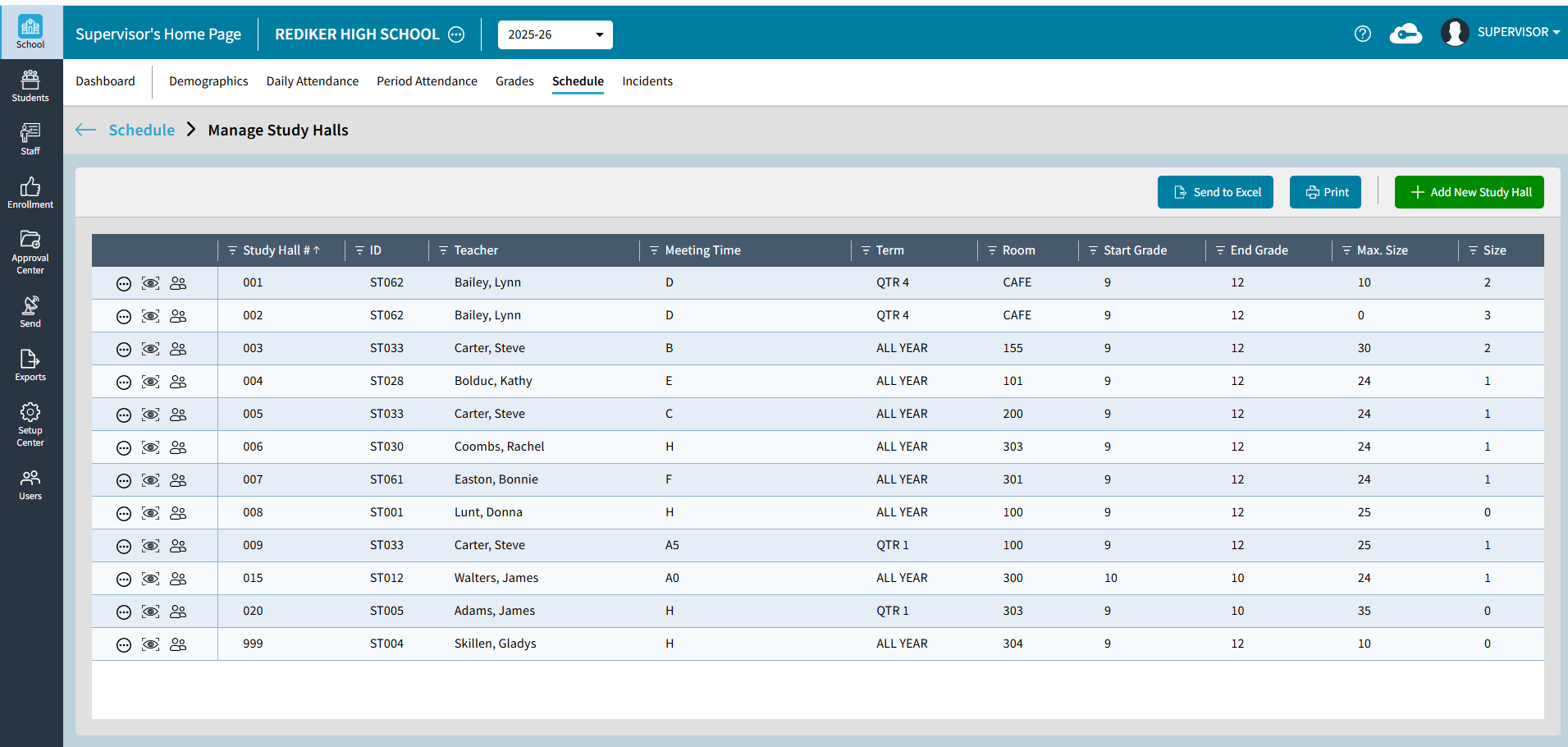
Change Relationship for Existing Contacts
Setup Center Libraries > Relationships has a Batch Option to Change Existing Student Contact Relationships from one value to another.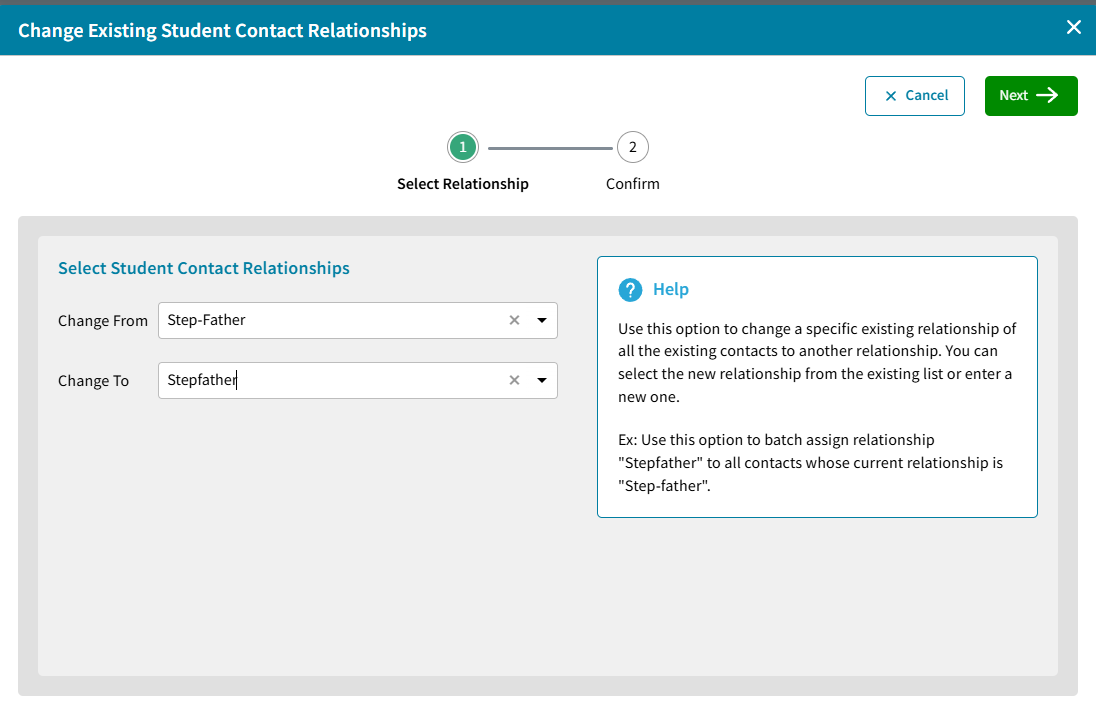
Add/Edit Department Names
Setup Center > Libraries > Departments is used to define the Department Name, required Credits amount and which department's courses will Print in Master Schedule report in classic. For more information see Setup Center: Departments, Report Card Columns, and Report Card Comments.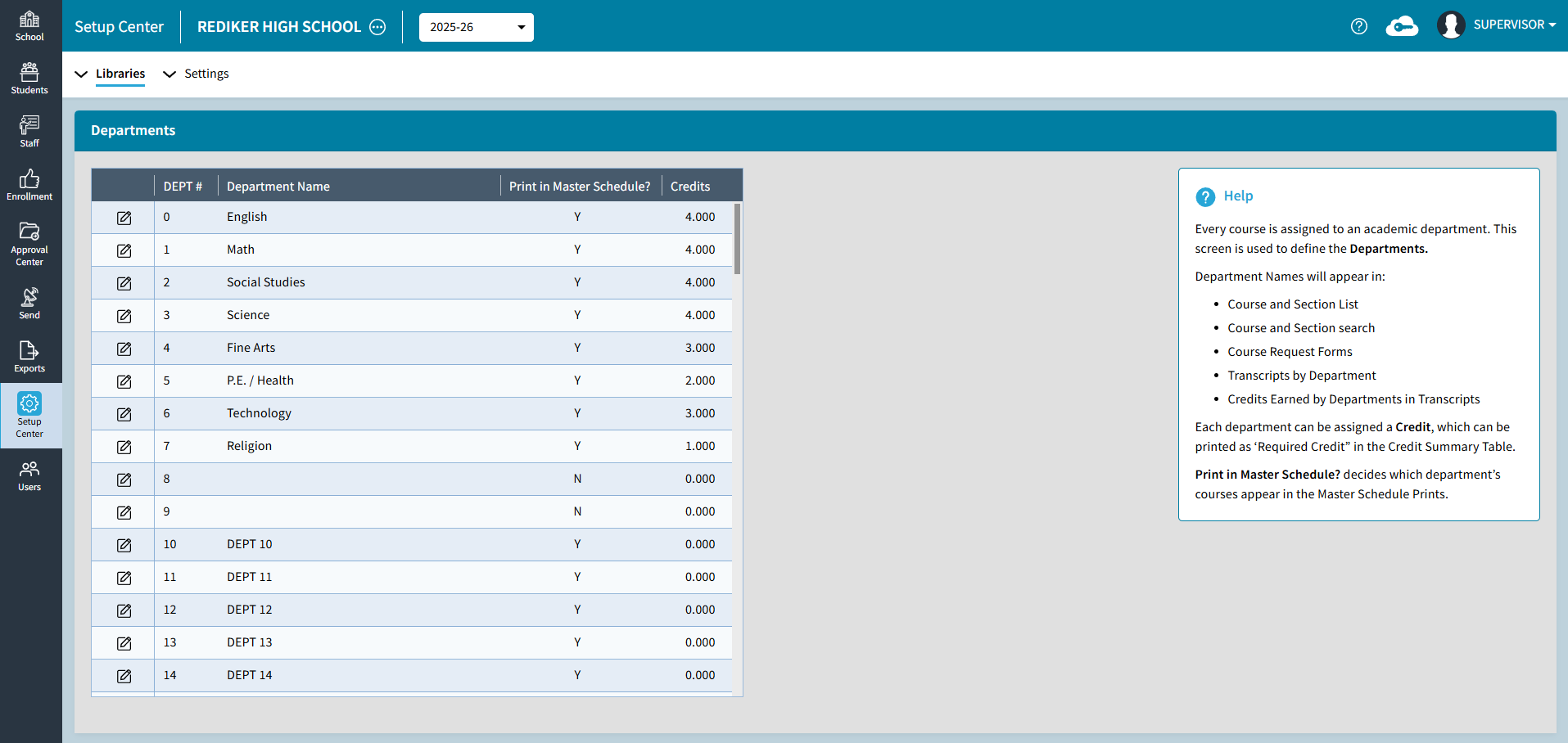
Add/Edit Report Card Comments
Setup Center > Libraries > Report Card Comments is used to define the comments that can be given for each marking period. For more information see Setup Center: Departments, Report Card Columns, and Report Card Comments.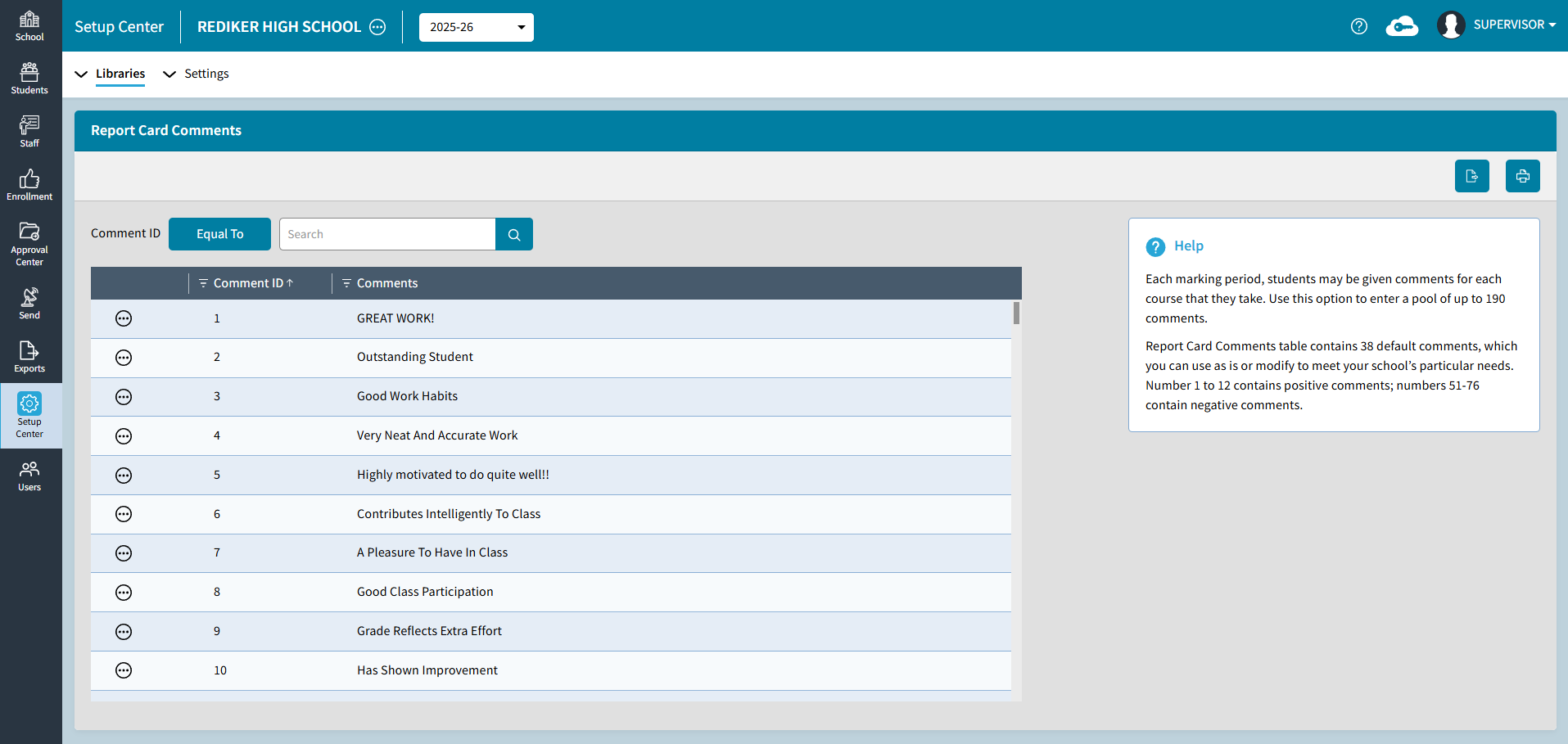
Edit Report Card Columns
Setup Center > Libraries > Report Card Columns is used to define the Report Card Column Names and Type. For more information see Setup Center: Departments, Report Card Columns, and Report Card Comments.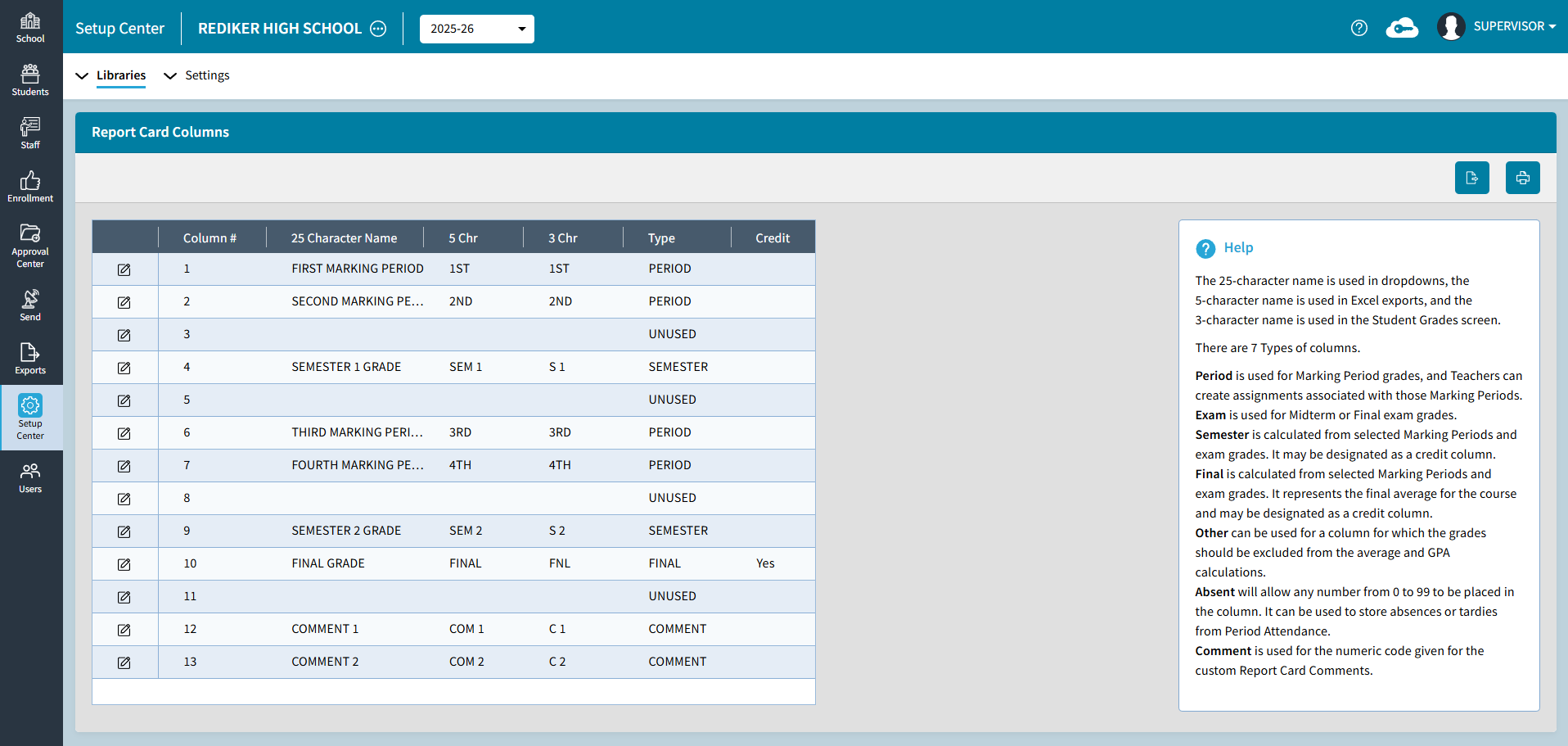
Improvements
RC-Course Grades Template Enhancements
Additional options have been added to the RC - Course Grades Template Settings. Report Settings have been added for Page Orientation Control (Portrait or Landscape), Cumulative GPA's /Credit Information Box, Generic Text Box, Footer (Signature, Stamp, Date), and Watermark. The Academic Box can include Comments and default fonts have been updated.
Transcript Template Class Rank Option
The Cumulative GPA's/Credit Information Box can include Rank or Rank With "out of".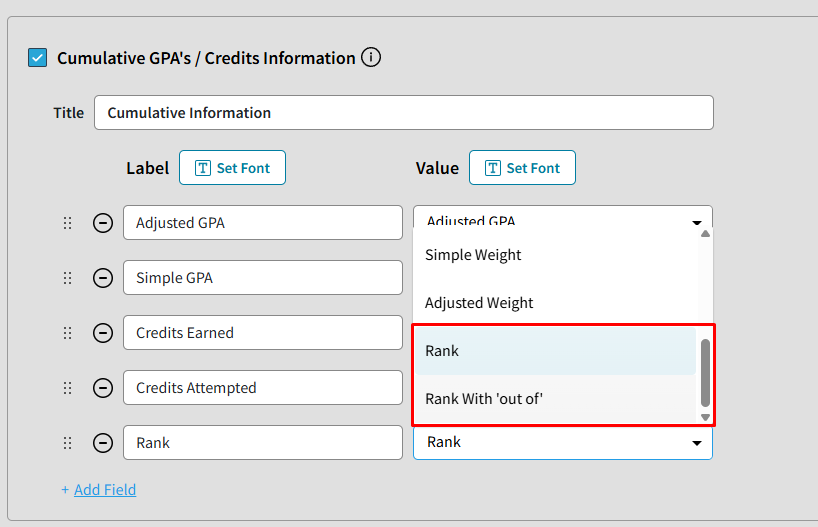
Custom Times on Grid Schedule
The custom times defined for a Rotation display next to the Meeting Time on Student and Staff Grid Schedules.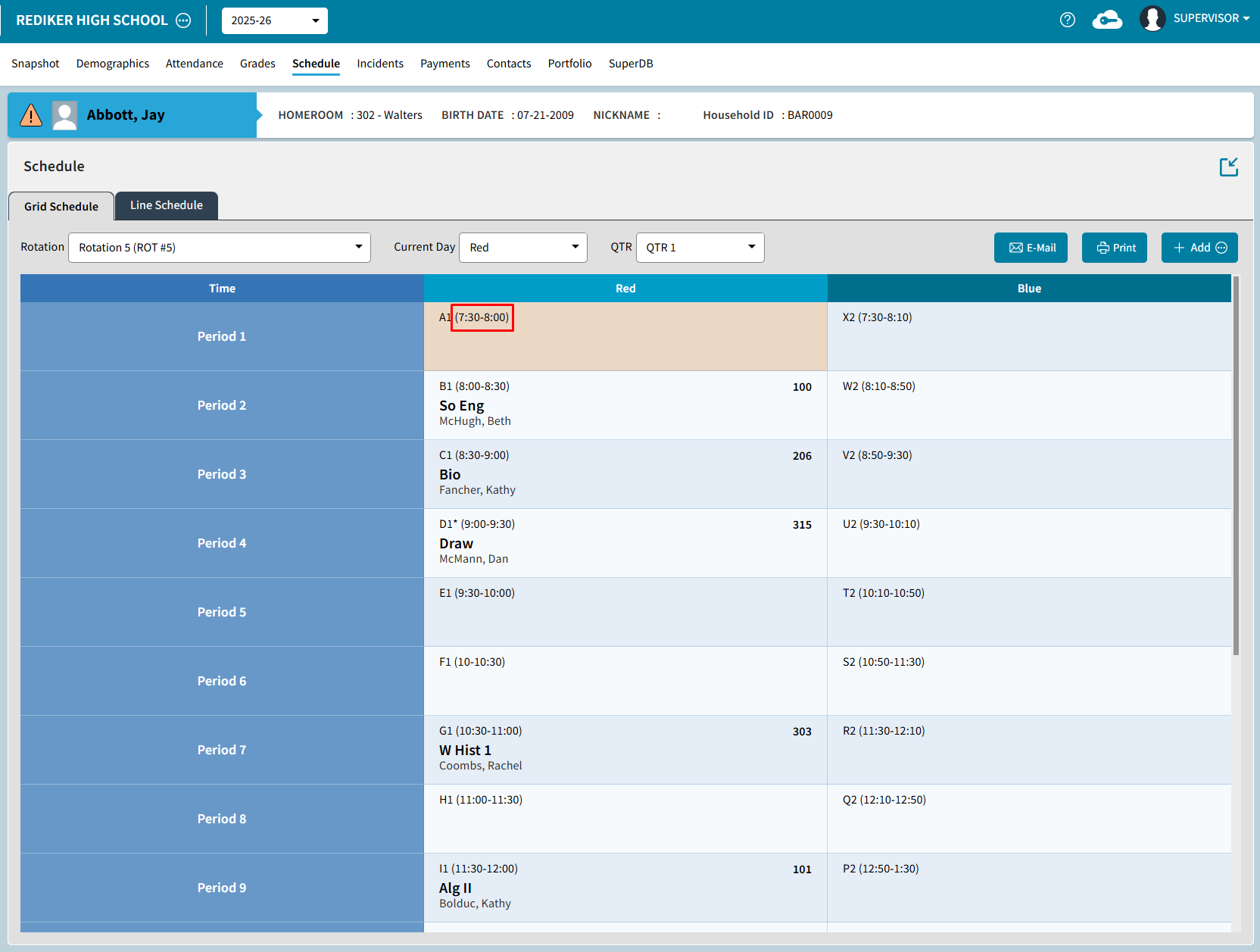
Student Contact Tool Tips
The Contact Tile on the Student Snapshot screen includes tool tips to display the Relationship when you hover over the Relationship icon and displays "Lives with Student" when you hover over the Household icon.
Dashboard Library Simplified
The Dashboard Library screen has been simplified by removing the tile/chart numbers and changing Hide/Show to Visible No/Yes.