
TABLE OF CONTENTS
Introduction & Overview
What does Website Accessibility mean?
The basic concept and definition of website accessibility refers to the practice of designing and developing website content so that everyone, including people with disabilities, can perceive, understand, navigate, and interact with your website effectively.
Examples
Headings: Headings (h1, h2, h3, etc) are crucial for accessibility as they provide structure, enhance navigation, and improve content comprehension for all users, especially those using assistive technologies. For example, this article is written with headings for sections which also allows us to provide you with a table of contents, which relies on the use of headings.
Contrast: In accessibility, this is a measure of the difference in luminance between text and its background. It is crucial so that the text is readable for all users, but especially for those with visual impairments.
Alt-Text: Alternative Text (Alt-Text) is descriptive text added to images that search engines as well as assistive technology like screen readers use. It supplies a description of an image that a user, especially those with visual impairments could hear out loud when using a screen reader.
Legality & Responsibility
Unfortunately, there is no clear legal definition of website compliance with the ADA. The RediSite platform and built-in accessibility tools help you on your path to comply with the WCAG 2.1 AA guidelines, which many U.S. and international jurisdictions use as a general guideline to determine accessibility compliance. However, certain types of institutions, like schools, and certain jurisdictions may have some added requirements, so please check with your counsel to confirm compliance.
It is very important to keep in mind that no webhost (including Rediker) can "guarantee" accessibility and that as the website owner, the school is ultimately responsible for the accessibility of their website and content. This is especially applicable and true because your team will manage and post content, and accessibility is typically maintained through the use of best practices and good content choices. For example, filling in the alternative text when adding images.
ADA compliance is a priority to us, so RediSites are always built with Web Content Accessibility Guidelines in mind. Our websites are built and designed to be accessible, which means everyone has a better experience when they are able to easily navigate and understand your website. Our team knows and adheres to accessibility best practices when we design your website. Our platform is also built and coded in a way that accessibility tools can read the website appropriately. Our platform even offers built-in tools as well continuous updates to help you stay compliant. Be mindful however, that over months and years of use and content updates, you may unintentionally stray from being accessible and compliant.
Resources
It is recommended that your website editors review and become familiar with Accessibility Policies and Guidelines.
- US DOJ Guidance on Accessibility and the ADA: https://beta.ada.gov/resources/web-guidance
- WCAG 2.0: https://www.w3.org/TR/WCAG20
- W3 Web Accessibility Initiative WAI: https://www.w3.org/WAI/
- W3 Resources for Content Writers: https://www.w3.org/WAI/roles/writers/
- W3 Accessibility Policy Statement Template: https://www.w3.org/WAI/planning/org-policies/#template
Built-in Features
The RediSite platform is built with features to aid you in maintaining accessibility, some you see, and some that just work on their own. The underlaying coding and design of the platform is built with accessibility guidelines in mind.
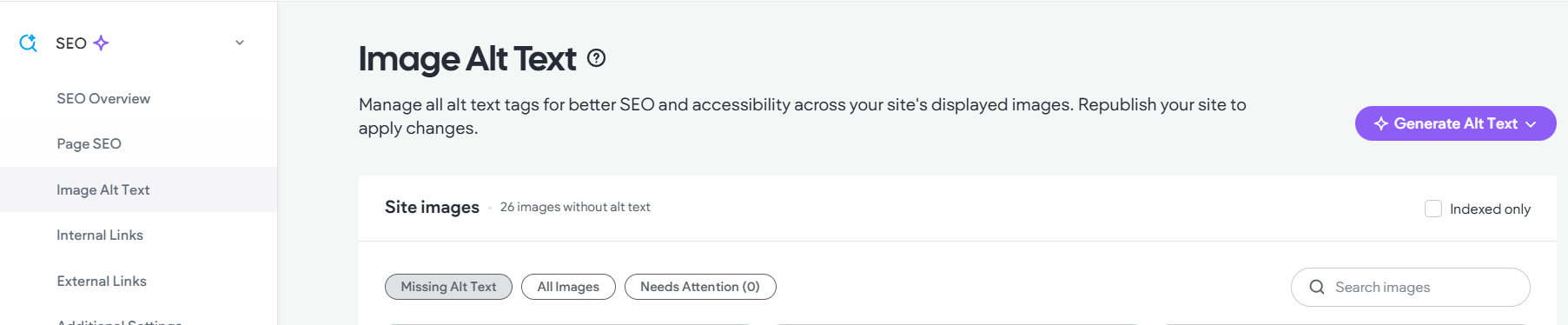
- AI-powered alt text: Optimize website accessibility for screen reader users by using the AI Assistant to generate instant, relevant alt text for your images. More than that, it easily indicates images that are missing alt-text, so you don't have to hunt through your website to find them.
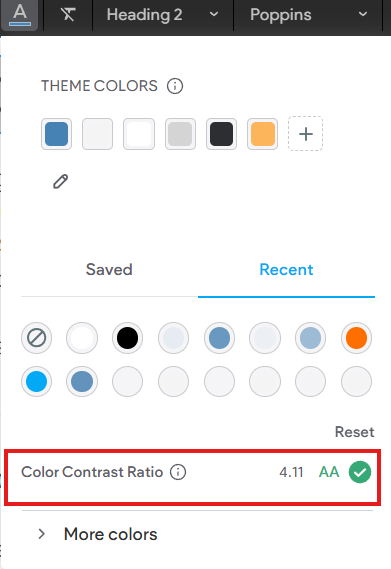
- Color contrast checker: Ensure text elements are visually distinguishable from their backgrounds with a built-in checker in the Text Widget, which provides instant contrast feedback.
- Keyboard navigation: Not everyone uses a mouse or trackpad to navigate a website, the platform uses standards-based browsers features, which make sure that keyboard navigational features work out of the box.
- Site language definition: We set the language of the website automatically, based on what you’ve set in the site settings. This ensures screen readers can determine the language of the website and assist users in the right language.
- Correct semantics: Behind the scenes, where possible, the platform leverages semantic HTML elements. For example, headers use header tags (<h1>). This ensures the best accessibility functionality, as it’s already baked into browsers and supported by screen readers. Also, when we build your site we are careful to ensure we use headings where appropriate.

- Focus highlight: Elements that can be interacted with will be highlighted as users navigate via keyboard. Focus highlights automatically appear when a user navigates via keyboard.
AudioEye
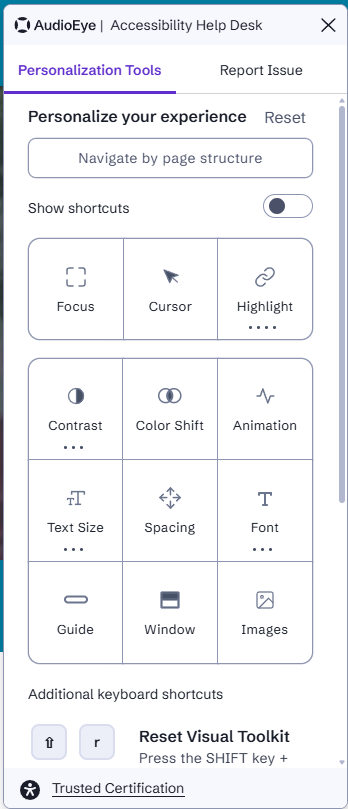
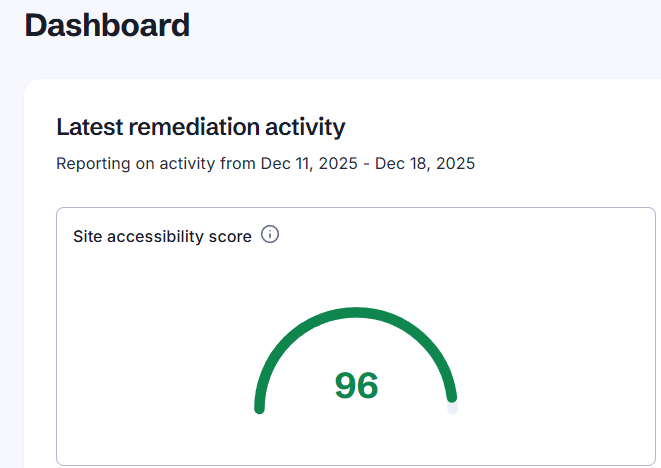
Need more assurance on accessibility? Upgrade and check out the AudioEye® Widget feature. It provides a front-end accessibility widget for your visitors. Additionally, it provides some automated fixes where necessary, and it also provides a scan and audit tool to help identify issues for your content managers to fix. Reach out to your account manager for more information. With Rediker and AudioEye at your side, accessibility is as easy as it can ever be.
 |  |  |
Consulting
While the actual responsibility for maintaining accessibility is the school's responsibility, you are not in this alone. If your team needs some guidance and some education on website accessibility, we can provide you with a consultation and informational session. Reach out to your account manager for more information.
Support
If you have a direct question about accessibility or how to fix an issue you can always email our support team. We can review your question and provide answers if needed.
Tips
- The underlying tenants of accessibility overlap with general content best practices and common sense as well as SEO fundamentals.
- Keep things simple, and accessibility is neither complex nor scary.
- Avoid images with text in them, which are often not mobile friendly, not SEO friendly, and most often not accessibility compliant.
- Use Google Chrome's Lighthouse Tool to scan your site, it can provide you with a baseline idea of your website accessibility score.
- Educate yourself!
- Take accessibility seriously.
- Don't wait until there is an issue.
- Develop a policy and place it on your website. Need help? Check out the W3 Web Accessibility Resources.
- Let people know you care and give them a way to reach out if they have a problem.
- Get the AudioEye widget!