
TABLE OF CONTENTS
Libraries > Lunch Codes
Setup Center > Libraries > Lunch Codes can be used in the current year by users with Attendance rights to  add a new lunch code,
  edit, or
 delete Lunch Codes.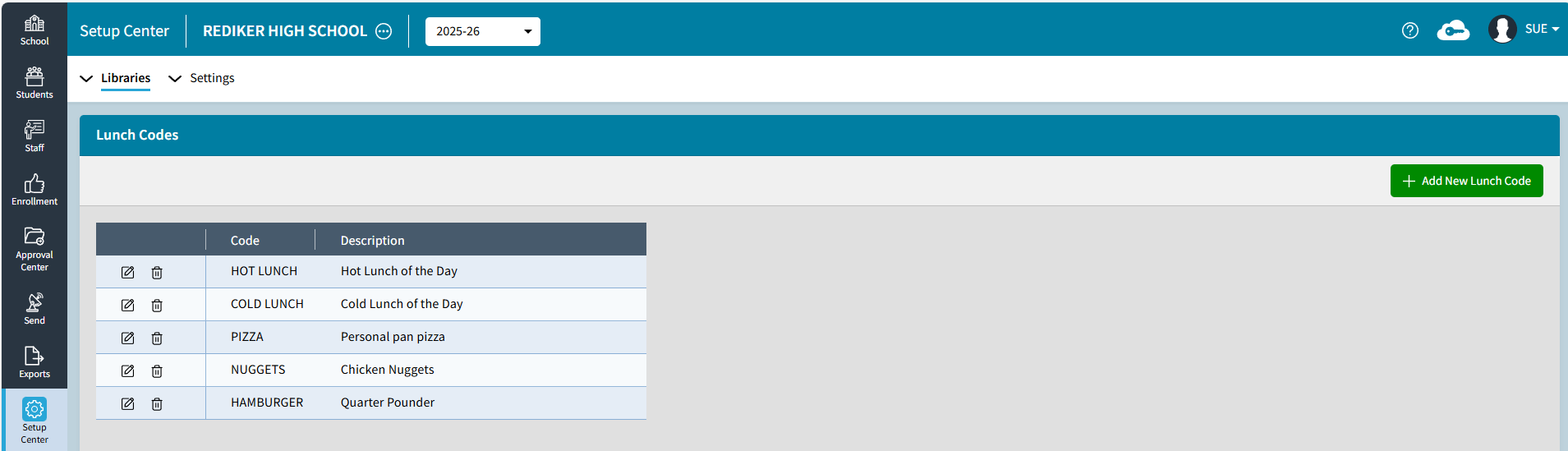
Add New Lunch Code
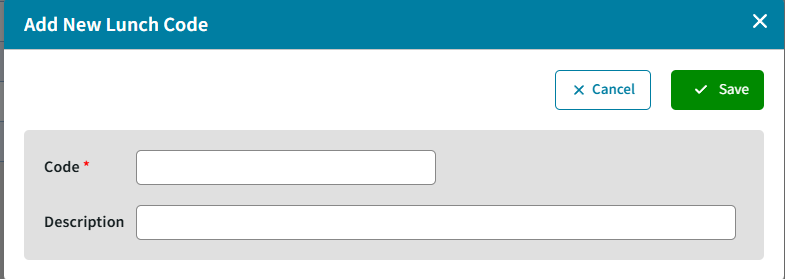
Code is required but the Description can be left blank. The teacher will only see the code in TeacherPlus not the Description. If Description is entered it will appear in the School > Daily Attendance > Lunch Counts tile and the report.
Lunch Counts
School > Daily Attendance > Lunch Counts displays the Lunch Code - Description and Total Count for the day.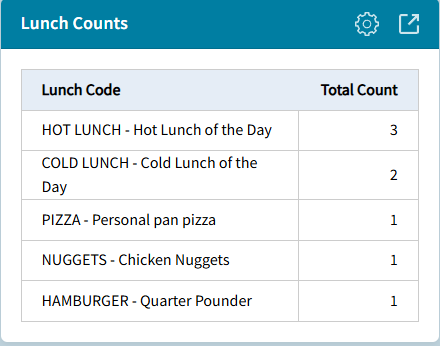
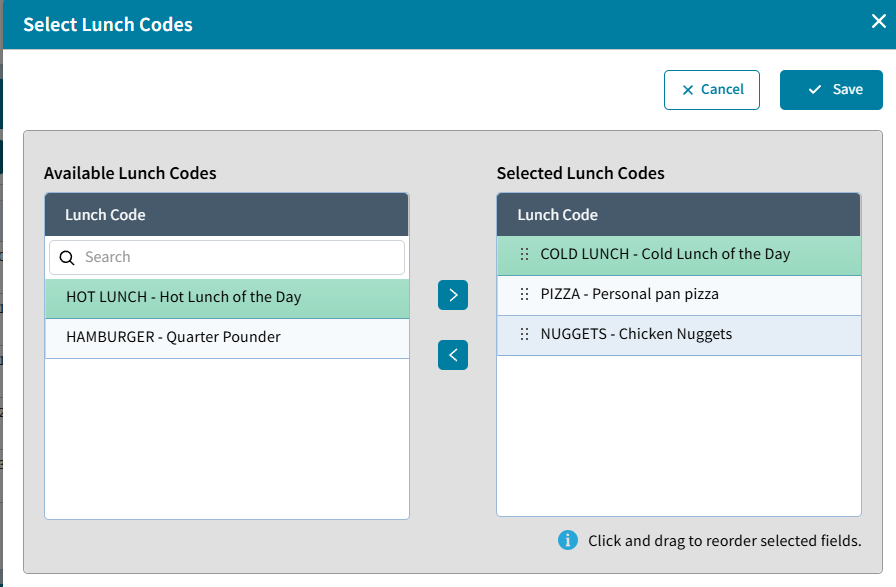
Select Lunch Codes
School > Daily Attendance > Lunch Counts click the Settings gear to Select the Lunch Codes for the day. Use drag and drop to reorder the selected fields. It's easier for teachers to have the most popular item at the top. The teacher will only see the Lunch Code in the TeacherPlus gradebook not the description.
Lunch Count Report
School > Daily Attendance > Lunch Counts click expand to see the report for the selected date.
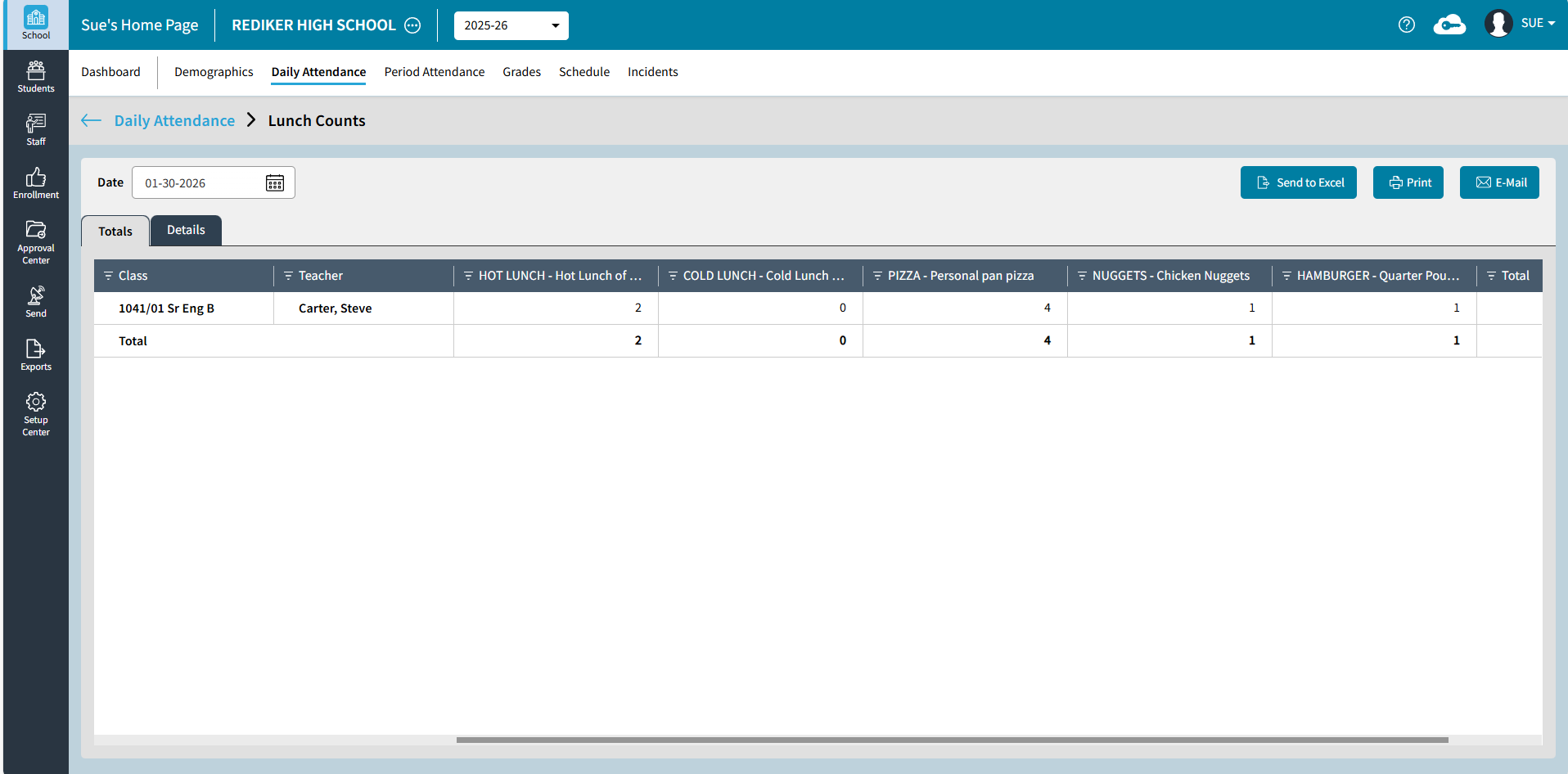
Send to Excel to get the Totals tab and Details tab in an Excel file.
Print to get a preview of the Lunch Counts report with Totals and Details that can be Saved as a PDF or printed.
E-Mail can be used to send the Excel as an attachment to selected Staff members or Admin Users.