
TABLE OF CONTENTS
Departments
Every course is assigned to an academic department. The Department Name can be up to 40 characters long and will appear in Course and Section List, Course Request Forms, Transcripts by Department and Credits Earned by Department in Transcripts. Each department can be assigned a Credit, which can be printed as "Required Credit" in the Credit Summary Table used on Transcripts.
Print in Master Schedule? decides which department's courses appear in the Master Schedule report in classic.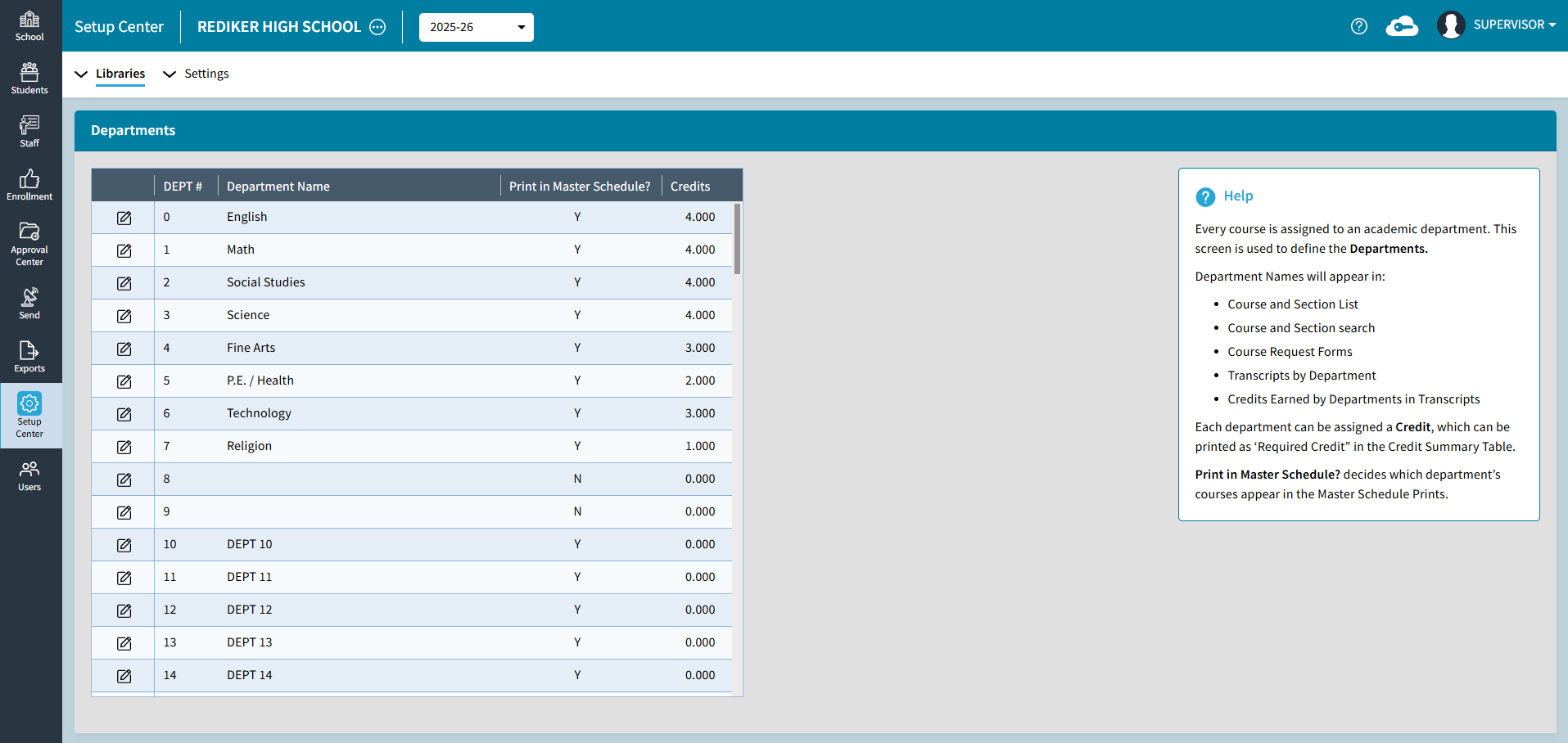
Department edit is only available if the school has selected to edit Scheduling in AdminPlus.com.
Report Card Columns
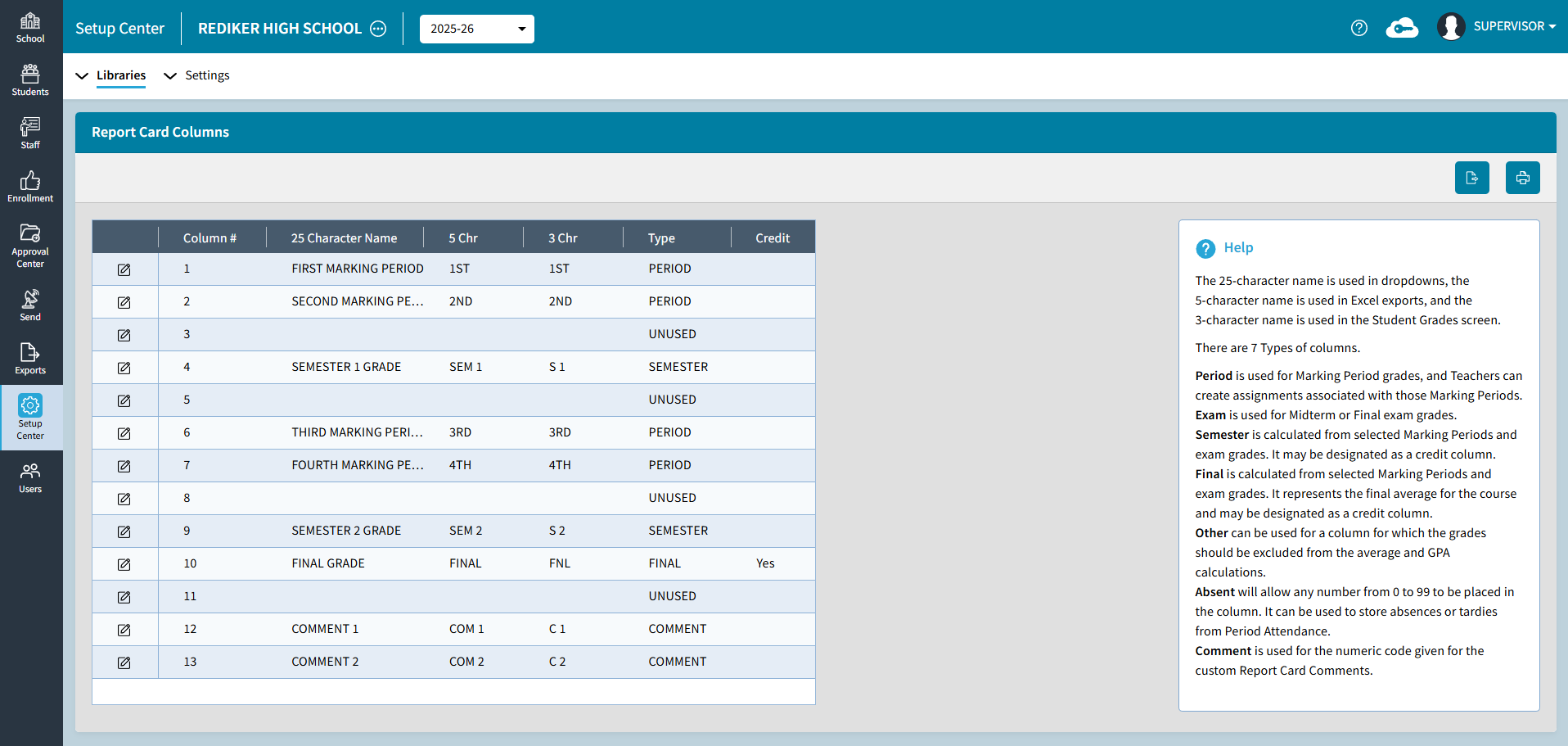
Report Card Columns are used to define the elements in the Academic Record.
The 25-character name is used in dropdowns, the 5-character name is used in Excel exports, and the 3-character name is used in the Student Grades screen.
There are 7 Types of columns.
- Period is used for Marking Period grades and Teachers can create assignments associated with those Marking Periods.
- Exam is used for Midterm or Final exam grades.
- Semester is calculated from selected Marking Periods and exam grades. It may be designated as a credit column.
- Final is calculated from selected Marking Periods and exam grades. It represents the final average for the course and may be designated as a credit column.
- Other can be used for a column for which the grades should be excluded from the average and GPA calculations.
- Absent will allow any number from 0 to 99 to be placed in the column. It can be used to store absences or tardies from Period Attendance.
- Comment is used for the numeric code given for the custom Report Card Comments.
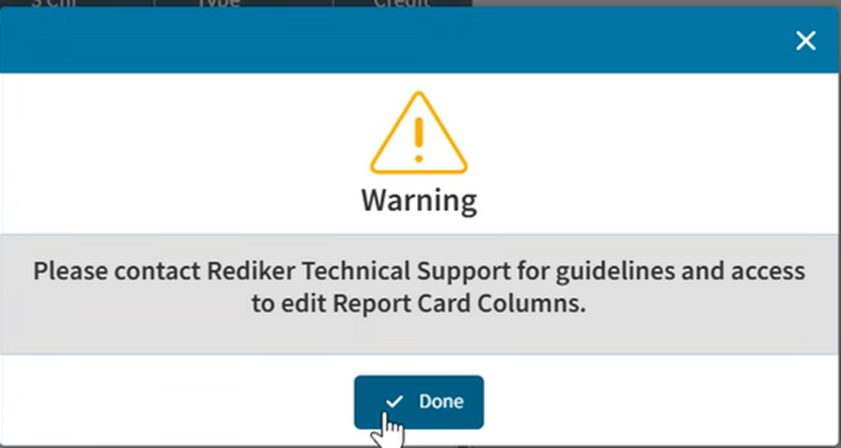
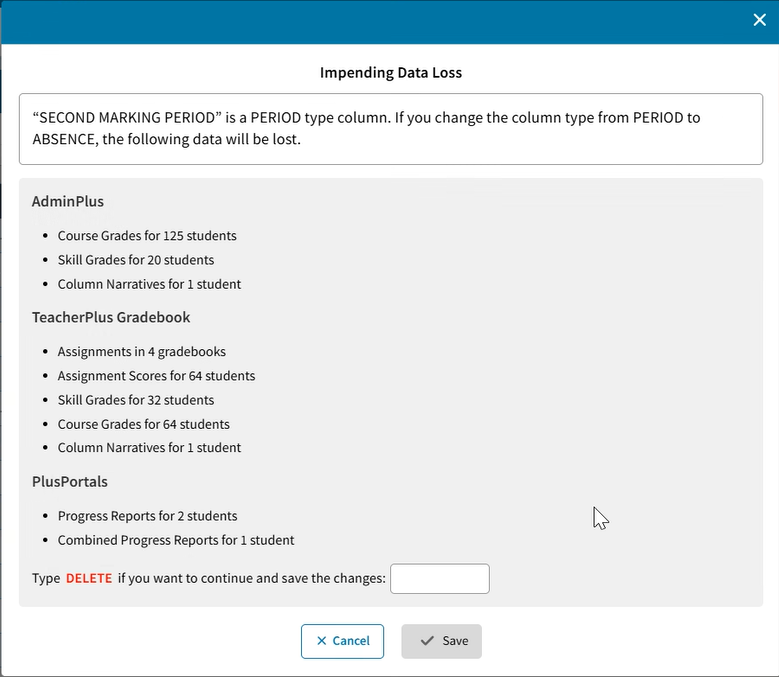
RC Column edit in Active Year requires a call to Tech Support to enable because changing a Report Card Column Type could result in data loss. RC Column edit in Scheduling year can be done in classic even if edit grades is in APCom. This does not require a key code because there are no Gradebooks in Scheduling year.
Report Card Comments
Each marking period, students may be given comments for each course that they take. Use this option to enter a pool of up to 190 comments.
Report Card Comments table contains 38 default comments, which you can use as is or modify to meet your school’s particular needs. Number 1 to 12 contains positive comments; numbers 51-76 contain negative comments.
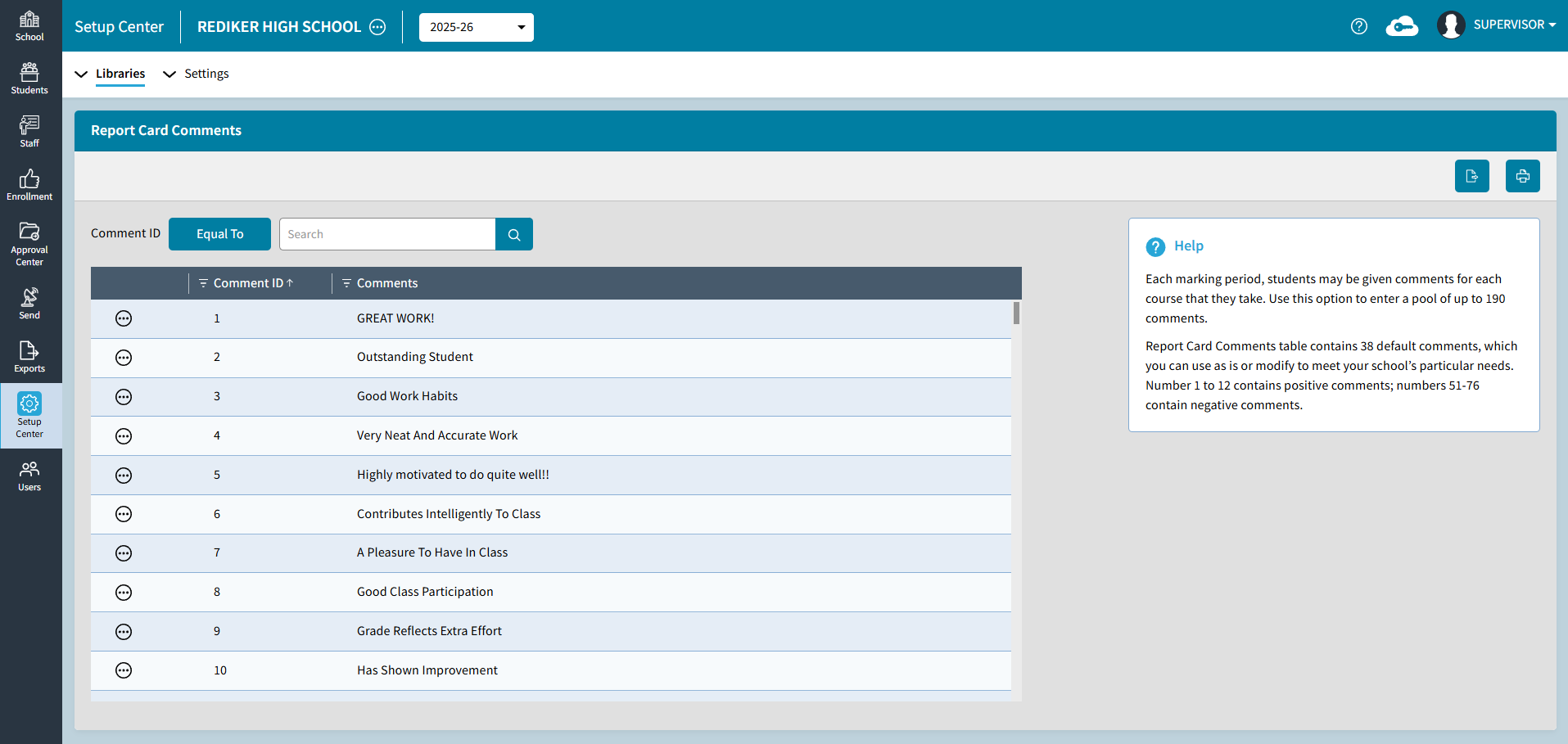
Report Card Comment edit is only available if the school has selected to edit Grades in AdminPlus.com.