
We've released several new features, improvements, and feature fixes for AdminPlus.com. Highlights of this update include:
| New Features | ||
|---|---|---|
| User Management: Edit in AdminPlus.com | The SUPERVISOR user can now manage users directly in AdminPlus.com, including adding new users, editing user profiles and permissions, copying permissions, and inactivating users. Contact and SuperDB Permissions can also be managed in the same location as the user permissions. | |
| Forgot Password | A Forgot Password option has been added to the login screen for users to send an e-mail when they need to reset their password. A verification code is sent to the e-mail address associated with the account, allowing the user to verify their identity and create a new password. | |
| Change Password | Users can now update their own password while logged to AdminPlus.com from User Settings > Change Password. | |
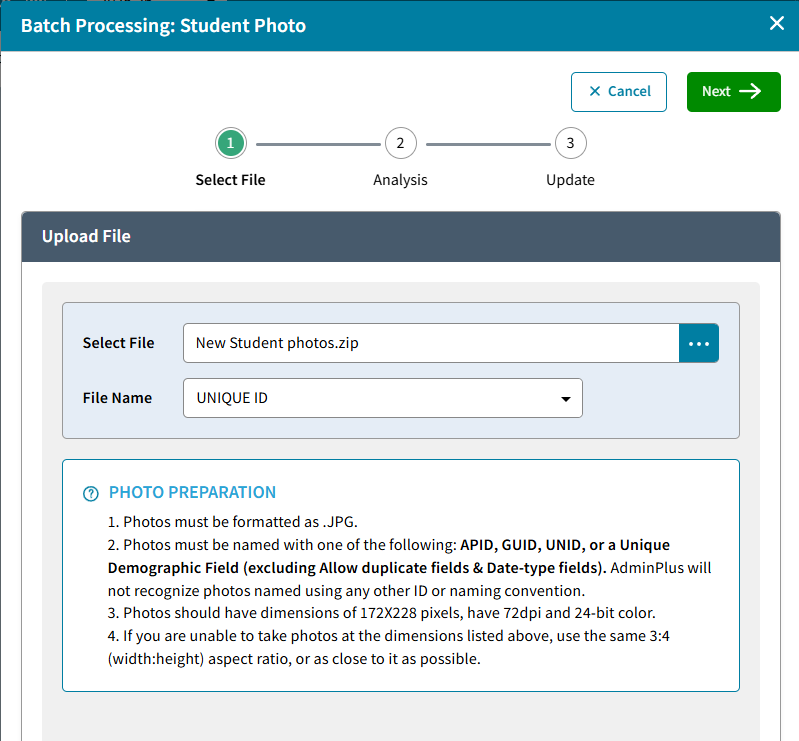
| Batch Photo Upload | Users can now Batch upload photos for Students or Staff from School > Demographics >Student or Staff > Batch Process > Photo Batch Process by uploading a ZIP file containing student photos. | |
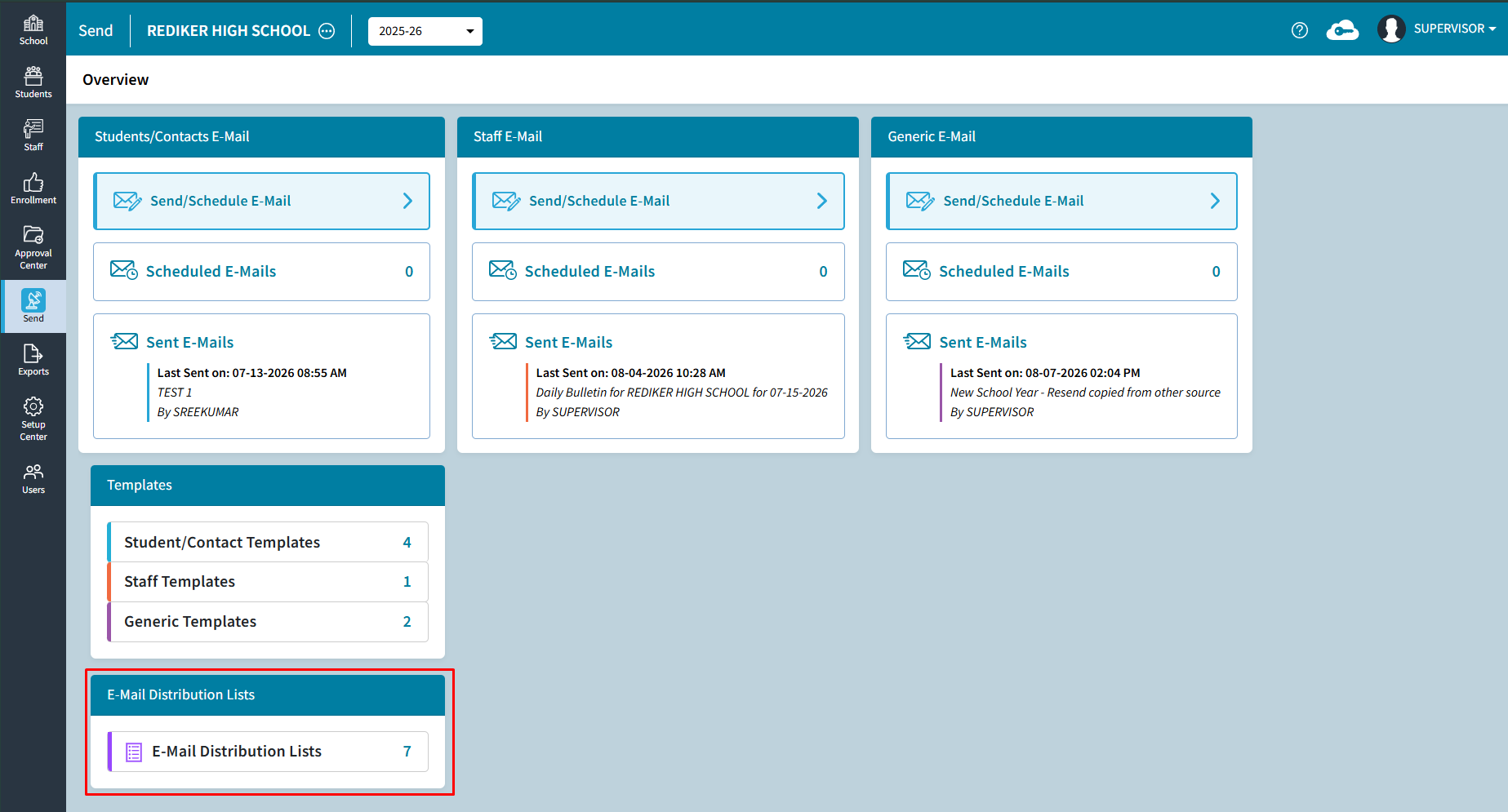
| E-Mail Distribution List | Users can now create an E-Mail Distribution list for the Daily Attendance Bulletin. Once a distribution list is created and saved, you can select it again for future e-mails without having to manually select the same recipients each time. | |
| Room Schedule Report | A new Room Schedule report is available under School > Schedule > Reports, allowing users to generate Report by Rooms. | |
| Improvements | ||
|---|---|---|
| Course Requests to be treated as Transfer Courses | On Student > One Student > Grades, Course Requests can now be treated as Transfer Courses for students in the active year, allowing grades to be entered for courses taken at another school. | |
| Extended RC for Course Requests | Extended RC data can now be entered for Course Requests in AdminPlus.com. | |
| Staff Status for Reports | Staff Status is now available when working with Staff Demographic Reports, Staff Data Batch Processing, Daily Attendance reports and batch entry, and Staff Schedule Reports. | |
| Scheduling Year Text | Text has been updated for features that are not available while working in the Scheduling Year. | |
| Batch Add Schedule Text | The default selection for Batch Add Schedule has been changed from Replace to Add To. | |
| Manage Page Colors for Student and Staff Field Properties | Non Supervisor users can now access Setup Center >Libraries >Student/Staff Demographic Fields > Manage Pages. This will allow you to edit the color of the page color and change the name of the tab on each page. | |
| Feature Fixes | ||
|---|---|---|
| Prospect Received from Admissions is Duplicated | An issue that caused students received from Admissions to be duplicated has been resolved | |
New Features
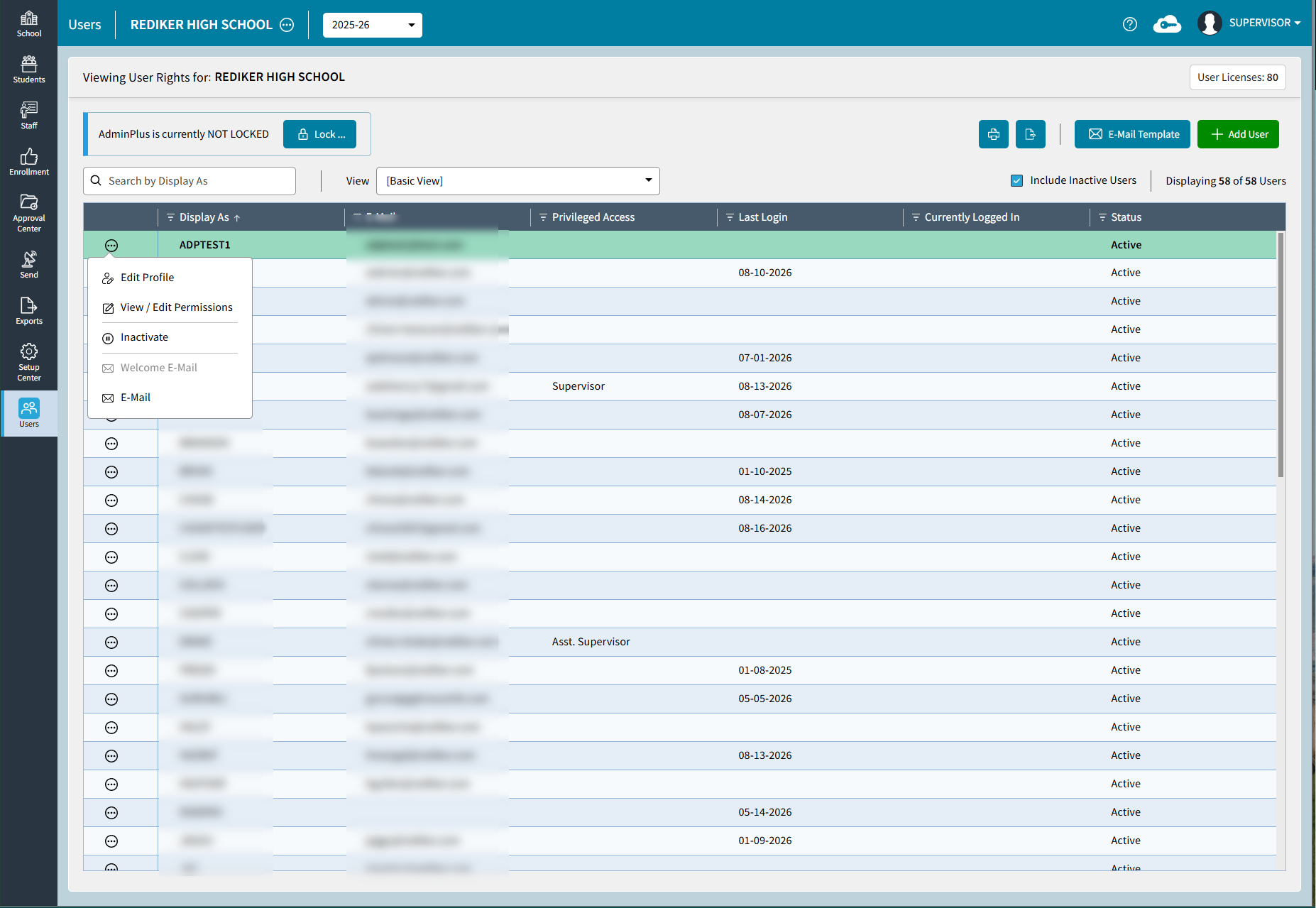
User Management: Edit in AdminPlus.com
User Management is now available in AdminPlus.com, allowing the Supervisor user to Add New Users and Manage Existing User accounts directly from the Users screen if User Management Edit is set to AdminPlus.com. Users can assigned permissions, send activation e-mails to new users, and manage existing accounts using the available User Management actions. New users will need to be added and existing users will need to be managed at each school. A multi-school view will be available in a future release.
Forgot Password
A Forgot Password option has been added to the login screen for users to send an e-mail when they need to reset their password. A verification code is sent to the e-mail address associated with the account, allowing the user to verify their identity and create a new password.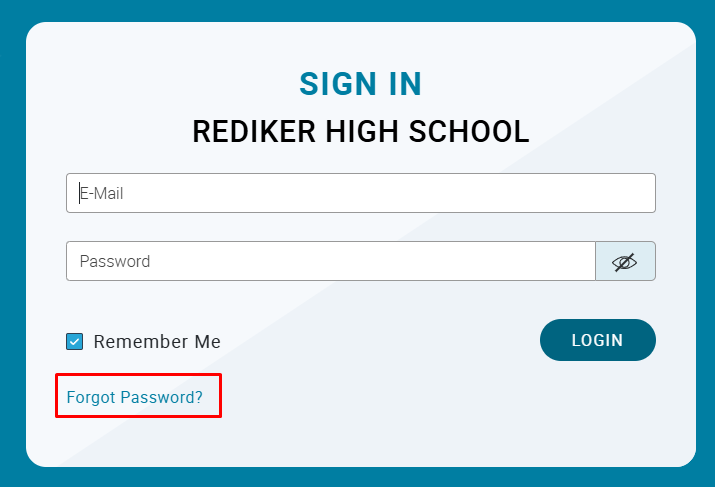
Change Password
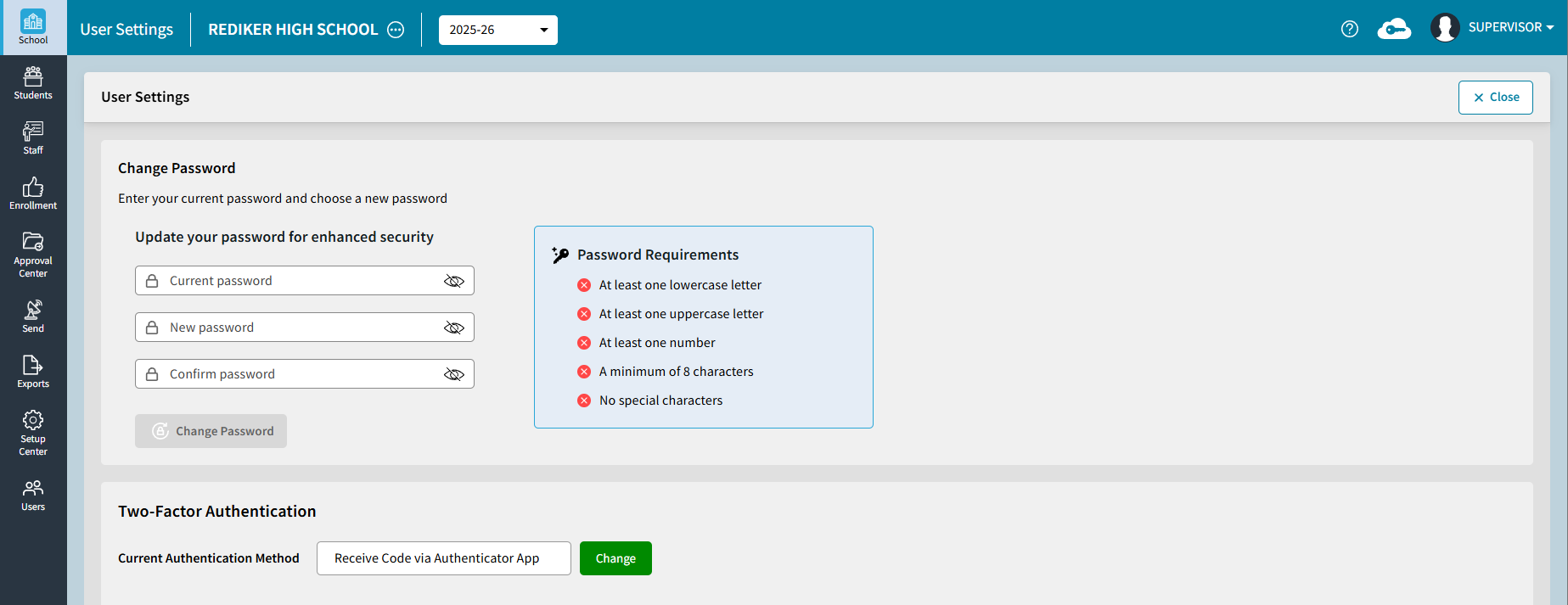
Users can now update their own password while logged to AdminPlus.com from User Settings > Change Password. Users must enter their current password and create a new password that meets the displayed password requirements.
Batch Photo Upload
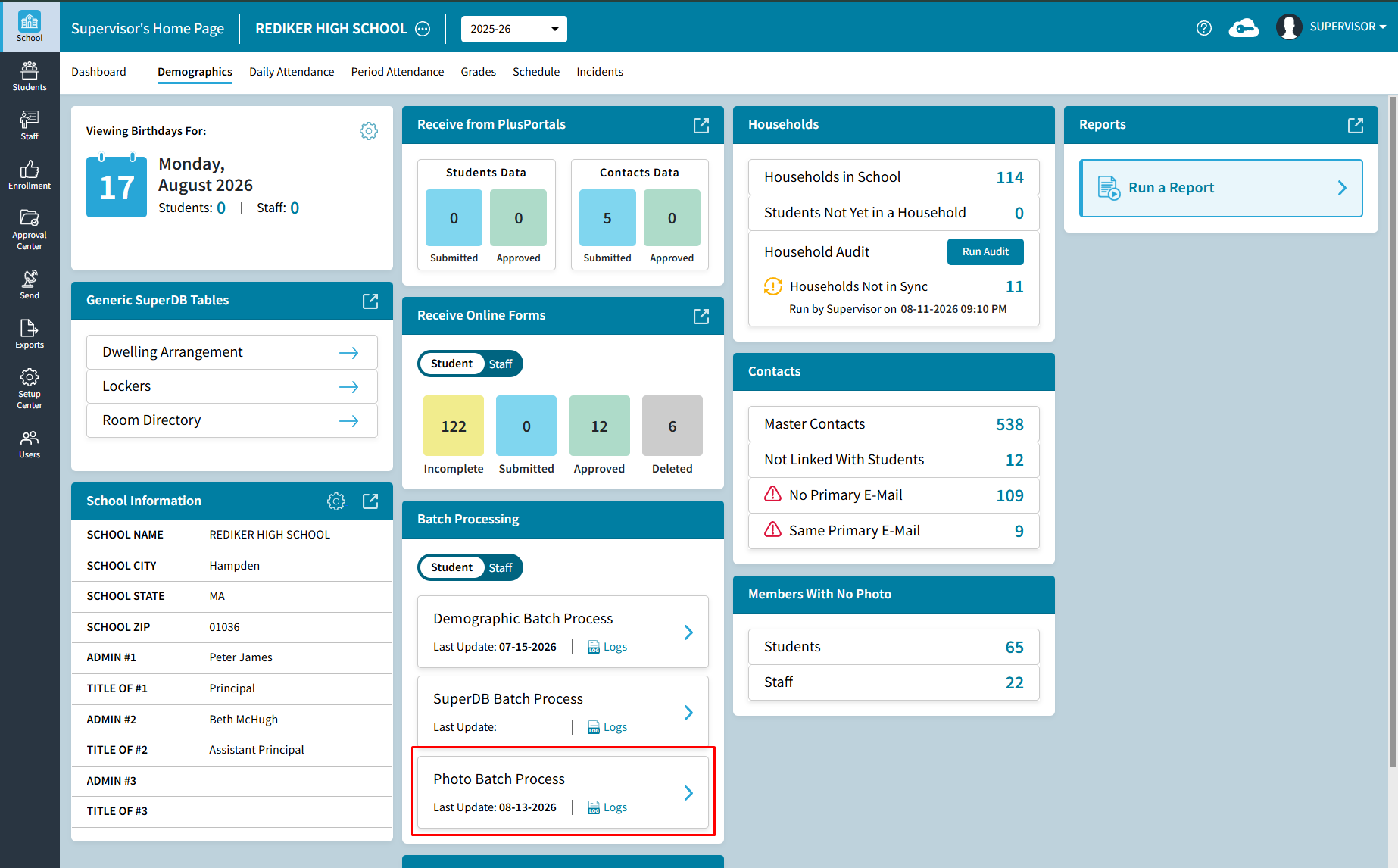
Users can now update multiple student or staff photos at once by uploading a ZIP file from School > Demographics > Batch Process > Photo Batch Process.
E-Mail Distribution List
Users can now create reusable E-Mail Distribution Lists by going to Send > E-Mail Distribution Lists. Distributions lists can only be used for sending the Daily Attendance Bulletin at this time. Distribution Lists can be edited, copied, renamed, or deleted as needed.
Room Schedule Report
A new Room Schedule report is available under School > Schedule > Reports, allowing users to generate Report by Rooms. This is a similar workflow as the Student and Staff schedule Report.
Improvements
Course Requests to be treated as Transfer Courses
On Student > One Student > Grades, Course Requests can now be used as Transfer Courses for students in the active year, allowing users to enter grades for courses completed at a student's previous school. Courses must first be added under One Student > Schedule.
Extended RC for Course Requests
Extended RC data can now be entered for Course Requests in AdminPlus.com. This works along with Grades to be entered in for Course Request Courses for courses completed at a student's previous school.
Staff Status for Reports
Staff Status is now available when working with Staff Demographic Reports, Staff Data Batch Processing, Daily Attendance reports and batch entry, and Staff Schedule Reports.
Scheduling Year Text
Text has been updated for features that are not available while working in the Scheduling Year. It was updated for the following locations:
- School > Daily Attendance
- School > Period Attendance
- School > Grades
- School > Incidents
- Student > Snapshot > Daily Attendance Tile
- Student > Snapshot > Grades Tile
- Student > Snapshot > Incident Summary Tile
- Student > Snapshot > GPA’s & Credits Tile
- Student > Snapshot > Action Summary Tile
- Student > Attendance
- Student > Grades
- Student > Incidents
- Staff > Daily Attendance Tile
- Staff > Attendance
- Approval Center > Plusportals Tile
- Approval Center > Daily Attendance Tile
- Approval Center > Period Attendance Tile
- Approval Center > Grades Tile
- Approval Center > Incidents Tile
- Setup Center > Libraries > Lunch Codes
Batch Add Schedule Text
The default selection for Batch Add Schedule has been changed from Replace to Add To.
Manage Page Colors for Student and Staff Field Properties
Non Supervisor users can now access Setup Center >Libraries >Student/Staff Demographic Fields > Manage Pages. This will allow you to edit the color of the page color and change the name of the tab on each page.
Feature Fixes
Prospect Received from Admissions is Duplicated
An issue that caused students received from Admissions to be duplicated has been resolved.