
We've released several new features, improvements, and feature fixes for PlusPortals Mobile App. Highlights of this update include:
| New Features | ||
|---|---|---|
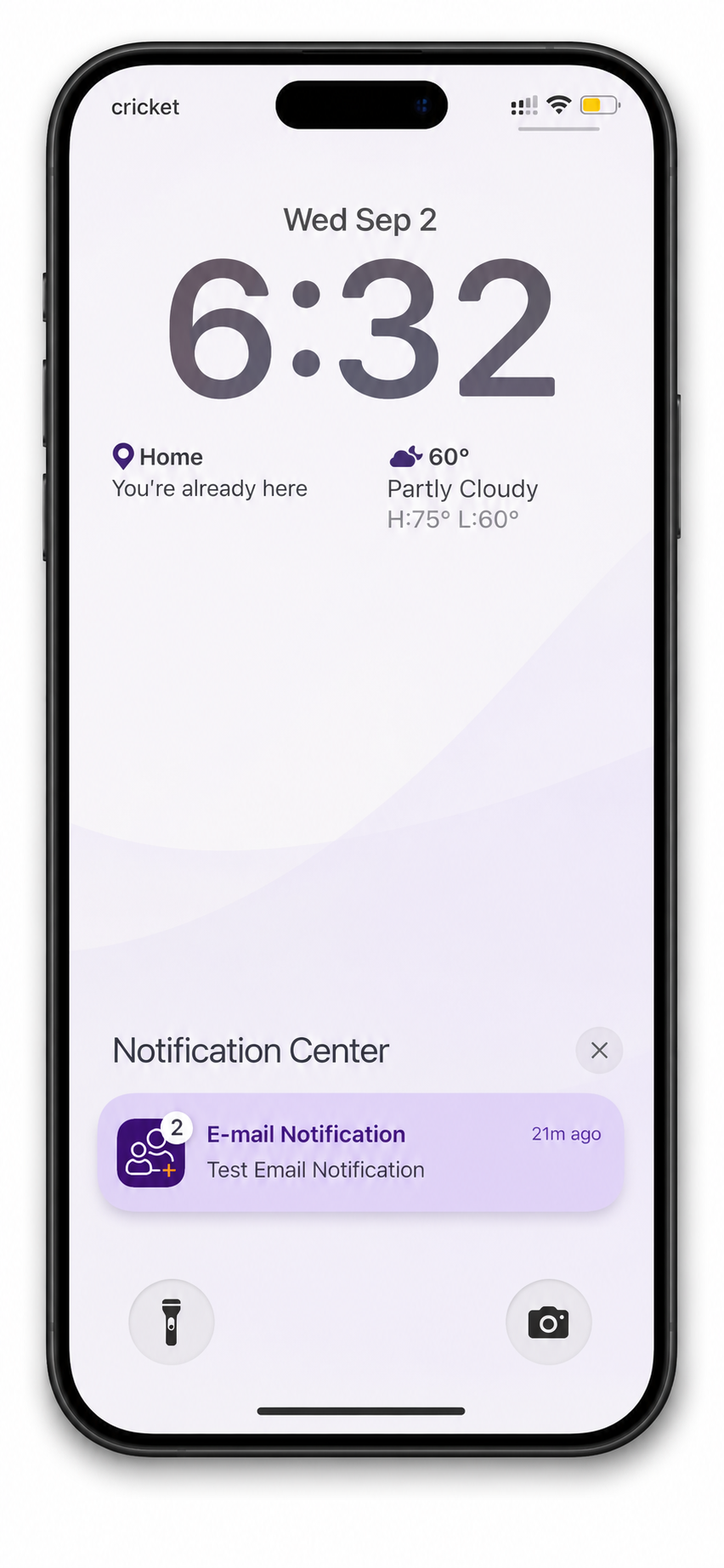
| Push Notifications | Parents can now view push notifications directly within the PlusPortals mobile app when notifications are enabled. | |
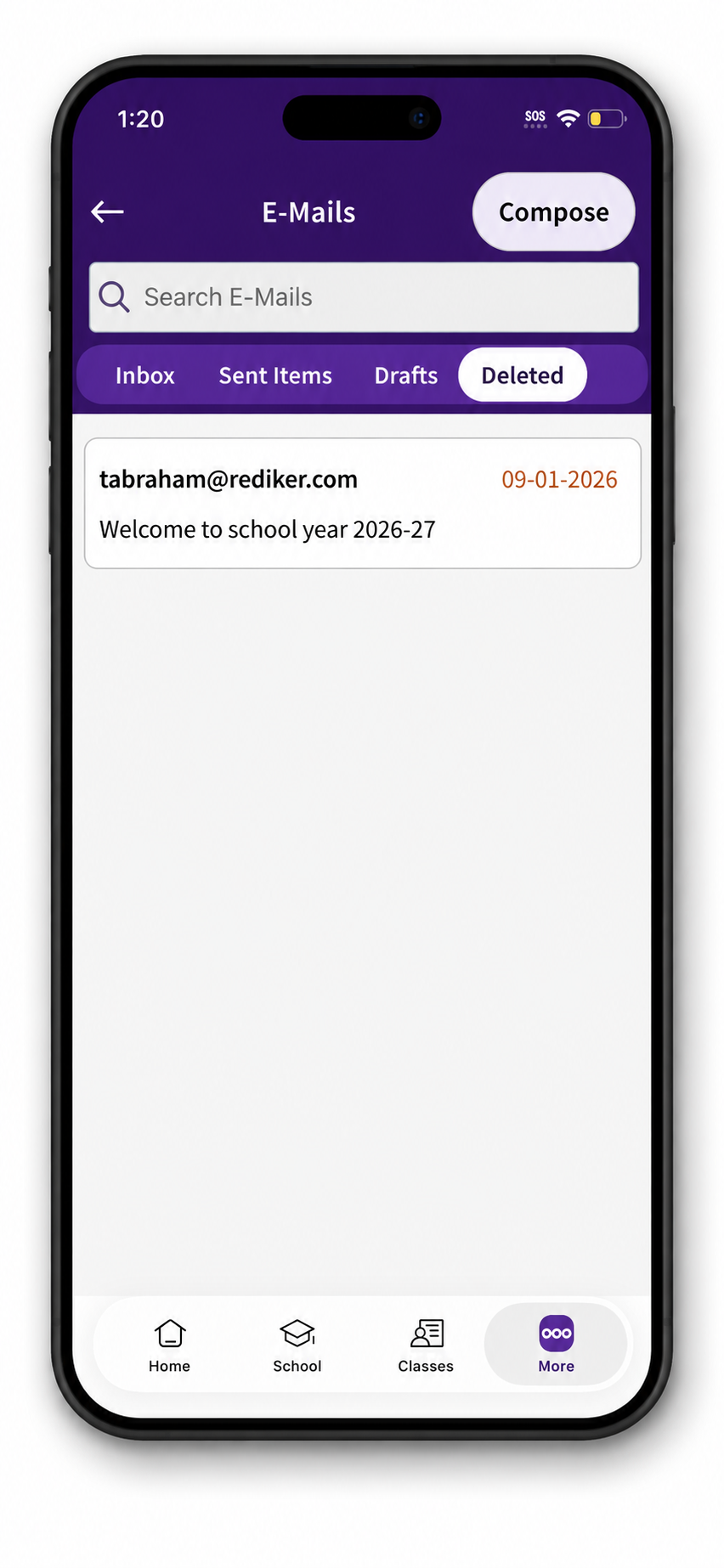
| Deleted Email Folder | A new Deleted Email screen has been added, allowing users to view deleted email messages within the app. To view it follow the path: More > Email > Deleted | |
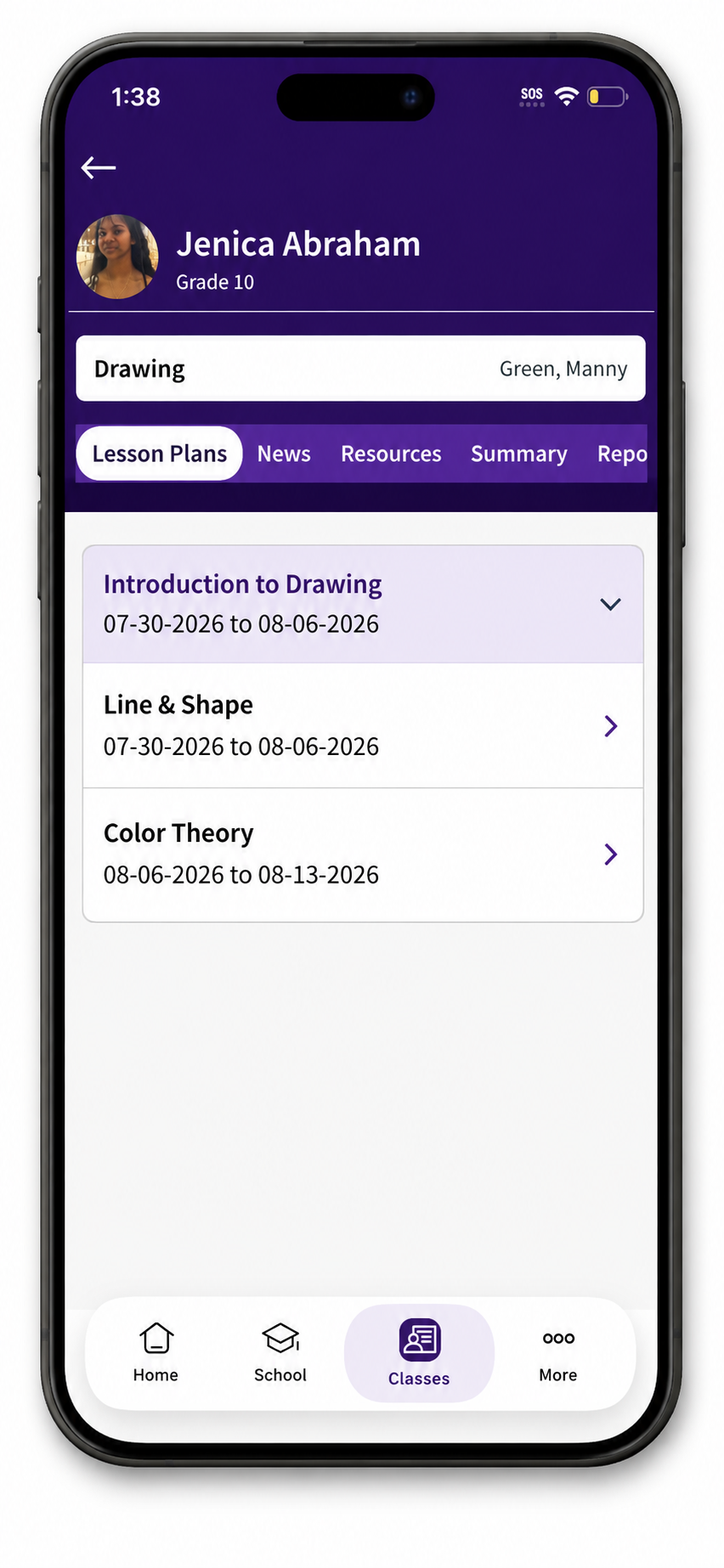
| Lesson Plans | Lesson Plans are now available in the mobile app. Users can view: Summary, Activities, Resources, Skills & Standards bringing the mobile experience in line with the browser version. To view it follow the path: Classes > (Pick a Class) > Lesson Plans | |
| Improvements | ||
|---|---|---|
| Calendar Synchronization | Users can now synchronize school events with their device's calendar. | |
| Assignments Enhancements | Several improvements have been made to the Assignments screen, including:
| |
| Tutorial & Student Selection | Tutorial screens have been updated with improved readability through larger fonts, a repositioned End button, and bold formatting for student names in the Change Student window. | |
| Contact Directory | Parents can now use the View Student option directly from Contact Directory search results, matching the browser experience. | |
| Login & Logout Experience | Authentication and navigation have been improved by enhancing long-idle login behavior, removing unnecessary logout confirmations, and providing smoother back-button navigation for Android phones. | |
| Progress Reports | Progress Reports have been added to the mobile app, allowing users to view available progress reports and combined progress reports similarly to the browser version. | |
| Class Display Names | Class display names are now shown throughout the app, improving readability for parents and students. | |
| Multi-Language Support | Improvements have been made to support devices configured with non-English languages. | |
| Feature Fixes | ||
|---|---|---|
| Demographics Screen | Resolved an issue that caused an unexpected error when parents attempted to access the Demographics section. | |
| Class Folder Files | Fixed an issue where files added to class folders were not appearing in the mobile app. | |
| Portal Lockout Message | Corrected the lockout message, so it now matches the custom message displayed in the browser version. | |
| More Menu | Fixed an issue that caused the More screen, including the Resources icon and other menu options, to appear blank. | |
| Email Recipients | Resolved an issue where recipient information was not displayed for sent emails. | |
| Teacher Email Selection | Fixed an issue that prevented students from selecting teachers as email recipients. | |
| Email Time Stamps | Corrected email time stamps to properly account for daylight saving time. | |
| Email Links | Fixed an issue where links contained within emails would not open correctly from the mobile app. | |
| Password Entry | Improved password entry on smaller iPhone devices by ensuring the password field remains visible while typing. | |
New Features
Push Notifications
Parents can now view push notifications directly within the PlusPortals mobile app when notifications are enabled.
Deleted Email Folder
A new Deleted Email screen has been added, allowing users to view deleted email messages within the app. Now you can view all deleted emails in the same screen. To view it follow the path: More > Email > Deleted
Lesson Plans
Lesson Plans are now available in the mobile app. Users can view:
- Summary
- Activities
- Resources
- Skills & Standards
This brings the mobile experience in line with the browser version. You can now view all lesson plans, the links and the images attached and more, all in your app. To view it follow the path: Classes > (Pick a Class) > Lesson Plans
Improvements
Calendar Synchronization
Users can now synchronize school events with their device's calendar.
Assignments Enhancements
Several improvements have been made to the Assignments screen, including:
- Simplified filter options (Completed and Not Completed)
- Improved Due Date labels
- After an assignment is marked as Completed, the focus does not move to the top
- Correct student information is displayed when switching between schools
Tutorial & Student Selection
Tutorial screens have been updated with improved readability through larger fonts, a repositioned End button, and bold formatting for student names in the Change Student window.
Contact Directory
Parents can now use the View Student option directly from Contact Directory search results, matching the browser experience.
Login & Logout Experience
Authentication and navigation have been improved by enhancing long-idle login behavior, removing unnecessary logout confirmations, and providing smoother back-button navigation for Android phones.
Progress Reports
Progress Reports have been added to the mobile app, allowing users to view available progress reports and combined progress reports similarly to the browser version.
Class Display Names
Class display names are now shown throughout the app, improving readability for parents and students.
Multi-Language Support
Improvements have been made to support devices configured with non-English languages.
Feature Fixes
Demographics Screen
Resolved an issue that caused an unexpected error when parents attempted to access the Demographics section.
Class Folder Files
Fixed an issue where files added to class folders were not appearing in the mobile app.
Portal Lockout Message
Corrected the lockout message, so it now matches the custom message displayed in the browser version.
More Menu
Fixed an issue that caused the More screen, including the Resources icon and other menu options, to appear blank.
Email Recipients
Resolved an issue where recipient information was not displayed for sent emails.
Teacher Email Selection
Fixed an issue that prevented students from selecting teachers as email recipients.
Email Time Stamps
Corrected email timestamps to properly account for daylight saving time.
Email Links
Fixed an issue where links contained within emails would not open correctly from the mobile app.
Password Entry
Improved password entry on smaller iPhone devices by ensuring the password field remains visible while typing.