We've released several new features and improvements for AdminPlus.com. An update to Classic Administrator's Plus has also been released. Please see Administrator's Plus December 26th, 2025. Highlights of this update include:
| New Features | ||
|---|---|---|
| Demographic Report Creator | Demographic > Reports introduces a new workflow for Demographic report creation and generation. | |
| Student Contacts Import | Demographics > Import tile now includes an option to import Student Contacts using a CSV (Comma-delimited) or TXT (Tab-delimited file). | |
| Transcript Template | A Transcript template has been added to School > Grades > Reports. | |
| Attendance Risk tile | An Attendance Risk tile has been added to the Dashboard Library. This Attendance Total Search Limit widget type is set to get the count of Students that have less than 90% Attendance Rate Year-to-date. | |
| Behavior Risk tile | A Behavior Risk tile has been added to the Dashboard Library. This Incident Search widget type is set to get the count of Students that have more than 5 incidents but can be edited for any Total Incident count. | |
| School > Incident Dashboard Enhancements | Incident Dashboard now includes a Date tile with the count of Today's Incidents, and a Monthly Incident View tile with the incident count by Date. Receive Incidents tile has been updated with a new look. | |
| Edit Student Incidents | Incident Dashboard also includes a new Edit Student Incidents tile which displays the number of incidents and a graphic to indicate if the number is up, down, or the same as the previous date. Expand to add new incidents or edit existing incidents. | |
| Students Contacts Layout Options | Student Contact Layouts can now be managed in AdminPlus.com independently from the Contact Views in classic. | |
| Master Contact Layout Options | Master Contact Layouts can now be managed in AdminPlus.com independently from the Master Contact Views in classic. | |
| Student and Staff Portfolio Layout Options | Student and Staff Portfolio Layouts can now be managed in AdminPlus.com independently from the Student and Staff Portfolio Views in classic. | |
| Batch Edit Section Meeting Time | School > Schedule > Batch Edit Sections now includes an option to Assign Meeting Times to selected sections. | |
| Batch Edit Section Room | School > Schedule > Batch Edit Sections > Assign Room now includes an option to enter a room number manually. | |
| Unique ID Event Log | Unique ID Event Log has been added to Export > Logs. This log only includes the Unique ID events (Add, Delete, Moved APID, Inactivate, Reactivate) that happened in AdminPlus.com. | |
| Improvements | ||
|---|---|---|
| Registration Date Setting | Approval Center: Admissions Settings now includes an option to specify a custom demographic date field to store the Registration Date. | |
| Shortcut to Calendar | The Date tile on the upper right of the Daily Attendance and Period Attendance Dashboard, now includes an expand button that opens Calendar to manage school days. | |
New Features
Demographic Report Creator
Demographic > Reports introduces a new workflow for Demographic report creation and generation. Select a Template to create a Student Demographic Report or a Staff Demographic Report with detail or totals only. More templates will be added in future release. For more information see School > Demographic Reports.
Student Contacts Import
Demographics > Import tile now includes an option to import Student Contacts using a CSV (Comma-delimited) or TXT (Tab-delimited file) to add new contacts or update existing contacts. For more information see Student Contact Import
Transcript Template
A Transcript template has been added to School > Grades > Reports. For more information see Transcript Report Settings.
Attendance Risk Tile
An Attendance Risk tile has been added to the Dashboard Library. This Attendance Totals Search Limit widget type is set to get the count of Students that have less than 90% Attendance Rate Year-to-date. Click on the count to see the detail (Grade, Student Name, ID Number selected in User Preferences, and the Amount for Search selected.
Tile Options can be used to edit the search for students or staff, selected Date Range, Search Criteria (Total Absent, Total Tardy, Total Dismissed, Total Membership Days, Attendance Percentage) and search limit. For more information about Dashboard Tiles see School: Dashboard List of Tiles.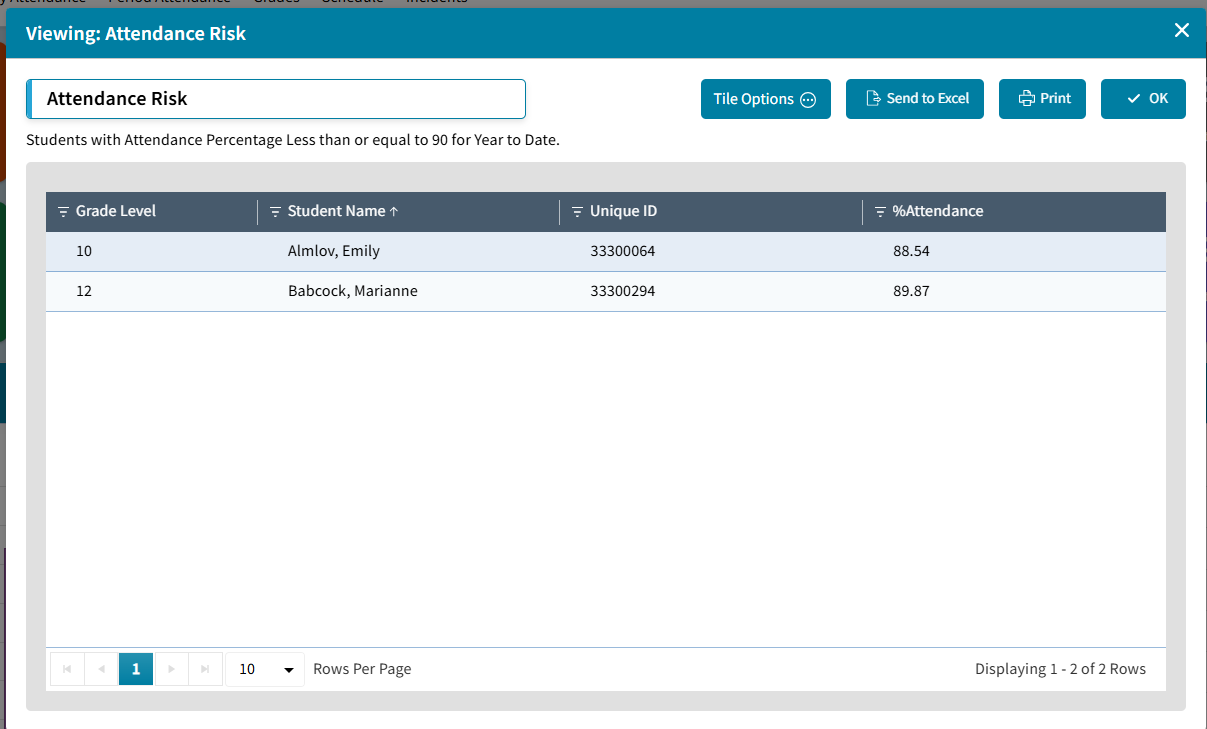
Behavior Risk Tile
A Behavior Risk tile has been added to the Dashboard Library. This Incident Total Search Limit widget type is set to get the count of Students that have more than 5 incidents. Click on the count to see the detail (Grade, Student Name, ID Number selected in User Preferences, and the Total Incidents. Tile Options can be used to edit the Date Range or Search Criteria. For more information about Dashboard Tiles see School: Dashboard List of Tiles.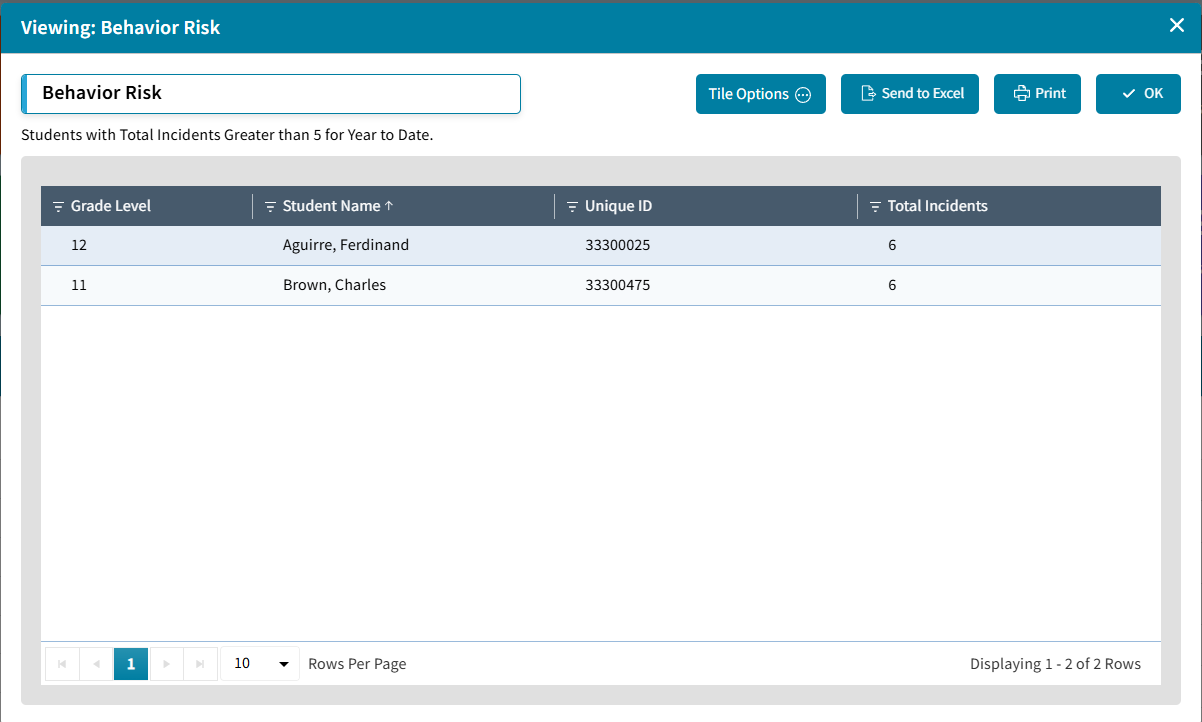
Incident Dashboard Enhancement
Incident Dashboard now includes a Date tile with the count of Today's Incidents, and a Monthly Incident View tile with the incident count by Date. Receive Incidents tile has been updated with larger numbers for Submitted, Approved, and Deleted.
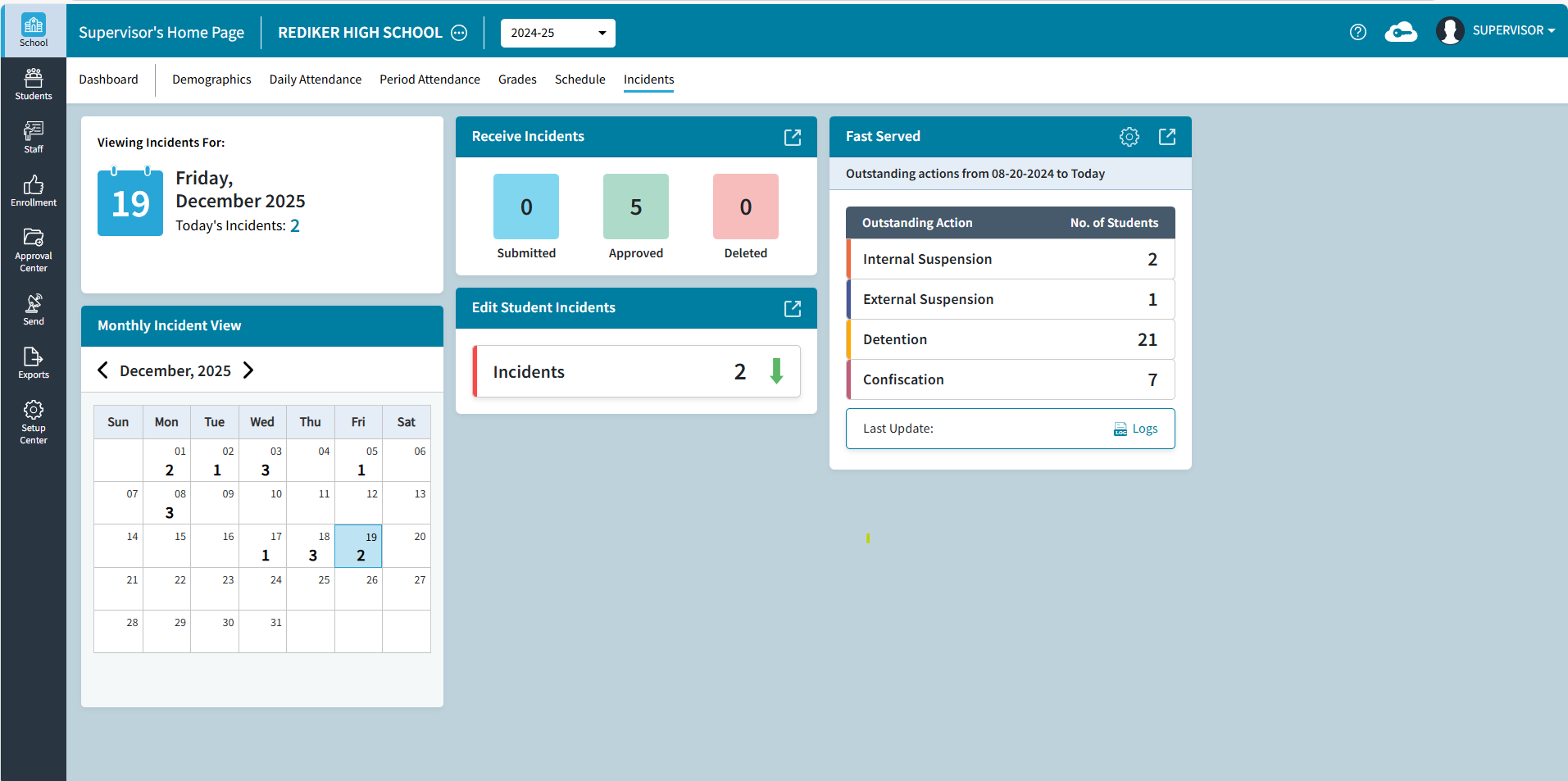
Click on Today's Incidents count to View Incidents detail for the selected date, Send to Excel, or Print.
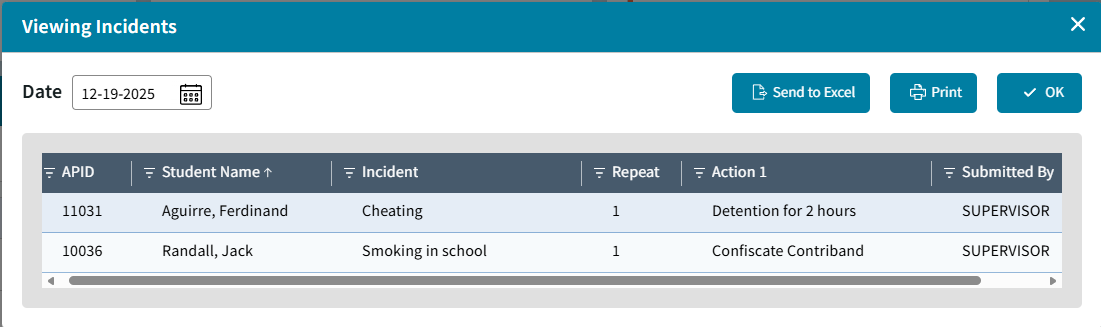
For more information see School: Incidents Dashboard.
Edit Student Incidents
Incident Dashboard also includes a new Edit Student Incidents tile which displays the number of incidents and a graphic to indicate if the number is up, down, or the same as the previous date. Expand to Add Incident Entries, Edit or Delete existing incidents. For more information see Edit Student Incidents.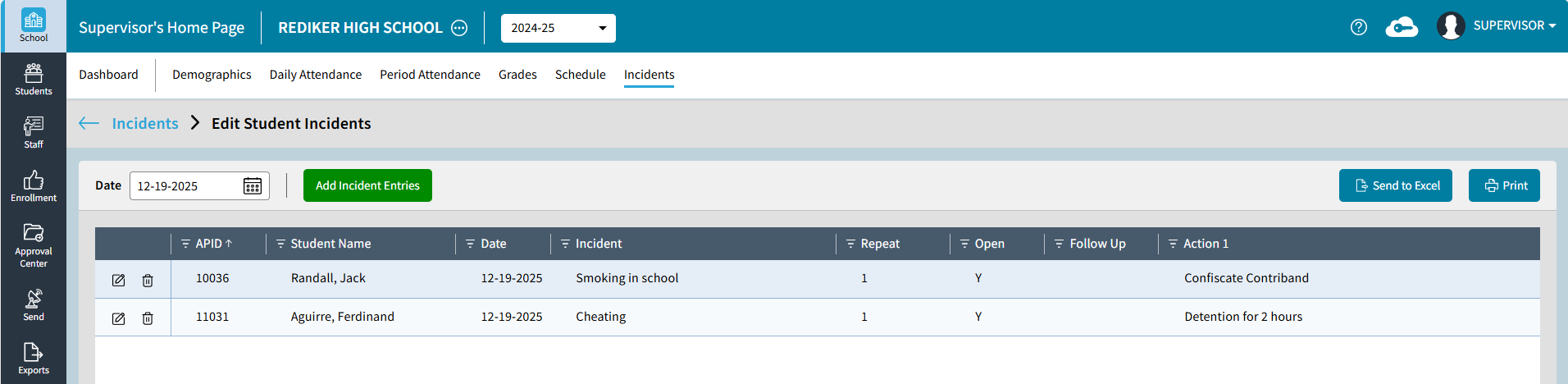
Student Contacts Layout Options
Student Contact Layouts can now be managed in AdminPlus.com independently from the Contact Views in classic.
Student Contact Layouts are shared to all users in the school with rights to contacts and are available from One Student Contacts or Multiple Student Contacts. Contact Layouts are created to serve different needs, for example, a layout could be created with name, relationship, phone numbers and email for quick access to this information.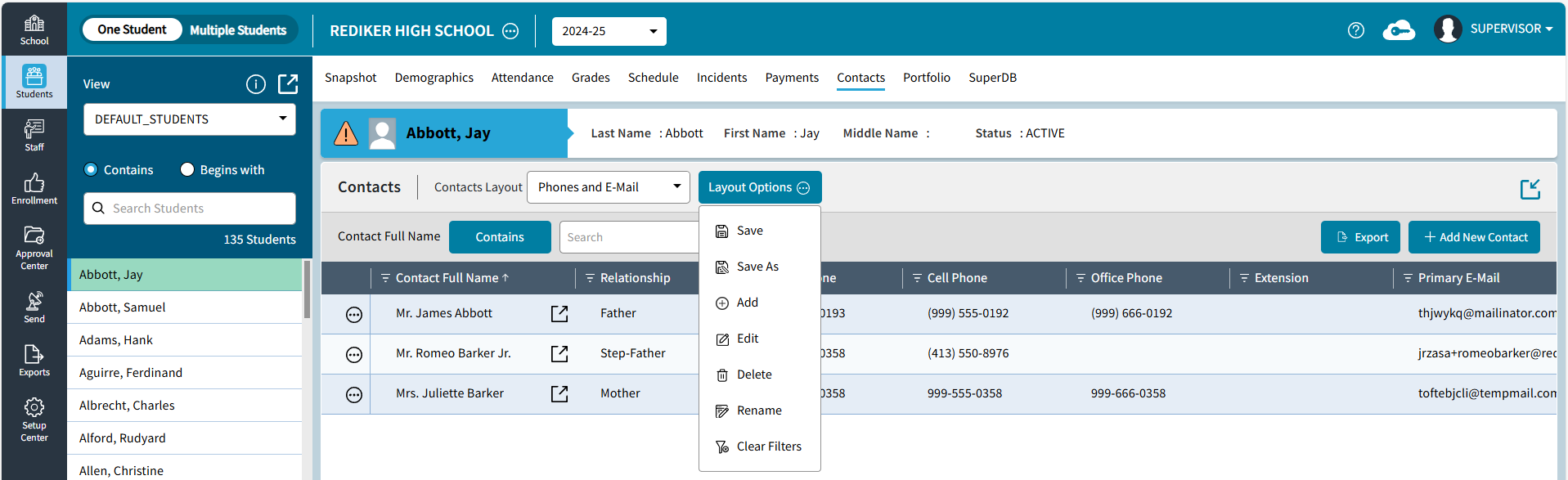
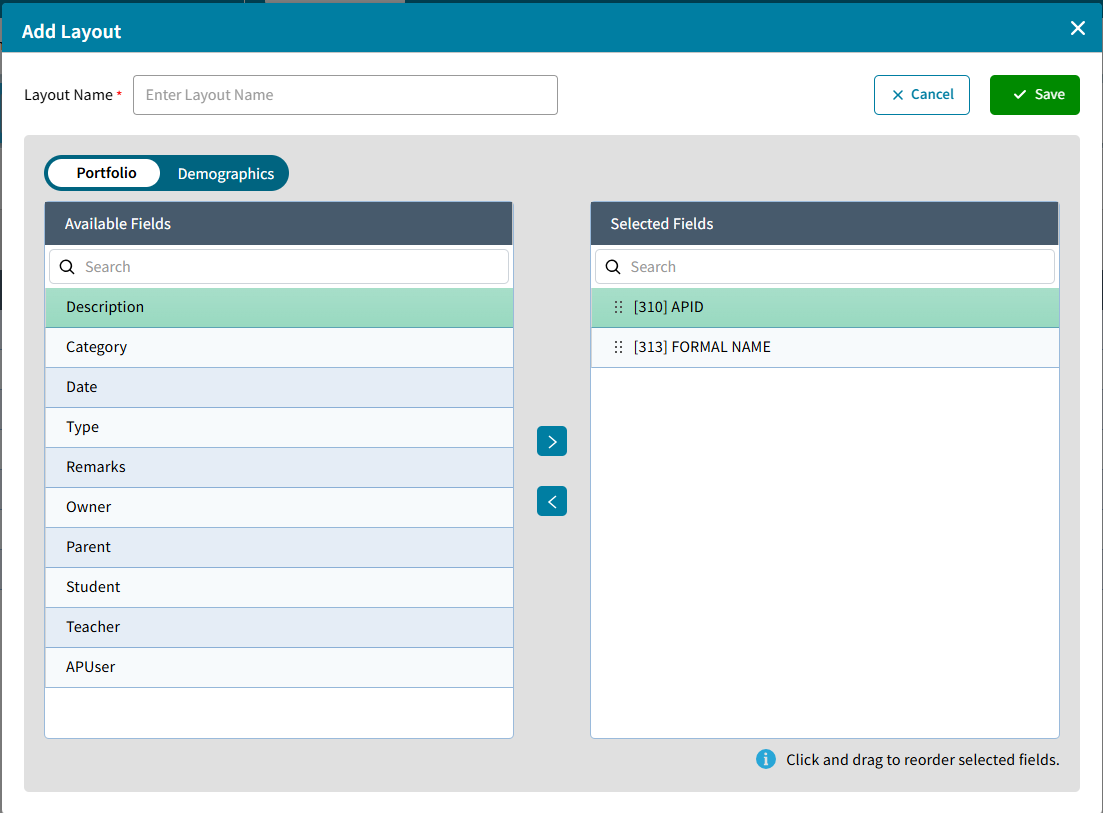
Click Add to create a new layout. Enter a Layout Name and select fields from Contacts or Demographics. The Available Fields for Contacts includes the Local Fields which apply to the contact for that student. The APID and FORMAL NAME (Student Name) will be listed by default for reference, but they can be removed. Additional Student Demographic fields can be added from the Demographics tab.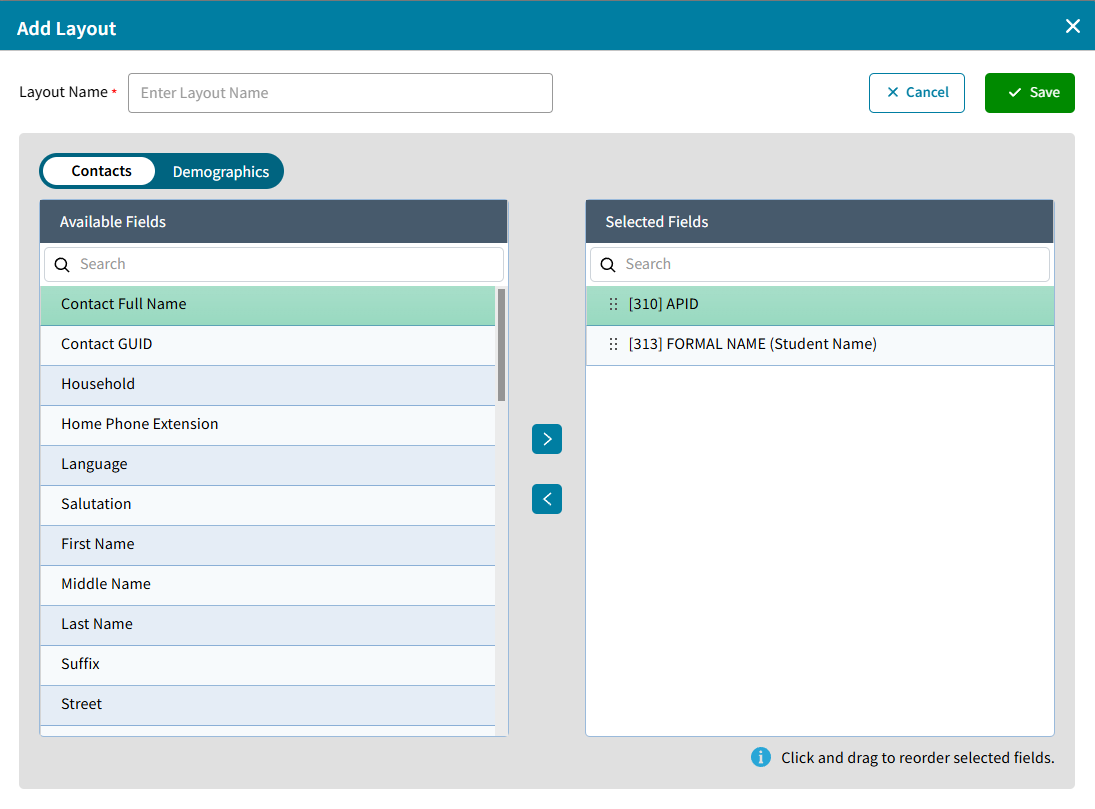
Master Contact Layout Options
Master Contact Layouts can now be managed in AdminPlus.com independently from the Master Contact Views in classic.
The Default Layout is sorted by Contact Full Name, if a different sort such as Last Name is selected the Layout Name will change to Default - EDITED. To save an edited version of Default choose Save As. Master Contact Layouts are shared within your school so contacts you create are available to other users with access to Contacts.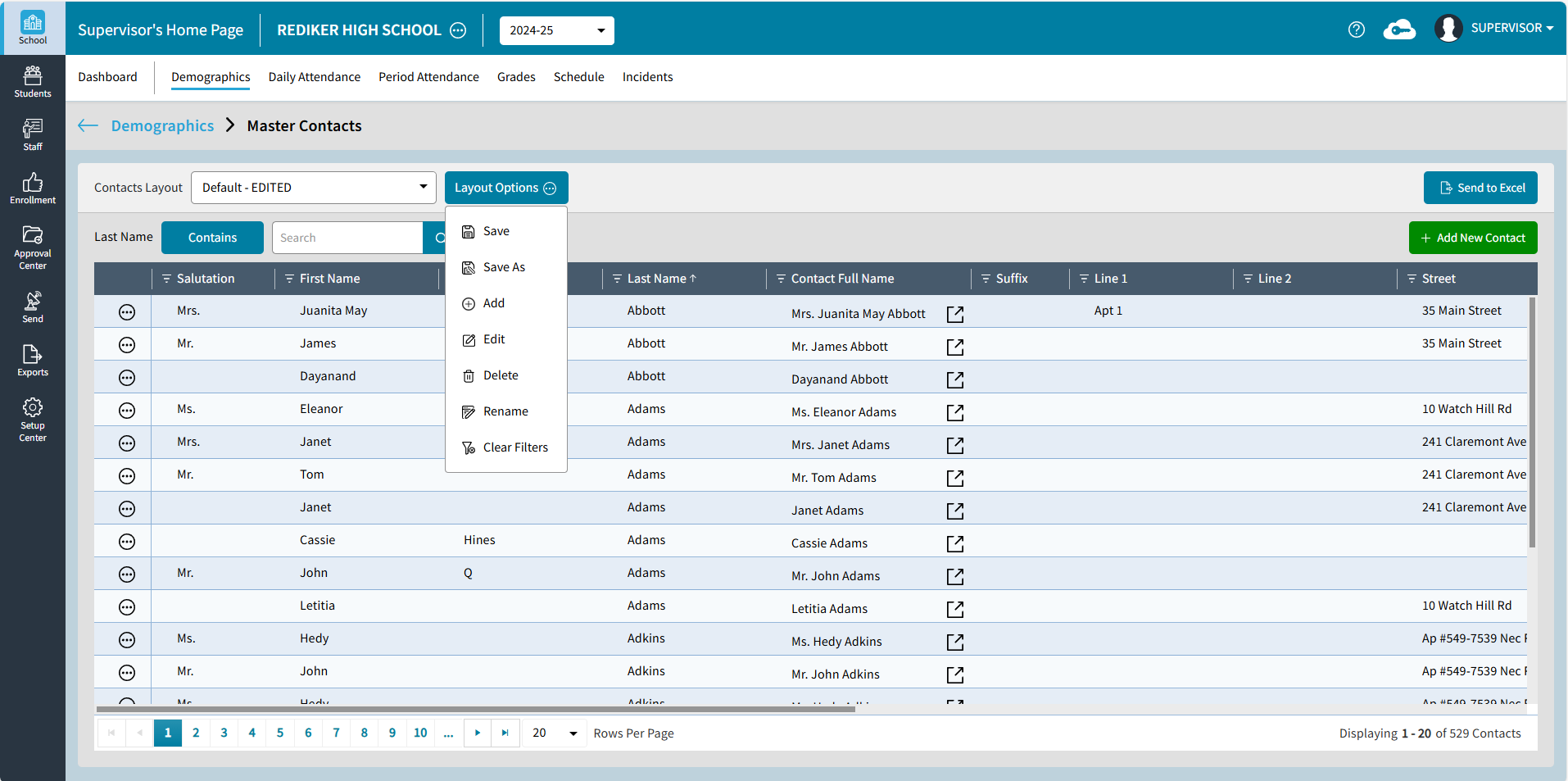
Click Add to create a new layout. Enter Layout Name and select from the Available Fields which include the Global Contact fields only.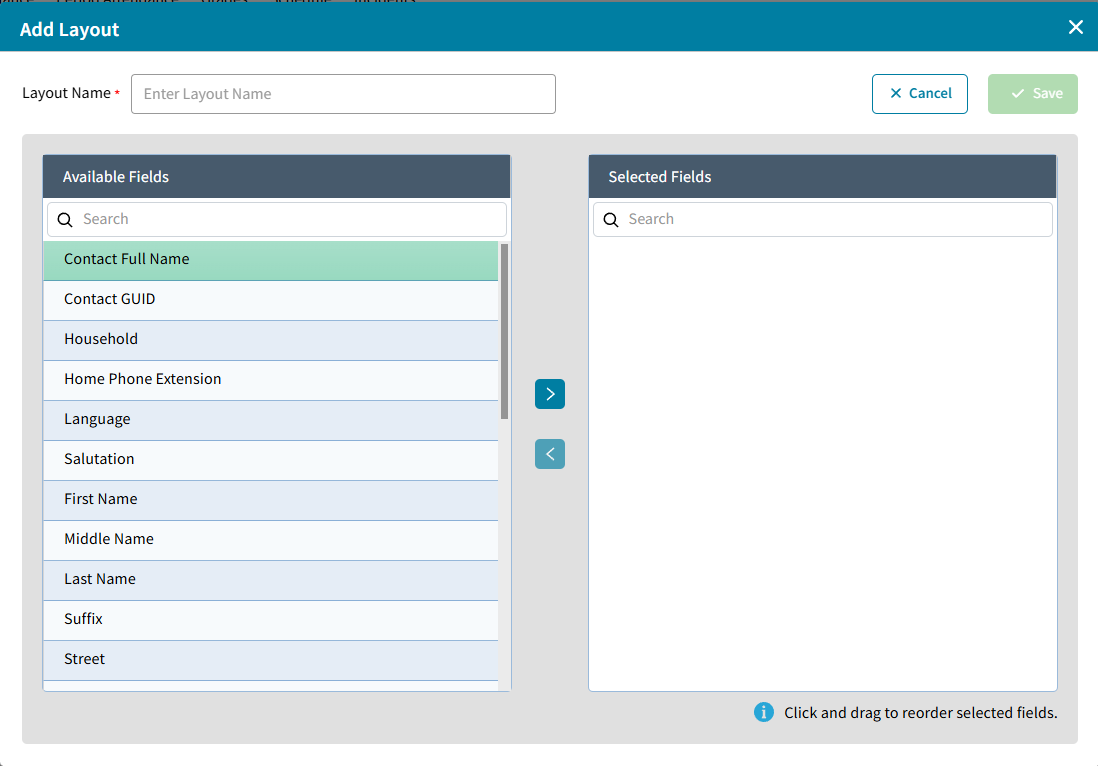
Student and Staff Portfolio Layout Options
Student and Staff Portfolio Layouts can now be managed in AdminPlus.com independently from the Student and Staff Portfolio Views in classic. They can be accessed from One or Multiple Portfolio and are shared by all users in the school. The APID and FORMAL NAME (Student Name) will be listed by default for reference, but they can be removed. Additional Student Demographic fields can be added from the Demographics tab.
Batch Edit Section Meeting Time
School > Schedule > Batch Edit Sections now includes an option to Assign Meeting Times to selected sections.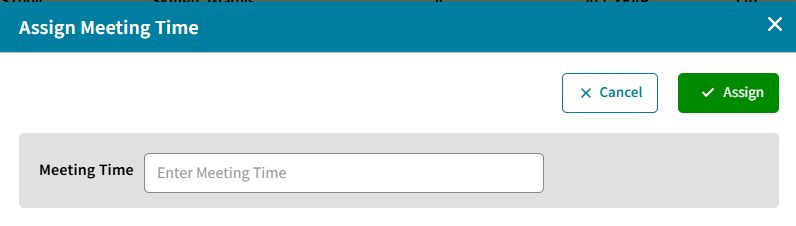
Meeting times are defined by letters A-X. A letter by itself indicates the section meets every day. A letter followed by numbers 0-9 are used to indicate specific days, for example A134. For more information see Batch Edit Sections.
Batch Edit Section Room
School > Schedule > Batch Edit Sections > Assign Room now includes an option to enter a room number manually.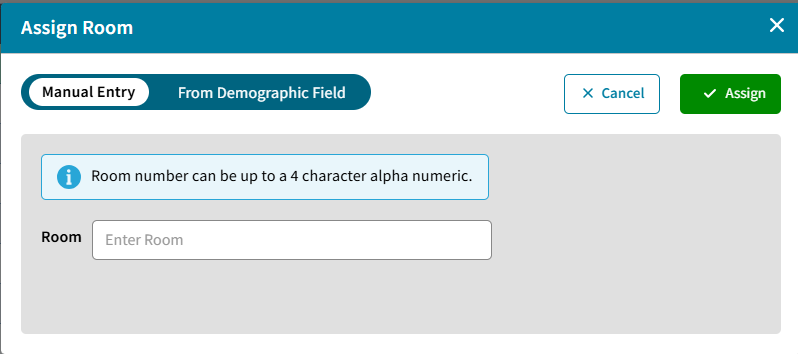
From Demographic Field is another option if you would like to get the room from a staff demographic field.
For more information see Batch Edit Sections.
Unique Id Event Log
Unique ID Event Log has been added to Export > Logs. This log only includes the AdminPlus.com Unique ID events (Add, Delete, Moved APID, Inactivate, Reactivate) for those editing Enrollment in AdminPlus.com. For more information see Unique ID Event Log.
Improvements
Registration Date Setting
Approval Center: Admissions Settings now includes an option to specify a custom demographic date field to store the Registration Date.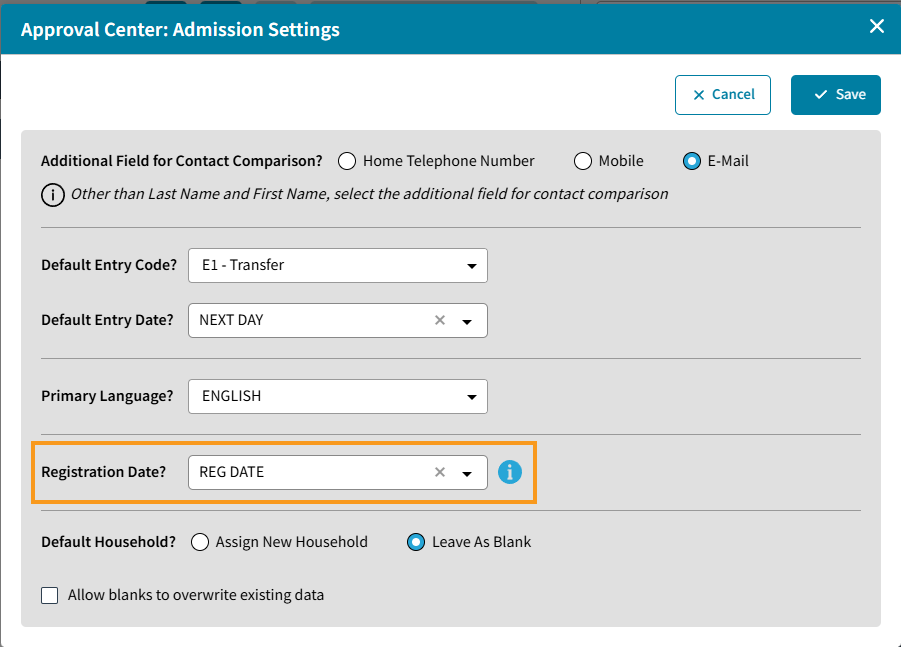
Shortcut to Calendar
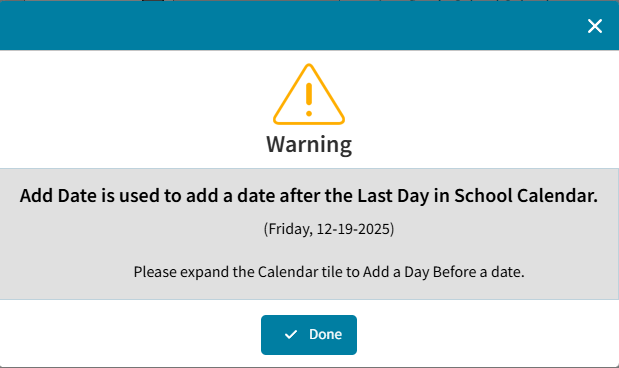
The Date tile on the upper right of the Daily Attendance and Period Attendance Dashboard, now includes an expand button  that opens Calendar to manage school days. Add Date is used to add a date after the Last Day in School Calendar, to Add a Day Before a date, expand to navigate to the Calendar. For more information see, Add a Day to the Calendar Before or After an Existing Day.