
We've released several new features, improvements, and feature fixes for AdminPlus.com. Non-hosted schools will need to update to the latest version of classic. Please see Administrator's Plus May 8, 2026. Highlights of this update include:
| New Features | ||
|---|---|---|
| User Settings for Authenticator | User Settings has been added for Two-Factor Authentication Method. Users can continue to Receive Code via E-Mail or select the new option to Receive code via Authenticator App. | |
| Lock AdminPlus | The AdminPlus Supervisor can Lock AdminPlus.com from a specific Start Date and Time to a specific End Date and Time. Only the Supervisor will be able to login during this time. | |
| Rediker Unified Login for PlusPortals and TeacherPlus | AdminPlus users with access to PlusPortals or TeacherPlus Gradebook can now login to those products directly using Rediker Unified Login. It will open a new browser tab for the session - no extra login is required. If the user's email is associated with the PlusPortal Admin then they will also see a RUL for PlusPortals Admin. If the user's email is associated with the GB Manager or a created GB Manager account then they will also see an RUL for TeacherPlus Gradebook Manager. | |
| Send > Generic E-mail | Send has an option for Generic E-mail that can be sent to Students and Contacts, Staff, Admin Users or Manual Entry emails. The content of the email will be the same for all recipients and can include School Information fields. | |
| Setup SuperDB Tables | Setup Center > Libraries > SuperDB Tables is used to define SuperDB Table definitions and User Permissions. | |
| RC: Skills and Narratives Template | A Report Card Template for Skills and Narratives has been added to School > Grades > Reports. | |
| Batch Fill Report Card Column | School > Grades> Batch Processing has an option to Fill Report Card Column with a selected Grade Symbol without overwriting existing grades. | |
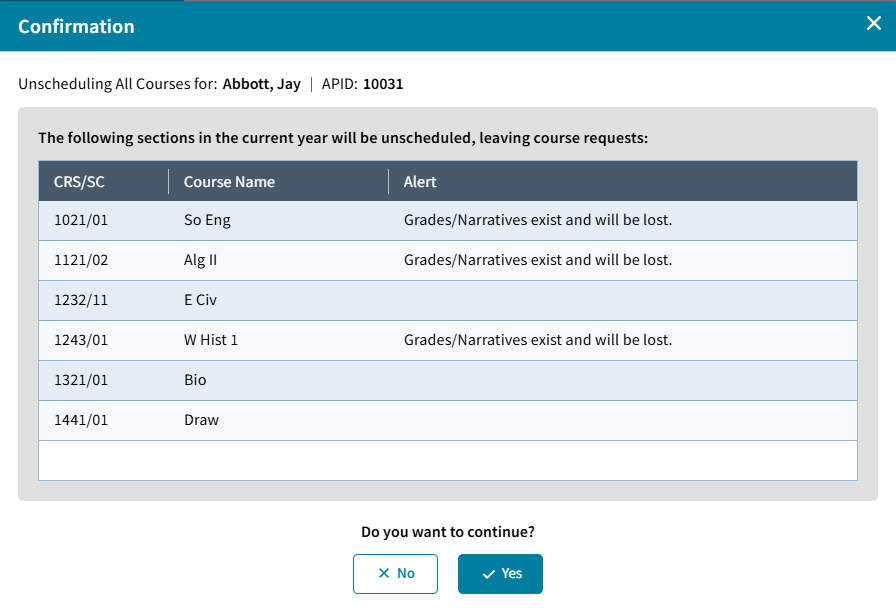
| Batch > Unschedule/Withdraw Student | Student > Schedule > Batch options to Unschedule from All Sections, Withdraw from All Sections or Delete All Sections. | |
| Course Delete | The Administrator's Plus Supervisor can Delete a Course that was added by mistake. | |
| Block Rotation Clear All | A Clear All option has been added to Block Rotation to start the rotation with a blank slate. | |
| Improvements | ||
|---|---|---|
| View Log File Viewer | View Logs in all the modules will open to a File Viewer with an option to Print or Export the Log to Excel. | |
| Online Form Settings | Online Form Settings have been added for the options to Allow blanks to overwrite existing data, Convert case when received into AdminPlus.com. | |
| Commas removed from Numeric Fields | Commas removed from Numeric field types so that number filters can be used. | |
| Enter Student Daily Attendance: Search Box | A Search Box has been added to the School > Daily Attendance > Edit Student Daily Attendance Screen. | |
New Features
User Settings for Authenticator
To enhance overall security, the User Settings screen is password protected and enables the user to update their Two-Factor Authentication preference.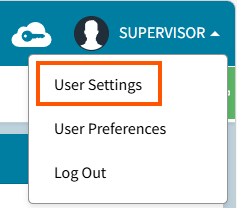 Users may choose to Receive Code via E-mail or Receive Code via Authenticator App of their choice. Supported authenticator apps include but are not limited to the following:
- Microsoft Authenticator
- Google Authenticator
- Authy
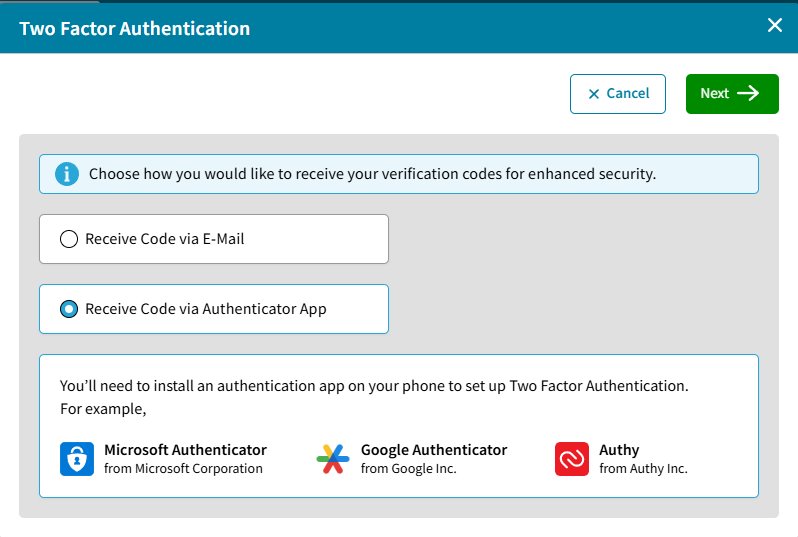
If you choose Receive Code via Authenticator App. A window will open to Scan the QR Code. Use the Authenticator App of your choice to scan the code, click Next to connect the authenticator with your account in AdminPlus.com and enter the 6-digit code from your Authenticator app.
Lock AdminPlus
The AdminPlus Supervisor can lock their users out of AdminPlus.com from a specific Start Date and Time to an End Date and Time. On the Users Table filter Currently Logged in for Yes and ask them to log out, refresh the screen to be sure only Supervisor is Currently Logged in. Lock AdminPlus by setting the Start Date and Time (defaults to current time) to End Date and Time (defaults to 30 minutes after the current time).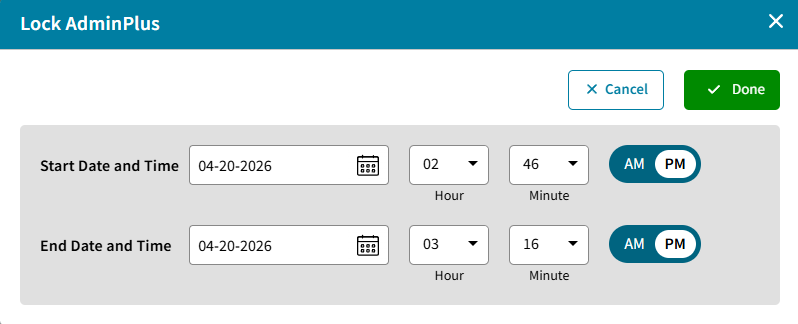
If any users try to login during that time they will receive a message on the Login screen that AdminPlus is Locked by the Supervisor:
The Supervisor can still log in at any time. From the same location where AdminPlus was locked, they can also select Unlock.
Rediker Unified Login for PlusPortals and TeacherPlus
AdminPlus users with access to PlusPortals or TeacherPlus Gradebook can now login to those products directly using the provided link. This will open a new browser tab for the session - no extra login is required.
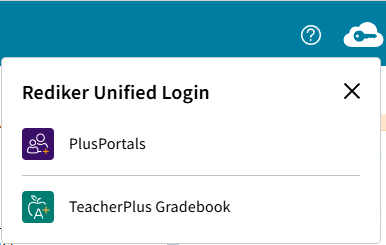
If the user's email is associated with the PlusPortals Admin then they will also see a RUL for PlusPortals Admin. If the user's email is associated with the GB Manager or a GBAdmin account then they will also see an RUL for TeacherPlus Gradebook Manager.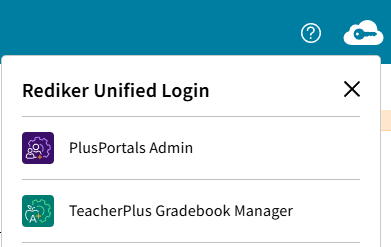
PlusPortals, TeacherPlus Gradebook, PlusPortals Admin, TeacherPlus Gradebook Manager will only be available from the Active year.
Send Generic E-Mail
Send has an option for Generic E-Mail that can be sent to Students and Contacts, Staff, Admin Users, or Manual Entry emails. The body of the email will be the same for all recipients and can include School Information fields. For more information, please see Send/Schedule Generic E-mail.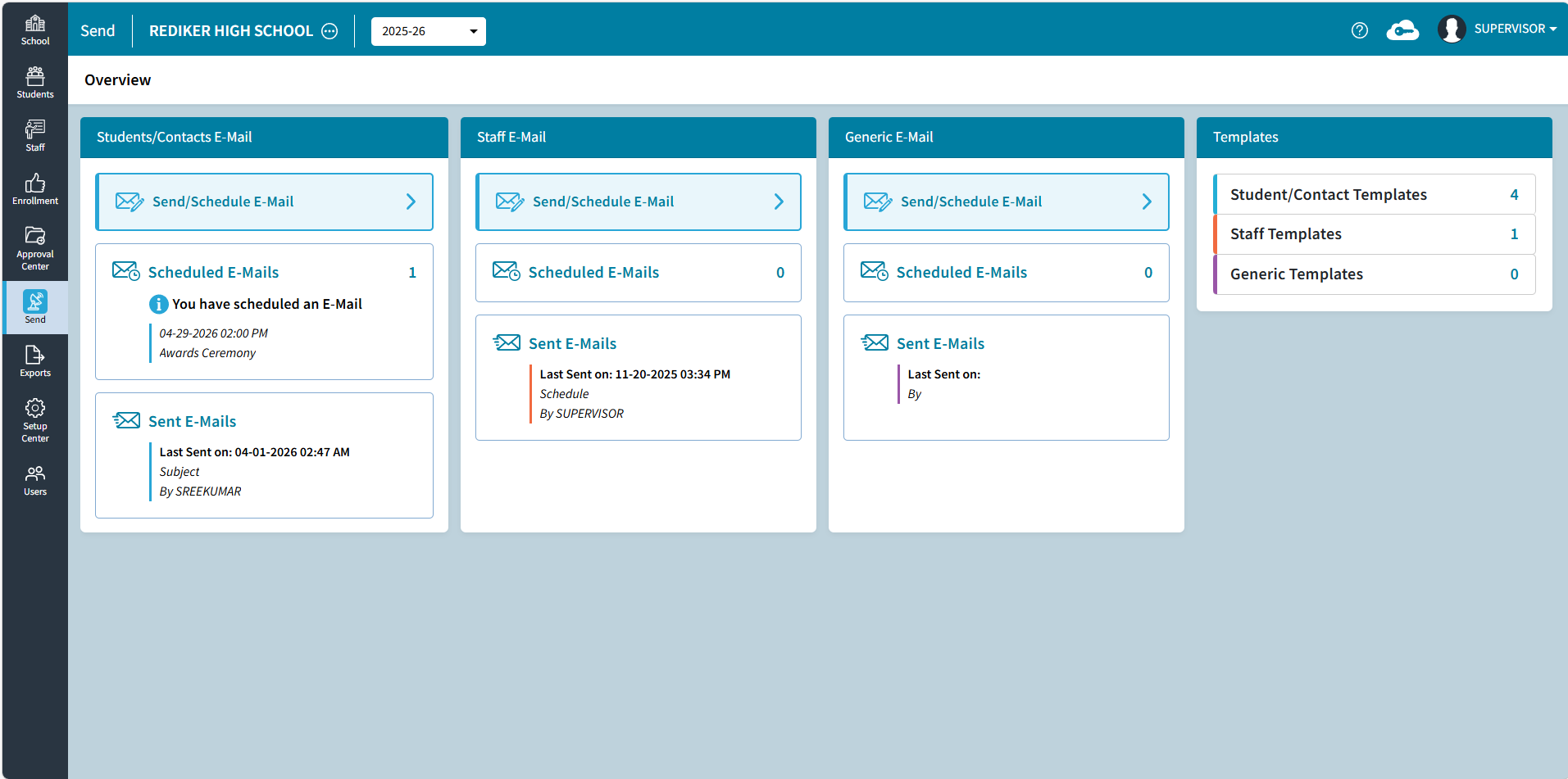
Setup SuperDB Table
Setup Center > Libraries > SuperDB Tables can be used to create new SuperDB Tables, edit existing tables, or update SuperDB User Permissions. For more information, please see Setup Center: SuperDB Tables.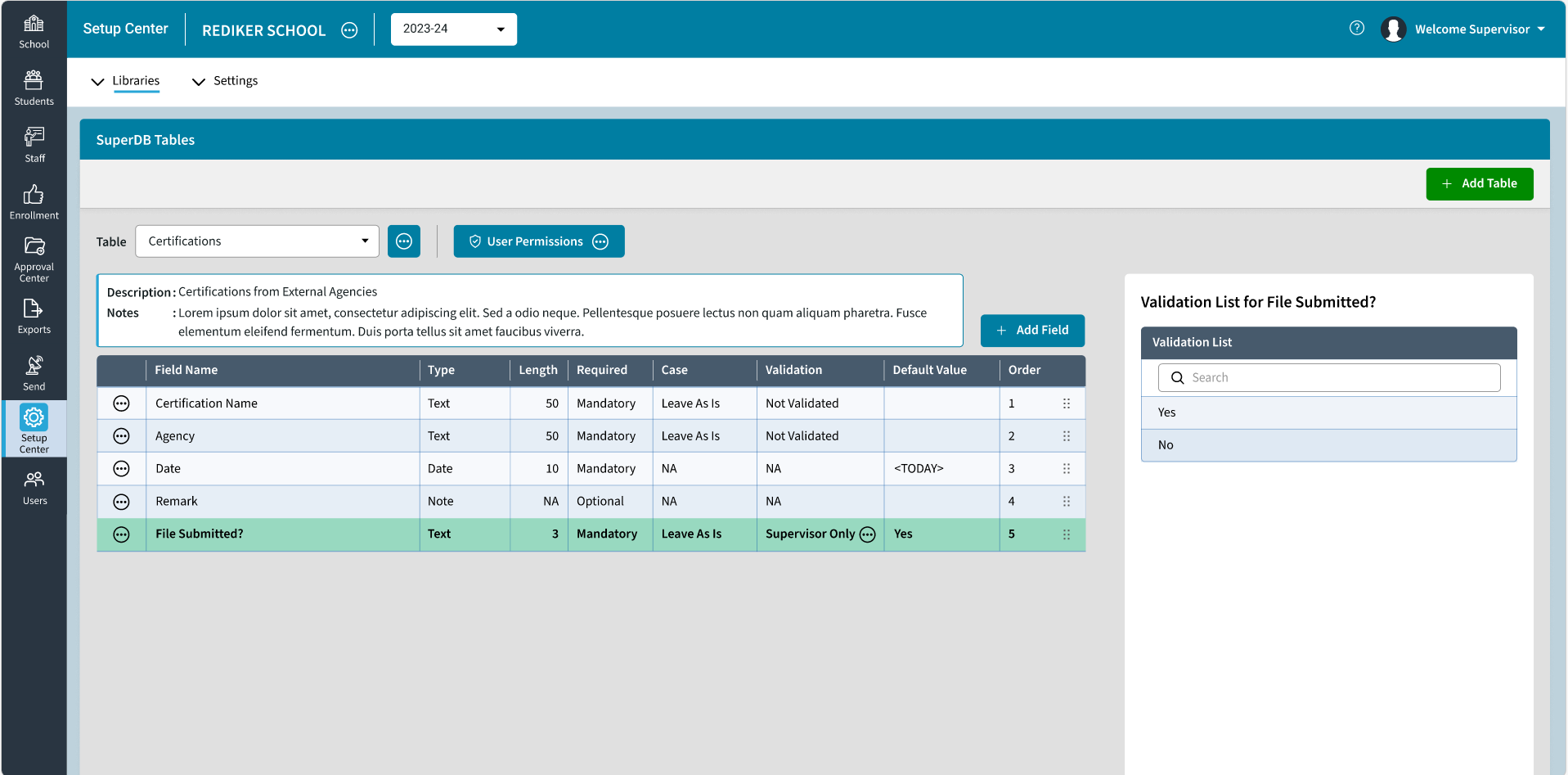
RC: Skills and Narratives Template
An RC: Skills and Narratives Template has been added to School > Grades > Reports. For more information, please see Academic Record - RC - Skills with Narratives.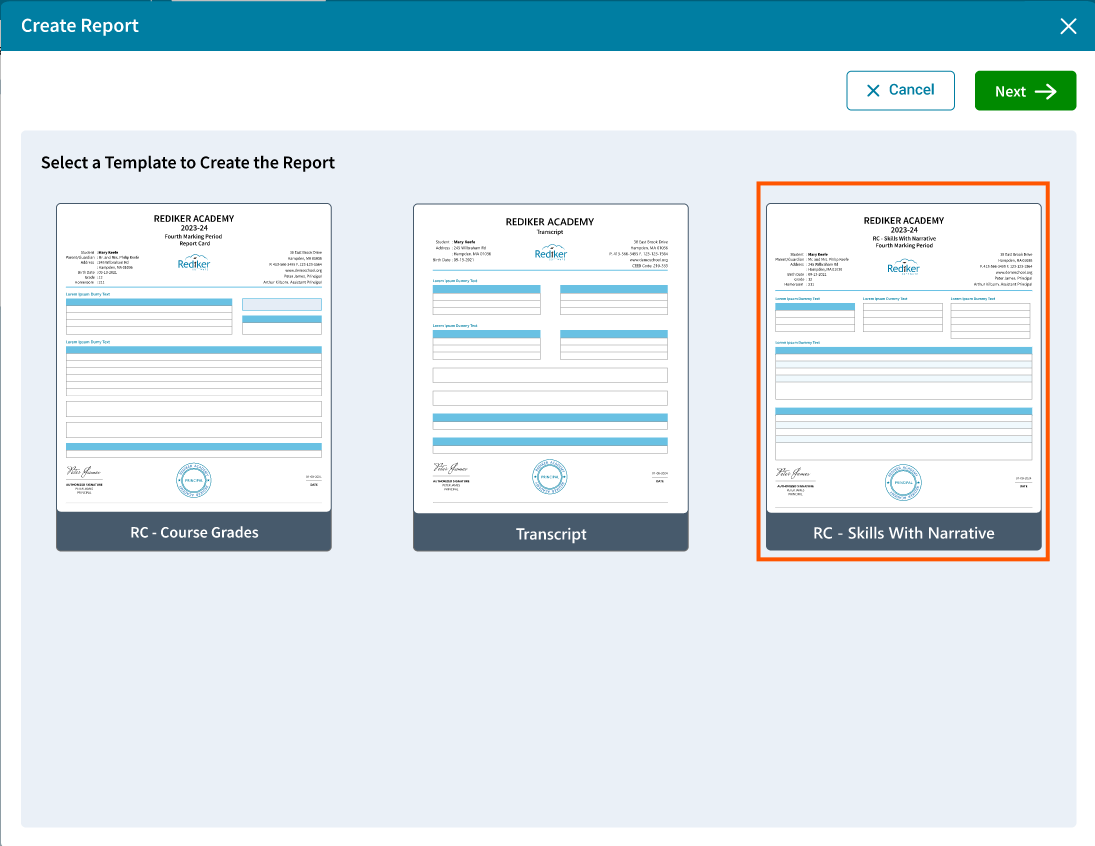
Batch Fill Report Card Column
School > Grades > Batch Processing has an option to Fill Report Card Column with a selected grade symbol without overwriting existing grades. For more information, please see School Grades: Batch Processing.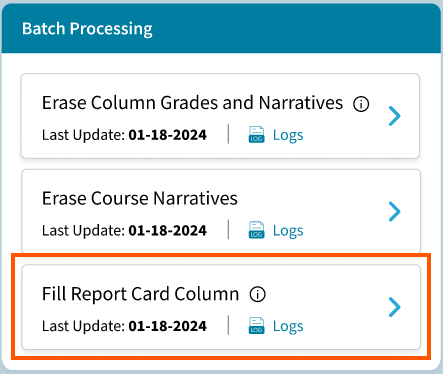
Batch Unschedule/Withdraw From All Sections
Student > Schedule > Batch options have been added to Unschedule from All Sections, Withdraw From All Sections, or Delete All. For more information, please see One Student: Schedule.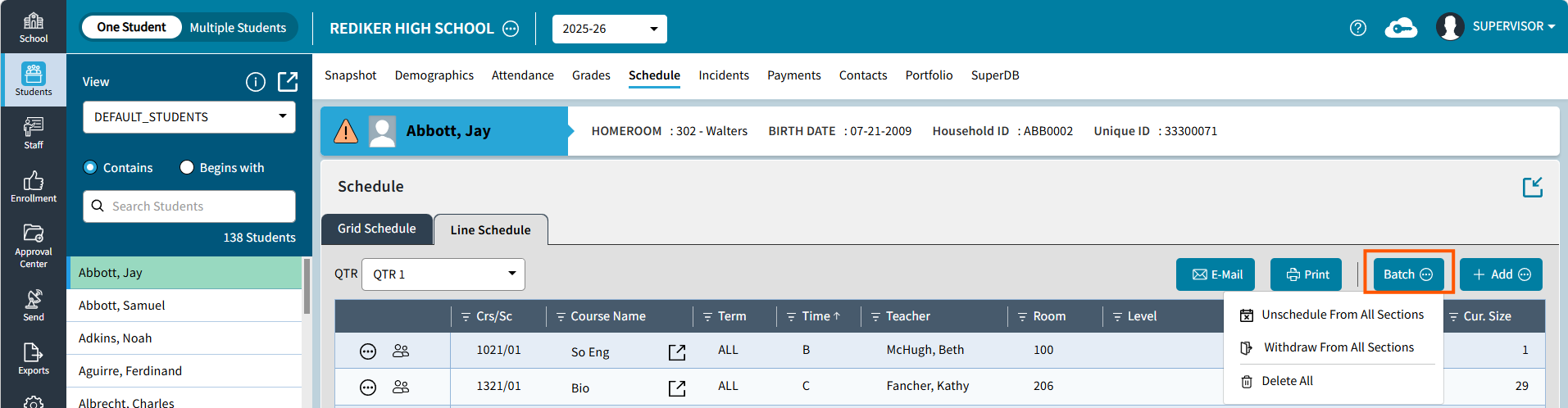
Course Delete
The Administrator's Plus Supervisor can Delete a course that was added accidentally. 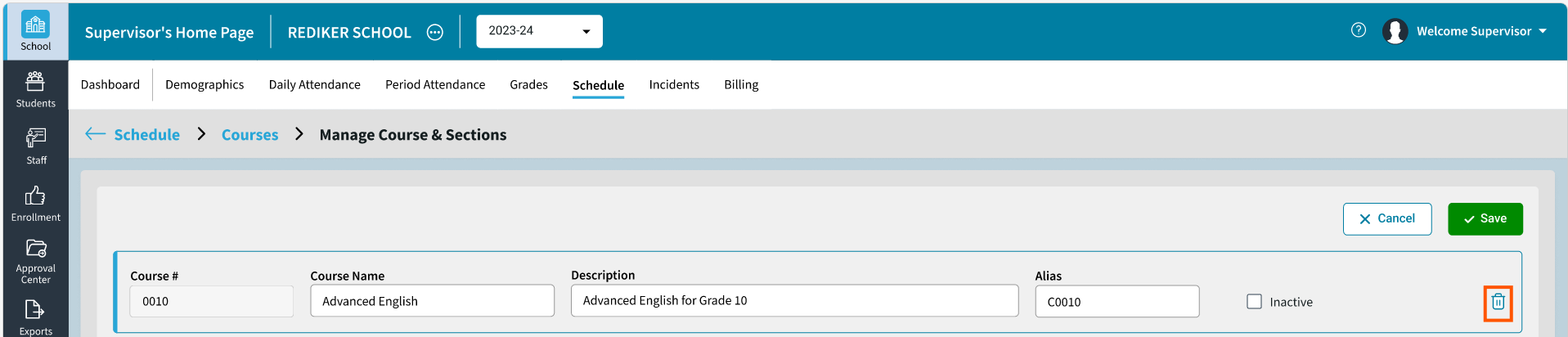
Block Rotation Clear All
A Clear All option has been added in Block Rotation edit to remove all the blocks within the rotation at one time.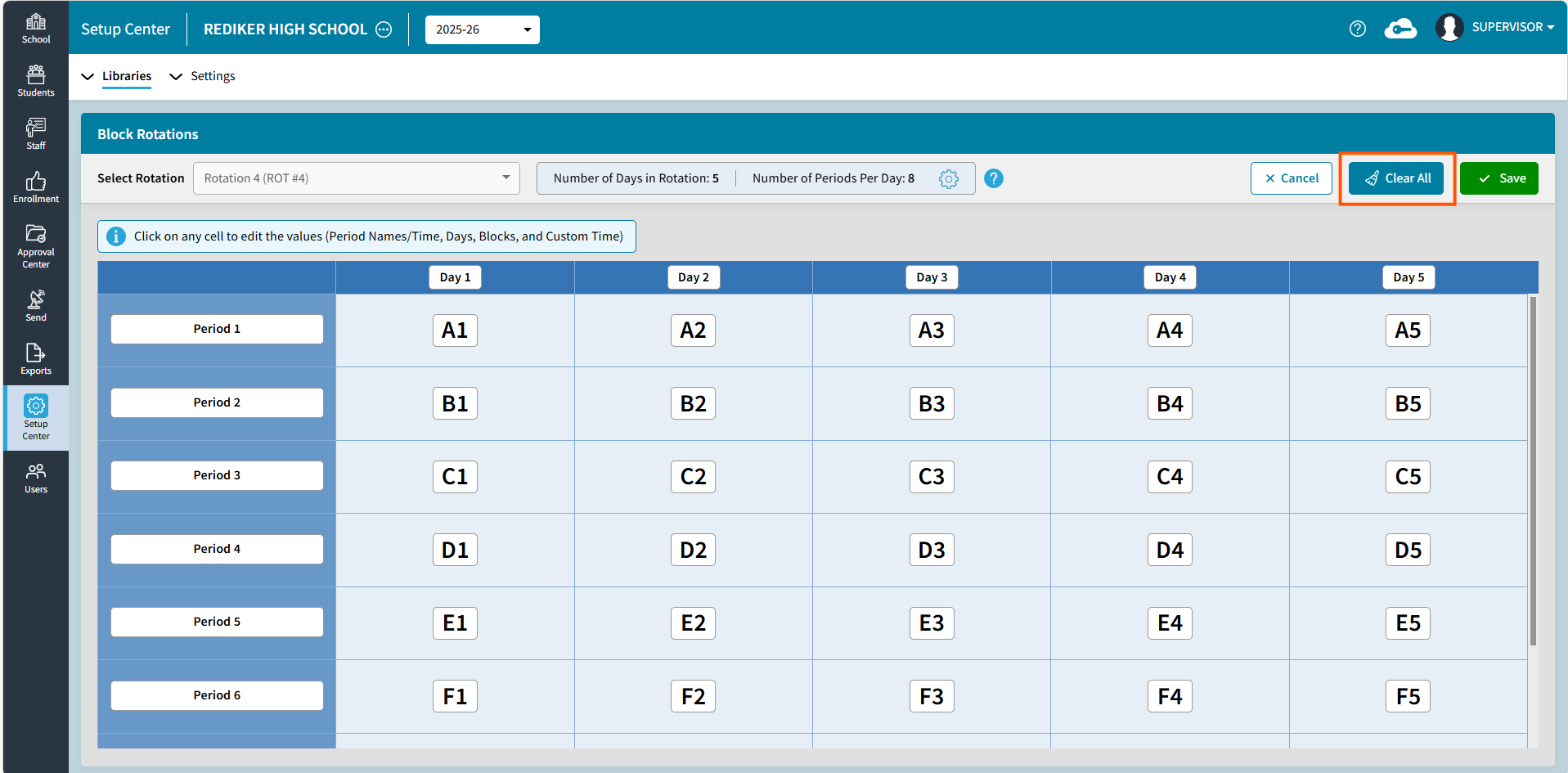
Improvements
View Log File Viewer
View Logs will now open in a file viewer instead of going to Download. The file viewer has options to Print or Send to Excel.
Online Form Settings
Two new settings have been added to Online Forms: Allow blanks to overwrite existing data and Convert case when received into AdminPlus.com.
Numeric Filters
Commas have been removed from numeric field types so that Numeric filters can be used in Multiple Student and Staff Views.
Enter Student Daily Attendance: Search Box
A Search Box has been added to the School > Daily Attendance > Edit Student Daily Attendance Screen. Click on a column header to choose which column to search on. On default, APID is selected. This has also been added to the Edit Staff Daily Attendance Screen.