We've released several new features, improvements, and feature fixes for AdminPlus.com. This version coincides with Administrator's Plus June 19th, 2026. Highlights of this update include:
| New Features | ||
|---|---|---|
| One Student > Extended RC Grades Edit | Extended RC information can now be viewed and edited directly from Students >One Student > Grades on either the Current Grades tab or the new Extended RC tab within Student Grades. The Extended RC tab also provides access to Extended RC data for courses from previous school years | |
| School > Schedule > Reports: Student/Staff Schedules | A new report has been added for Students and Staff on the School > Schedule page. Administrators can now generate and print Grid and Line schedules for both Students and Staff members, add the report to their portfolio, send it in an e-mail and share the report. | |
| Bookmark Students and Staff | A new view has been added for both Students and Staff called [My Bookmarked Students] and [My Bookmarked Staff]. | |
| Import Master Skills | Users can now Import Master Skills into AdminPlus.com via the Setup Center. | |
| Staff Demographic Field Property Edit | Staff Demographic Fields can now be edited under Setup Center > Libraries > Staff Demographic Fields. | |
| Student Demographic Field Property Edit | Student Demographic Fields can now be edited under Setup Center > Libraries > Student Demographic Fields. | |
| SuperDB Autofill for Students and Staff | A new SuperDB AutoFill option has been added for demographic fields. When a user selects a record from the SuperDB lookup window, the field is automatically populated with data from a configured SuperDB table and field. | |
| Improvements | ||
|---|---|---|
| Grades Reports Share Enhancement | Additional Enhancements have been added to Grades Reports Share. | |
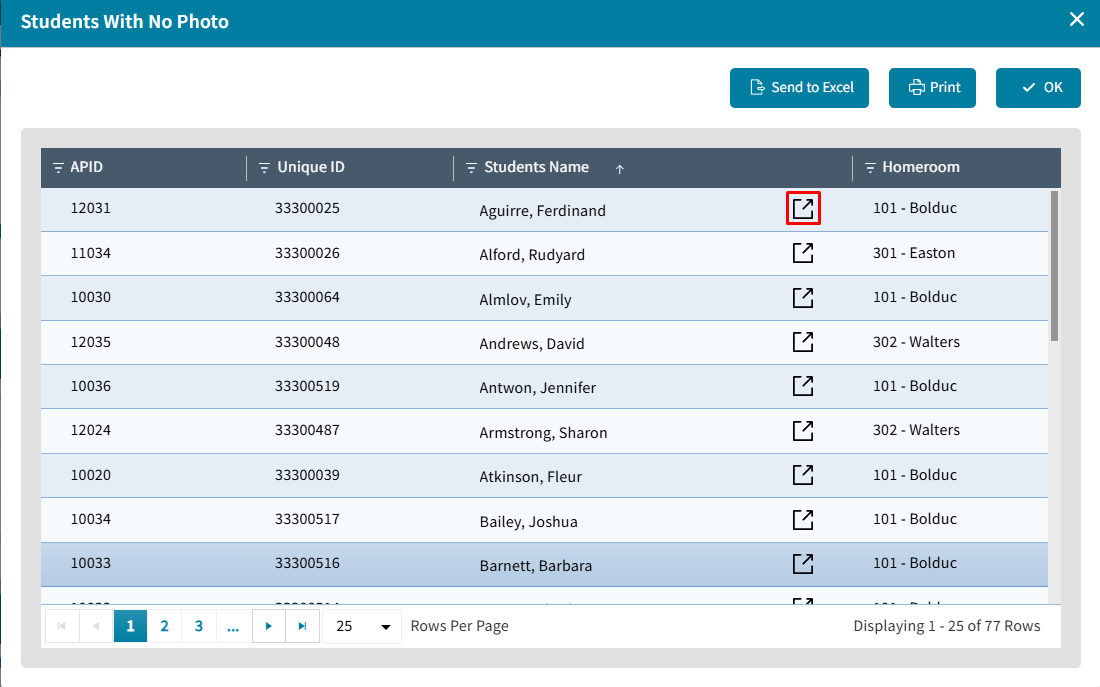
| Members with No Photos Tile Update | The Members with No Photo tile on the Demographics Dashboard now provides direct access to student and staff records for quick photo uploads. | |
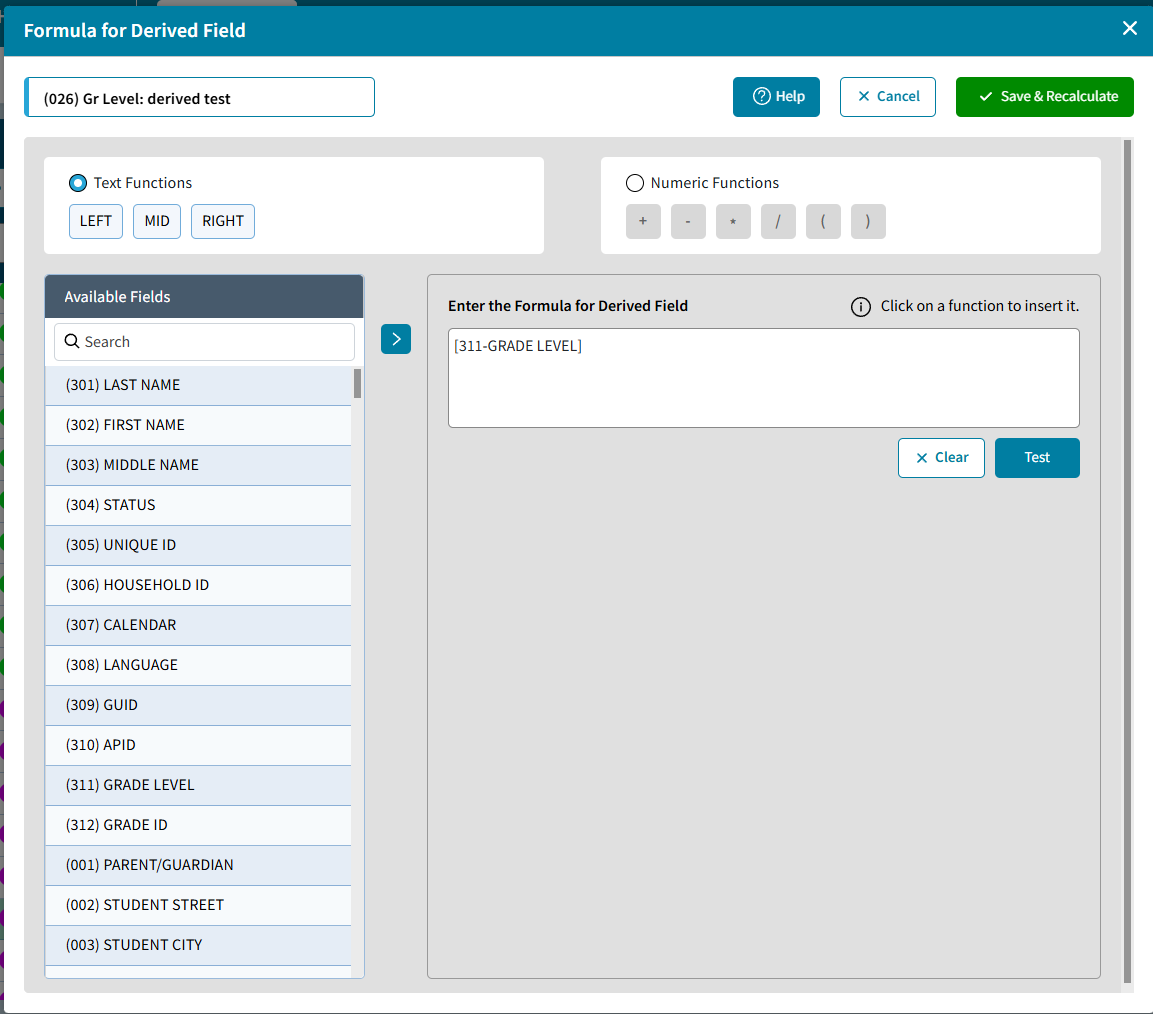
| Derived Field Bulk Update | Derived Fields are now supported in AdminPlus.com. Supervisor Users can now update Derived Fields by going to Setup Center > Libraries > Student or Staff Demographic Fields. | |
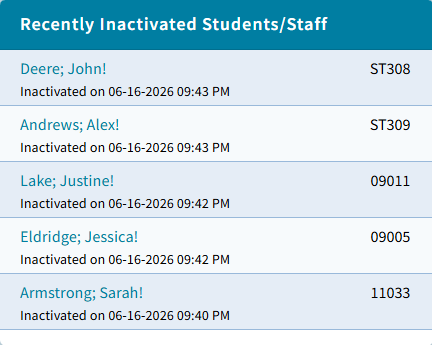
| Recently Inactivated Student/Staff Tile | A new tile has been added to the Enrollment Center that displays the 5 most recently inactivated Students and Staff. | |
New Features
One Student > Extended RC Grades Edit
Extended RC information can now be viewed and edited directly from Students >One Student > Grades on either the Current Grades tab or the new Extended RC tab within Student Grades. The Extended RC tab also provides access to Extended RC data for courses from previous school years. Go to Students > One Student > Grades > Current Grades to view and update Extended RC information for an individual course. Select a course and edit the Extended RC values directly from the Current Grades page.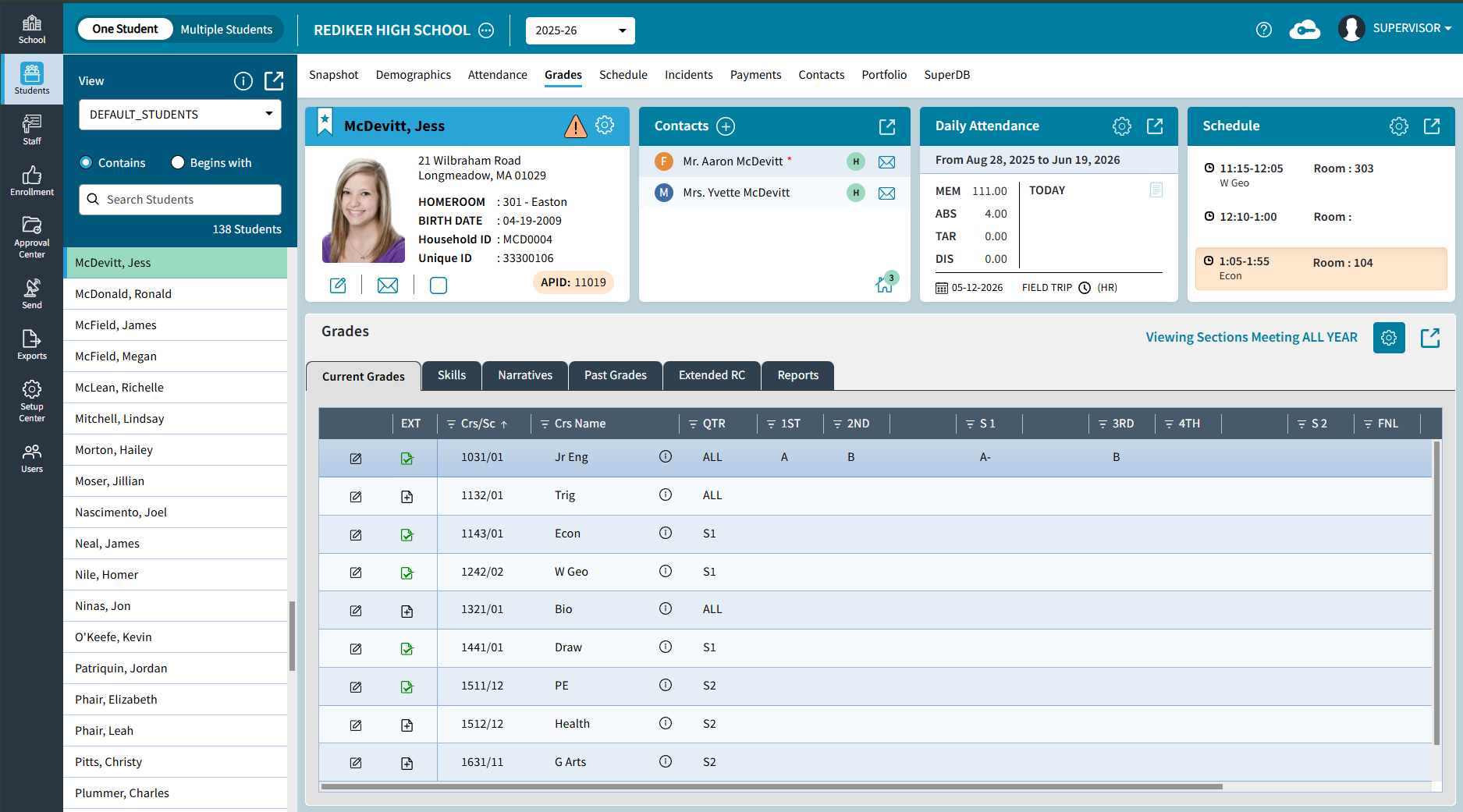
Go to Students > One Student > Grades > Extended RC to view Extended RC information for all of a student's courses in a single location. This tab allows you to:
- View and edit Extended RC for multiple courses.
- Review Extended RC information for courses from previous school years if information has been previously entered.
For more information, see One Student: Grades
School > Schedule > Reports: Student/Staff Schedules
Administrators can now generate and print Grid and Line schedules for both Students and Staff members, add the report to their portfolio, send it in an e-mail and share the report. Go to School > Schedule > Reports to generate the report.
Bookmark Students and Staff
A new view has been added for both Students and Staff called [My Bookmarked Students] and [My Bookmarked Staff]. This view can be selected anywhere a view is used throughout Adminplus.com.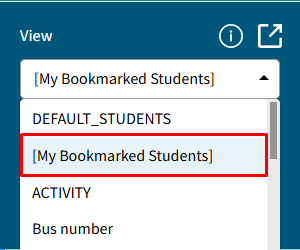
Import Master Skills
Users can now Import Master Skills into AdminPlus.com via the Setup Center. To complete this go to Setup Center > Libraries > Skills.
For more information, see Setup Center: Import Skills.
Staff Demographic Field Property Edit
Staff Demographic Fields can now be edited under Setup Center > Libraries > Staff Demographic Fields.
Student Demographic Field Property Edit
Student Demographic Fields can now be edited under Setup Center > Libraries > Student Demographic Fields.
SuperDB Autofill for Students and Staff
A new SuperDB AutoFill option has been added for demographic fields. Go to Setup Center > Libraries > Staff or Student Demographic Fields. A SuperDB Autofill Field is a type of Validated Field.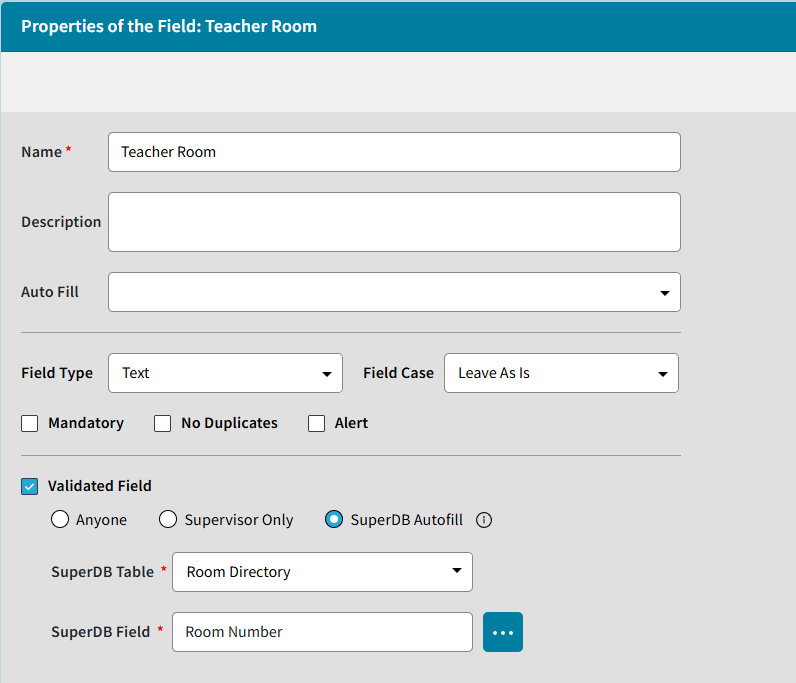
Users can select the SuperDB Table of their choice, then the corresponding SuperDB Field by selecting the 3 dots.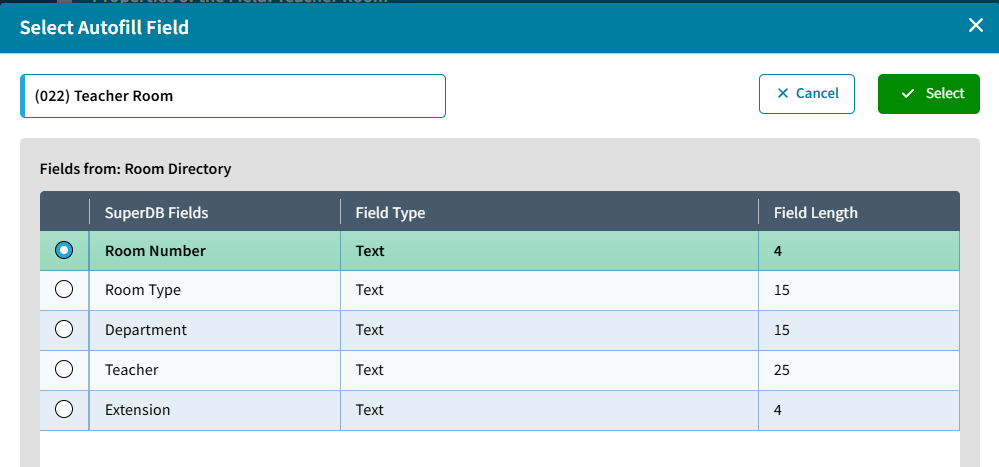
Once setup, the user can selects a record from the SuperDB lookup window and the field is automatically populated with data from a configured SuperDB table and field.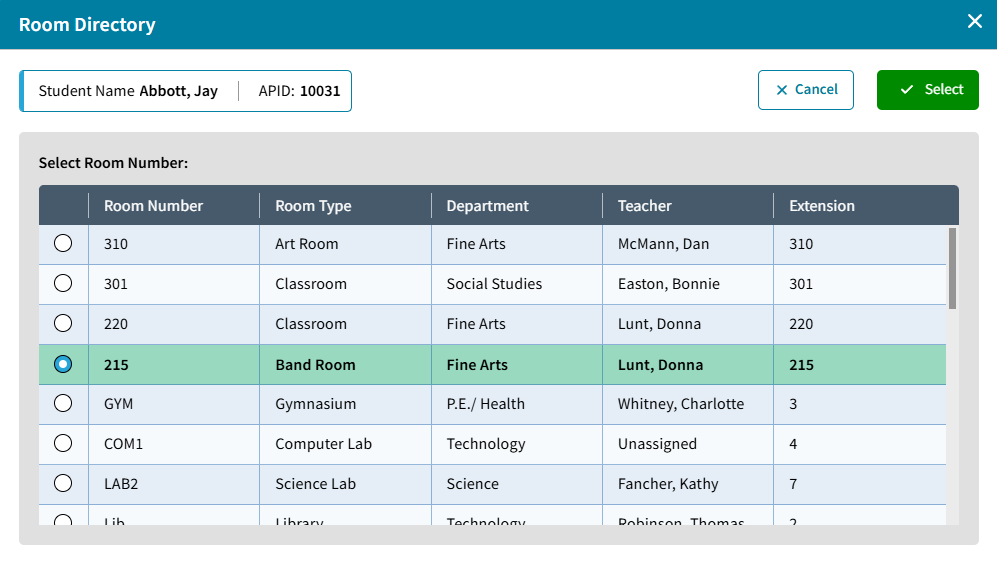
Improvements
Grades Reports Share
Additional enhancements have been added to Grades Reports Share. You can now just share the report with other users to Run the report, without giving them rights as Co-Owner. 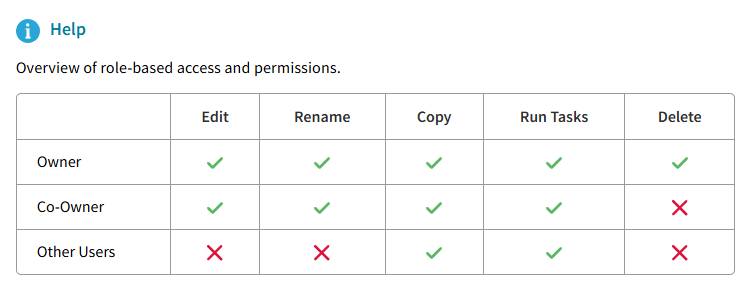
Members with No Photos Tile Update
The Members with No Photo tile on the Demographics Dashboard now includes direct links to member records, allowing users to quickly navigate to a student or staff member and upload a missing photo. This tile can be accessed from the School > Demographic Dashboard. Select the number for Students or Staff to view those who do not have a photo: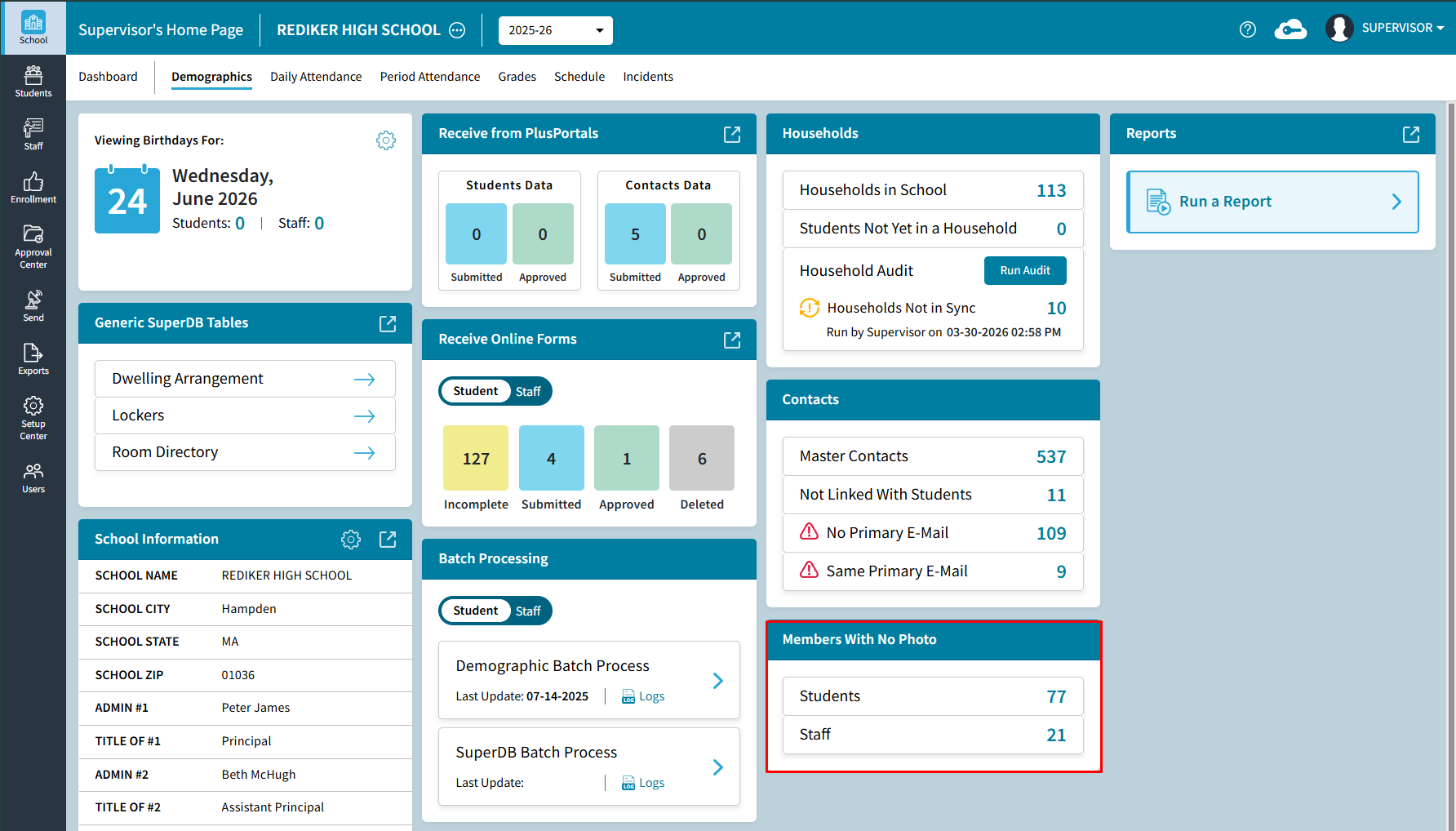
Derived Field Bulk Update
Derived Fields are now supported in AdminPlus.com. Supervisor Users can now update Derived Fields by going to Setup Center > Libraries > Student or Staff Demographic Fields. Select Test to view the formula before saving: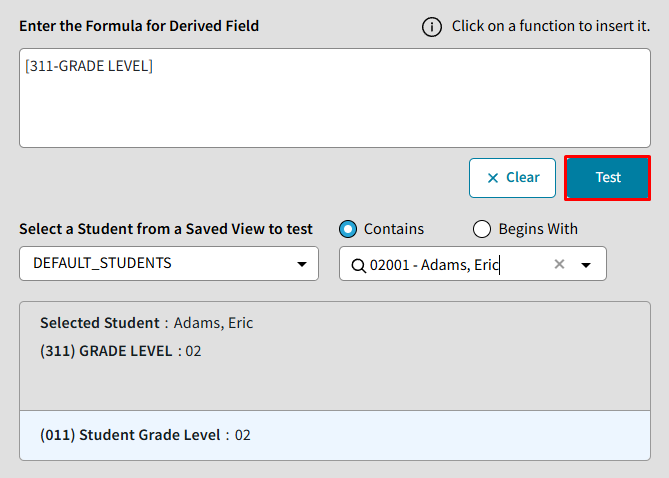 This can be completed by selecting Save & Recalculate for a derived field: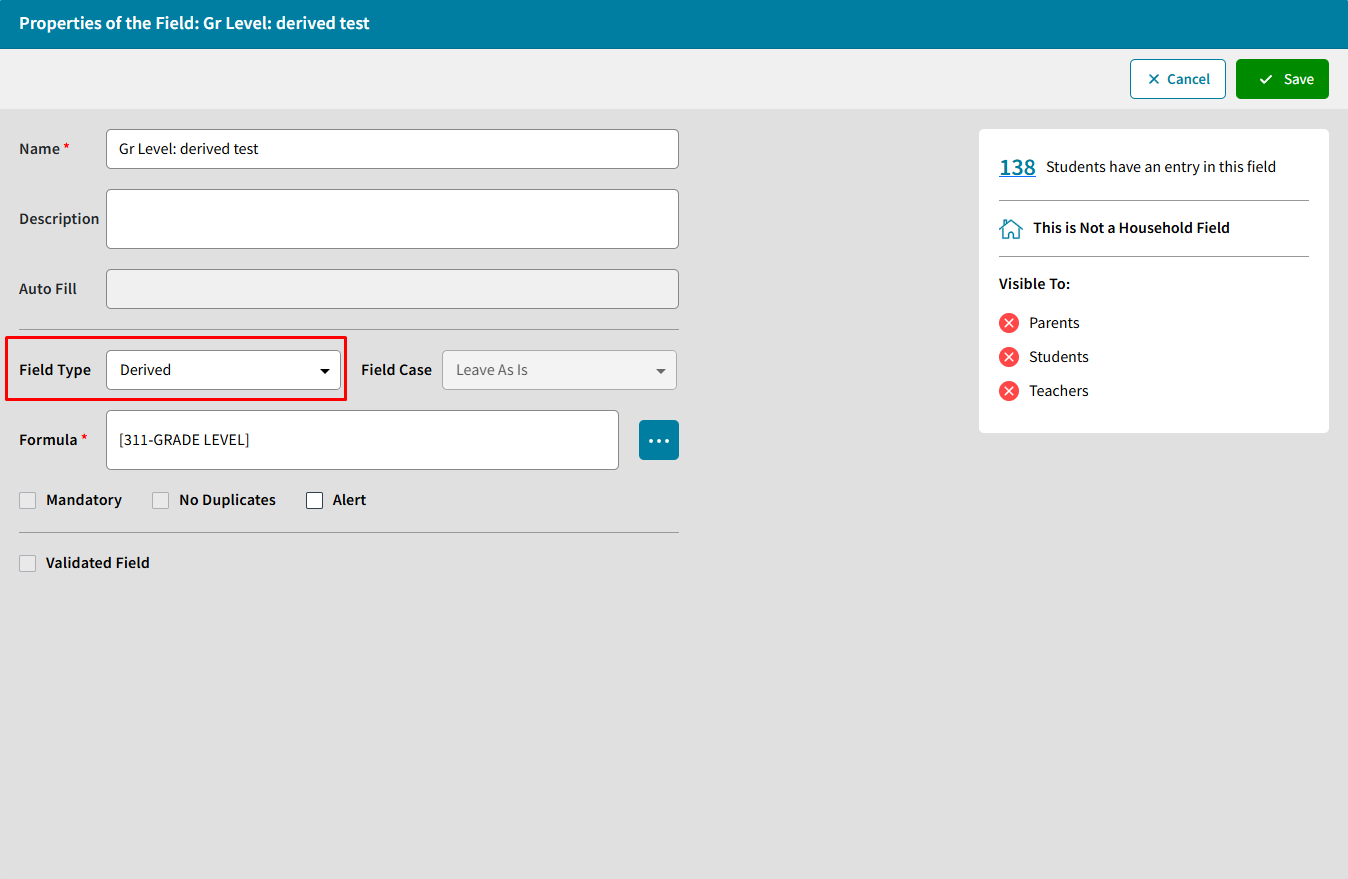
Recently Inactivated Student/Staff Tile
A new tile has been added to the Enrollment Center that displays the 5 most recently inactivated Students and Staff.