
We've released several new features, improvements, and feature fixes for AdminPlus.com. This version coincides Administrator's Plus October 16th, 2026 withHighlights of this update include:
| New Features | ||
|---|---|---|
| AP Notify | AP Notify allows schools to send text, voice, and e-mail notifications directly from AdminPlus.com to students and contacts, staff, AdminPlus users, distribution lists, or manually entered recipients. Create and reuse messages, schedule notifications, and use Emergency Mode for high-priority group communications. | |
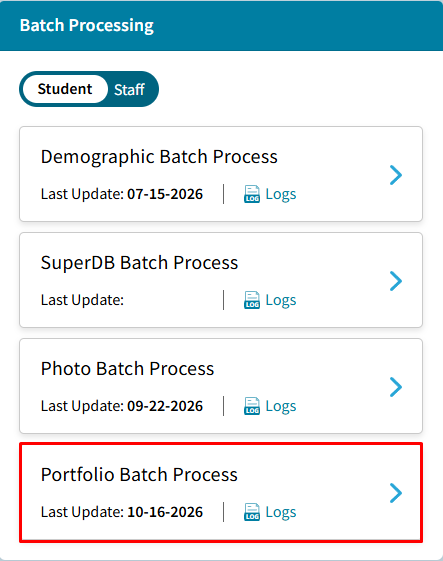
| Portfolio Batch Process | Import multiple student portfolio documents at the same time using a ZIP file by going to School > Demographics > Batch Processing > Portfolio Batch Process. | |
| Conditional (If) Field | AdminPlus.com now supports Conditional IF Fields, allowing schools to automatically determine a field's value based on data stored in other fields. Users can create one or more IF conditions, define the value that should be returned when those conditions are met, and specify an ELSE value for records that do not meet any of the configured conditions. Multiple condition blocks can be added and reordered to control the sequence in which conditions are evaluated. | |
| One Student > Snapshot > Edit GPA | Users can now edit a student’s GPA and credit information directly from the Student Snapshot in AdminPlus.com. Go to Students > One Students > Snapshot > Edit GPA to manually update a student's GPA. | |
| Enter Grades and Narratives by Course Section | A new Enter Grades & Narratives feature is now available in AdminPlus.com under School > Grades > Enter Grades and Narratives, allowing users to enter and update Course Grades, Skill Grades and Narratives for Students within the same course section. | |
| Improvements | ||
|---|---|---|
| Specifications for Student and Staff Schedule Reports | Users can now customize the Line and Grid Schedule Specifications when creating Student and Staff Schedule Reports in AdminPlus.com. | |
| Course Grade Change Log Export | Course Grade Change Log Export has been added to Exports > Logs > Course Grade Change Log. | |
| Student Daily Attendance Change Log Export | Student Daily Attendance Change Log Export has been added to Exports > Logs Student Daily Attendance Change Log. | |
| Enter Values for Absence and Comment Marking Period Types for Skills | Users can now enter in Absences and Comment Codes on the Skills Tab for Students. | |
| Redesigned Send Overview Screen | Send > Overview Screen has been redesigned as part of the AP Notify Release. | |
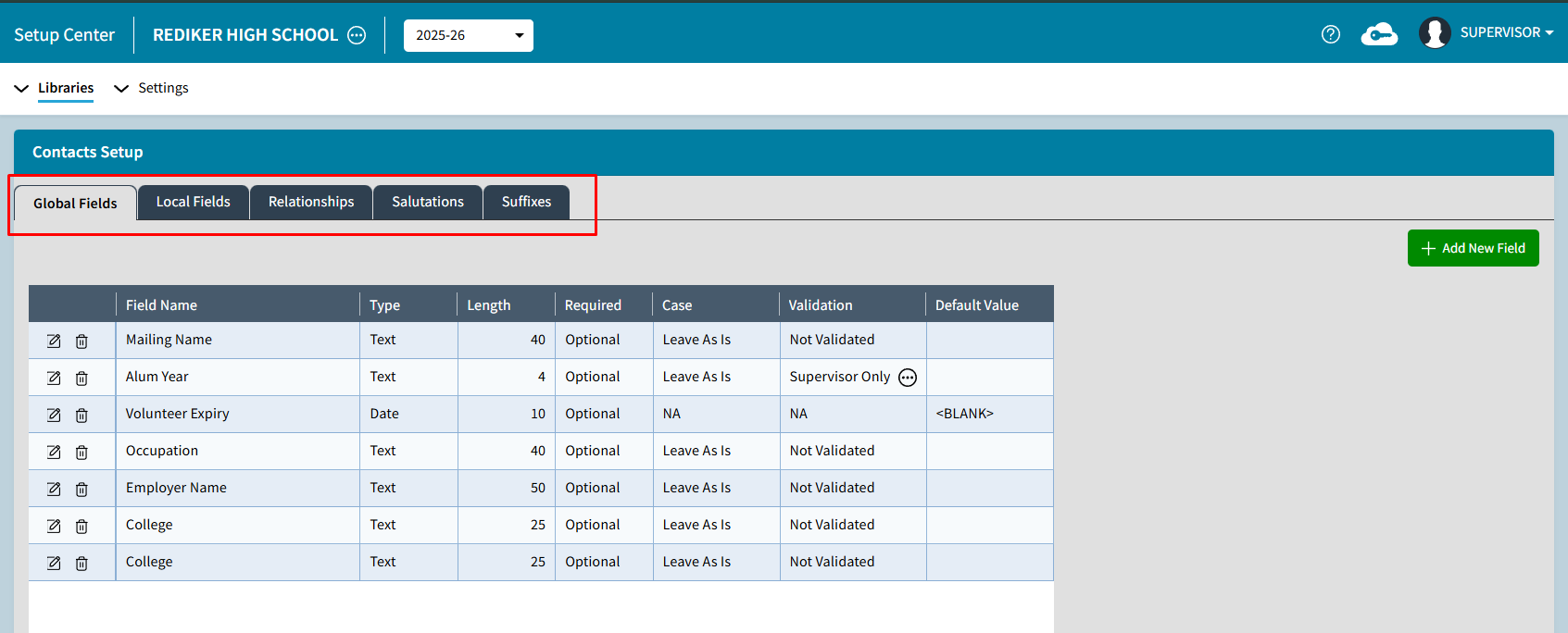
| Redesign Contact Libraries | Contacts Setup options have been condensed in the Setup Center to Contacts Setup & Permissions. | |
| Improved Help Text for Batch Photo Upload | The Help Text has been updated to inform users that photos must be uploaded in a Zip file folder for Batch Photo Upload. | |
| Improved Batch Add Schedule Messaging | Batch Add Schedule message has been updated to let customer know to check the log for additional details if students have not been added to a selected course section. | |
| SuperDB Autofill Renamed to SuperDB Lookup | The SuperDB Autofill option has been renamed SuperDB Lookup to better reflect its functionality. This feature allows schools to link demographic fields to a SuperDB table, enabling users to select values from existing SuperDB records rather than manually entering information. | |
| Feature Fixes | ||
|---|---|---|
| Schedule Printing | Fixed an issue that prevented users from printing schedules in AdminPlus.com. | |
| Deleting Demographic Reports | Resolved an issue that prevented users from deleting Demographic Reports. | |
| Grid Schedule Reports Display Issue | Resolved an issue where Student Grid Schedule Reports did not display all expected schedule information. | |
| Transcript Reports Displayed Incorrect Year | Corrected an issue where the year headers displayed incorrectly on Transcript Reports. | |
| Override Credits and Jobs | Resolved an issue where the Override Credits and Jobs process continued to display an "In Progress" status. | |
New Features
AP Notify
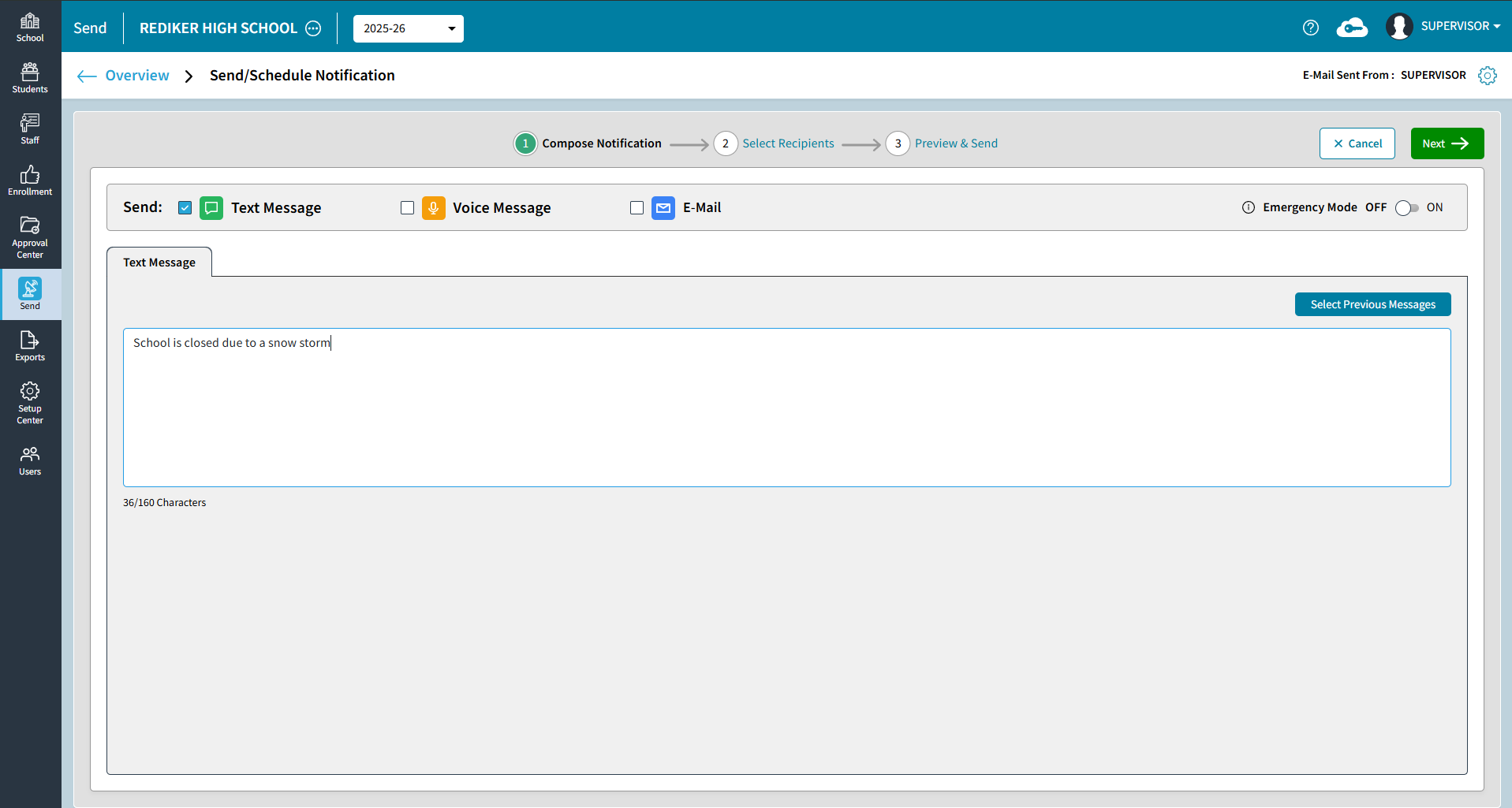
AP Notify allows schools to send text, voice, and e-mail notifications directly from AdminPlus.com to students and contacts, staff, AdminPlus users, distribution lists, or manually entered recipients. Create and reuse messages, schedule notifications, and use Emergency Mode for high-priority group communications.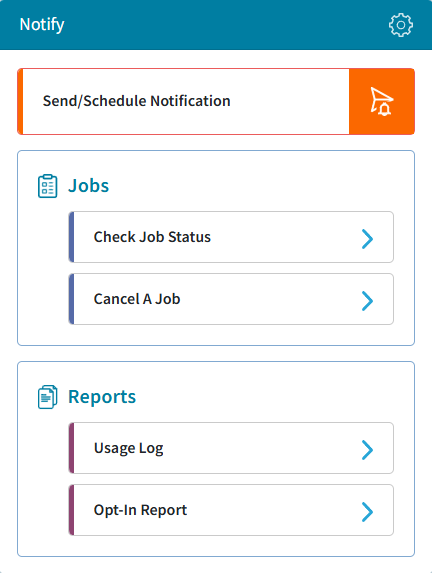
Portfolio Batch Process
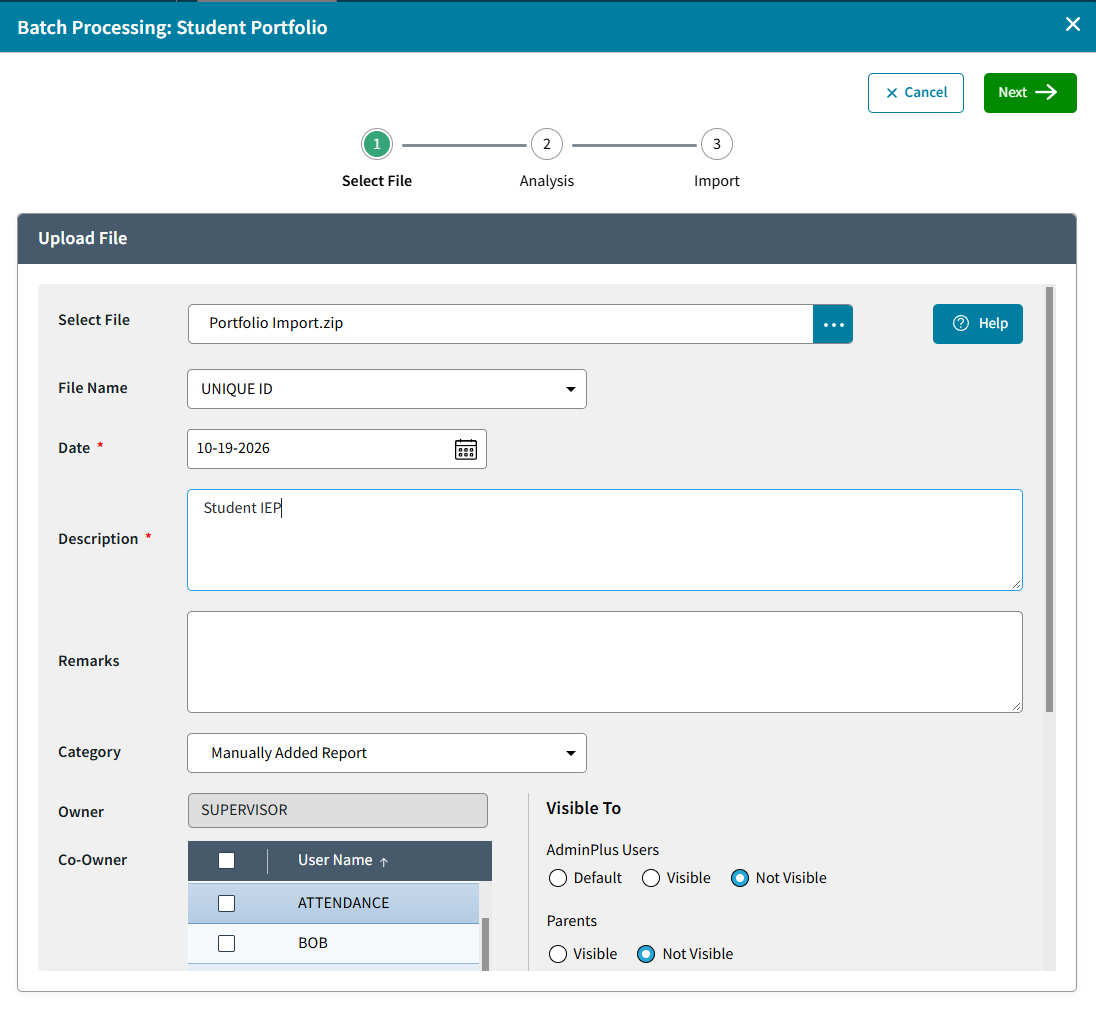
Import multiple student portfolio documents of the same type such as a Student IEP at the same time using a ZIP file by going to School > Demographics > Batch Processing > Portfolio Batch Process.
Conditional If Field
AdminPlus.com now supports Conditional IF Fields, allowing schools to automatically determine field values based on conditions defined using other fields. A new visual formula builder makes it easier to create and manage conditional logic. Users can define multiple conditions, specify the values to assign when those conditions are met, and establish alternative results when conditions are not satisfied.
A Conditional IF Field determines its value by evaluating one or more conditions against other fields.
These fields use IF / THEN / ELSE IF logic:
- IF: Defines the conditions that must be satisfied.
- THEN: Determines the value assigned when the conditions are met.
- ELSE IF: Provides an alternative outcome when the preceding conditions are not satisfied.
To set up a Conditional IF field, do the following:
- Go to Setup Center > Libraries > Student or Staff Demographic Fields.
- Select the field you want to configure from the list on the left.
- Enter or update the field's Name and Description, as needed.
- In the Field Type dropdown, select Conditional (If Field)
- Select Click here to View/Edit Formula to open the formula builder.
The Formula for Conditional (IF Field) window opens.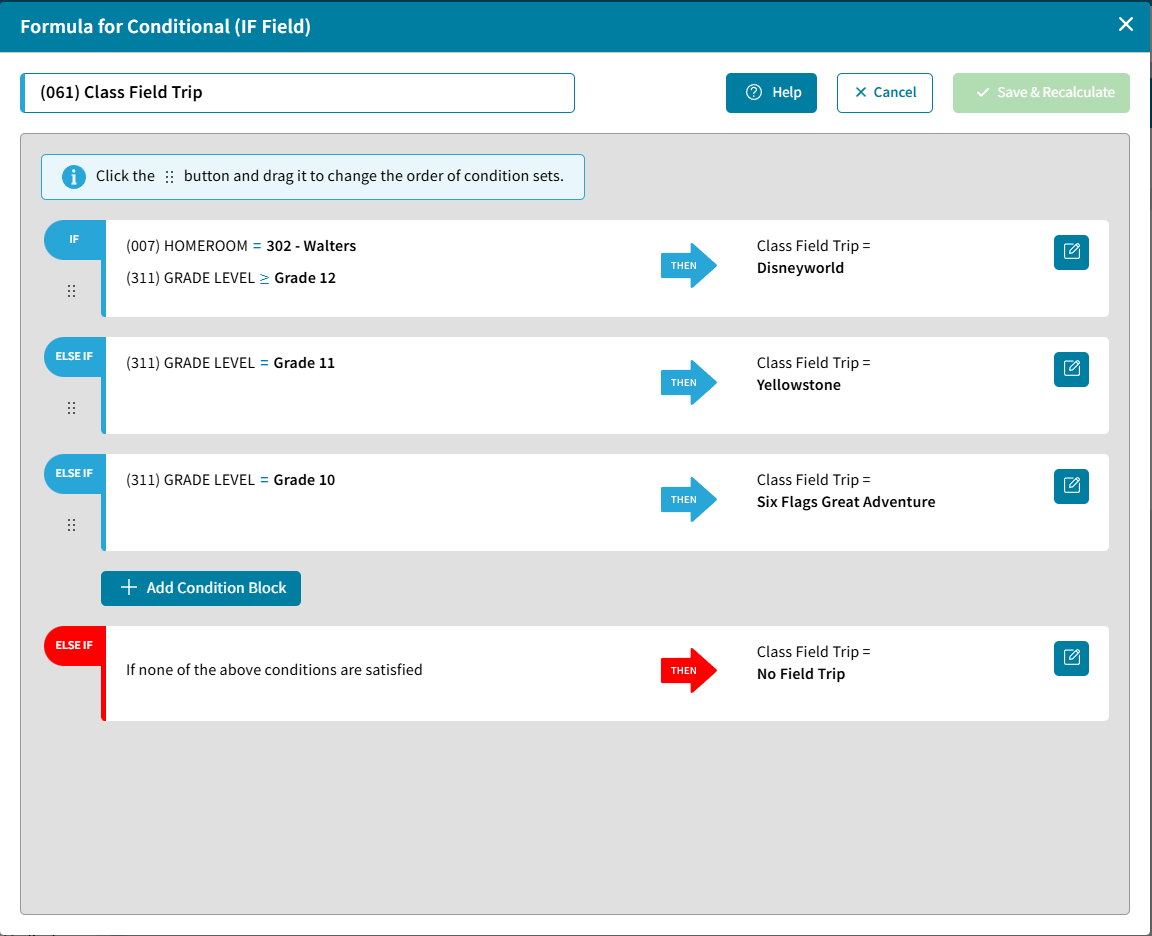
One Student > Snapshot > Edit GPA
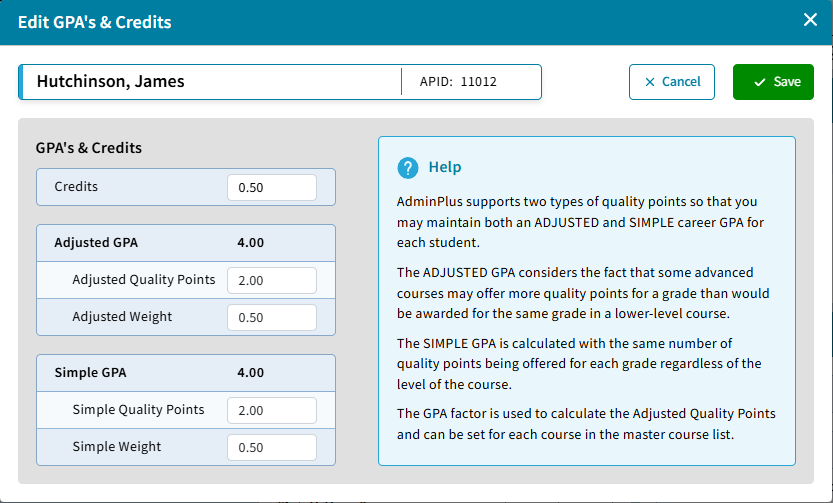
Users can now edit a student’s GPA and credit information directly from the Student Snapshot in AdminPlus.com. From the GPA’s & Credits panel, users with the appropriate access can select the Edit icon and update the student’s:
- Credits
- Adjusted Quality Points
- Adjusted Weight
- Simple Quality Points
- Simple Weight
If you do not have "Use Separate Weights for Adjusted and Simple Weights?" set to Yes in Classic AdminPlus, the same weight for both Adjusted and Simple will be saved. 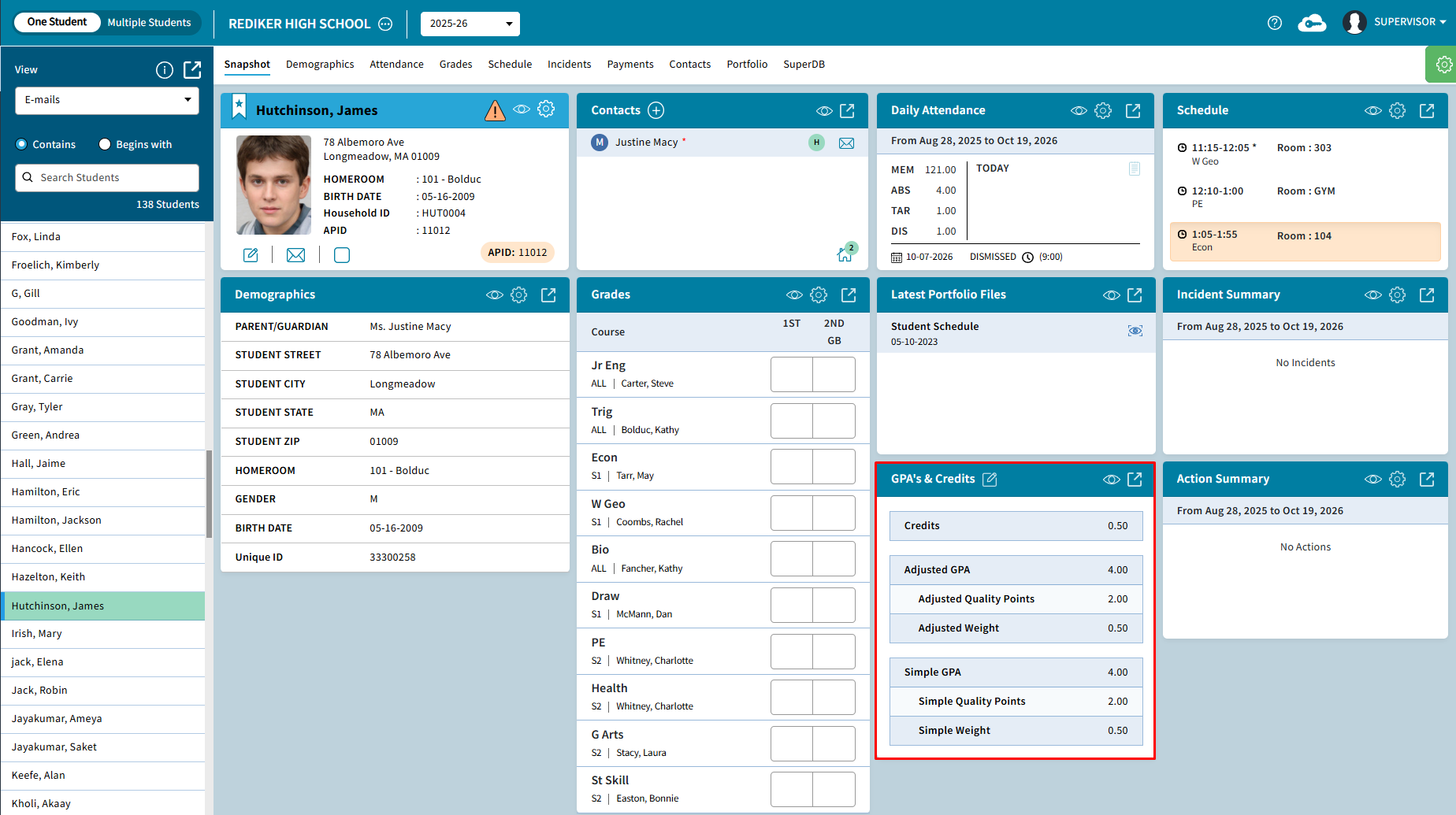
Enter Grades and Narratives by Course Section
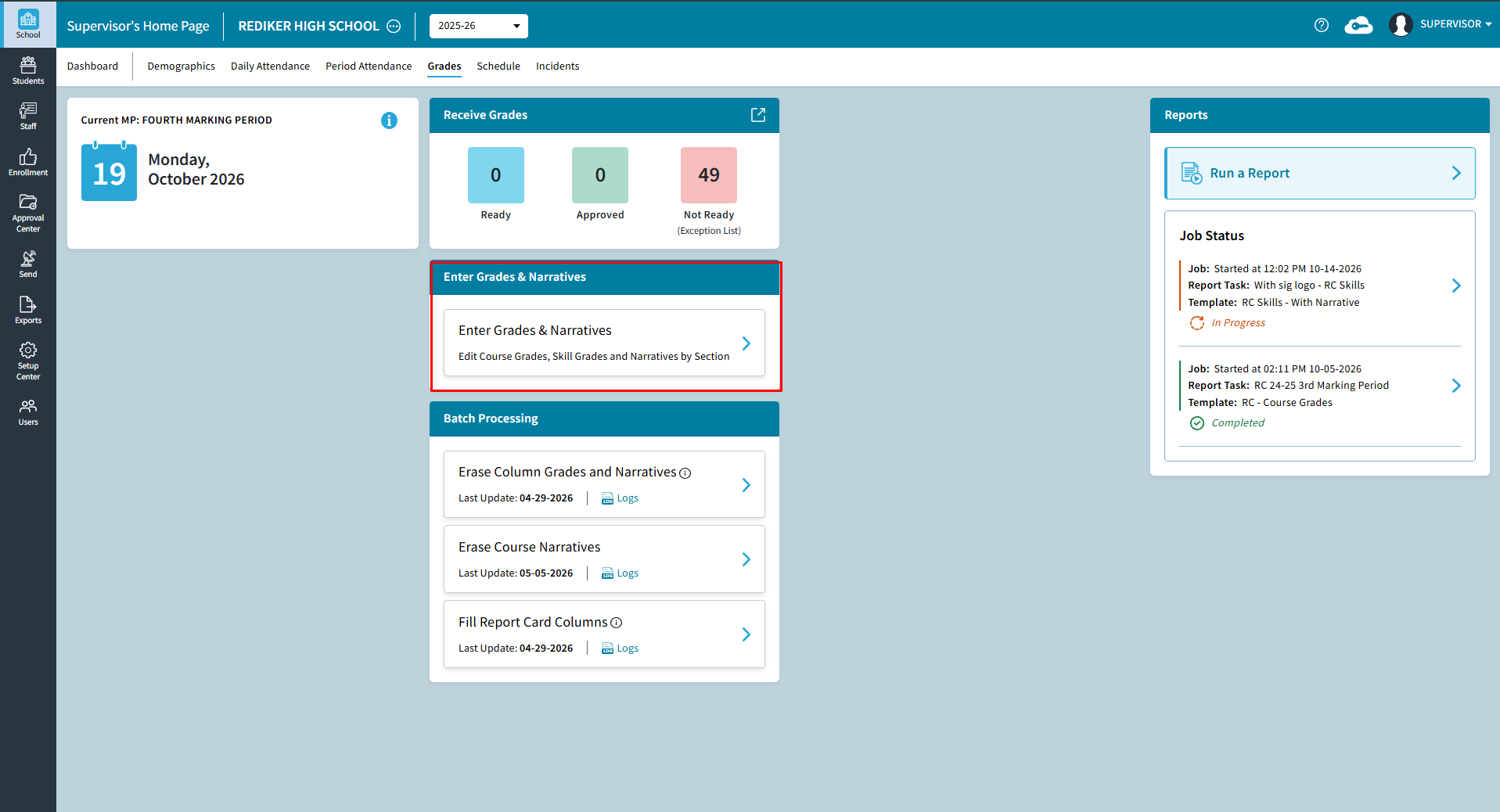
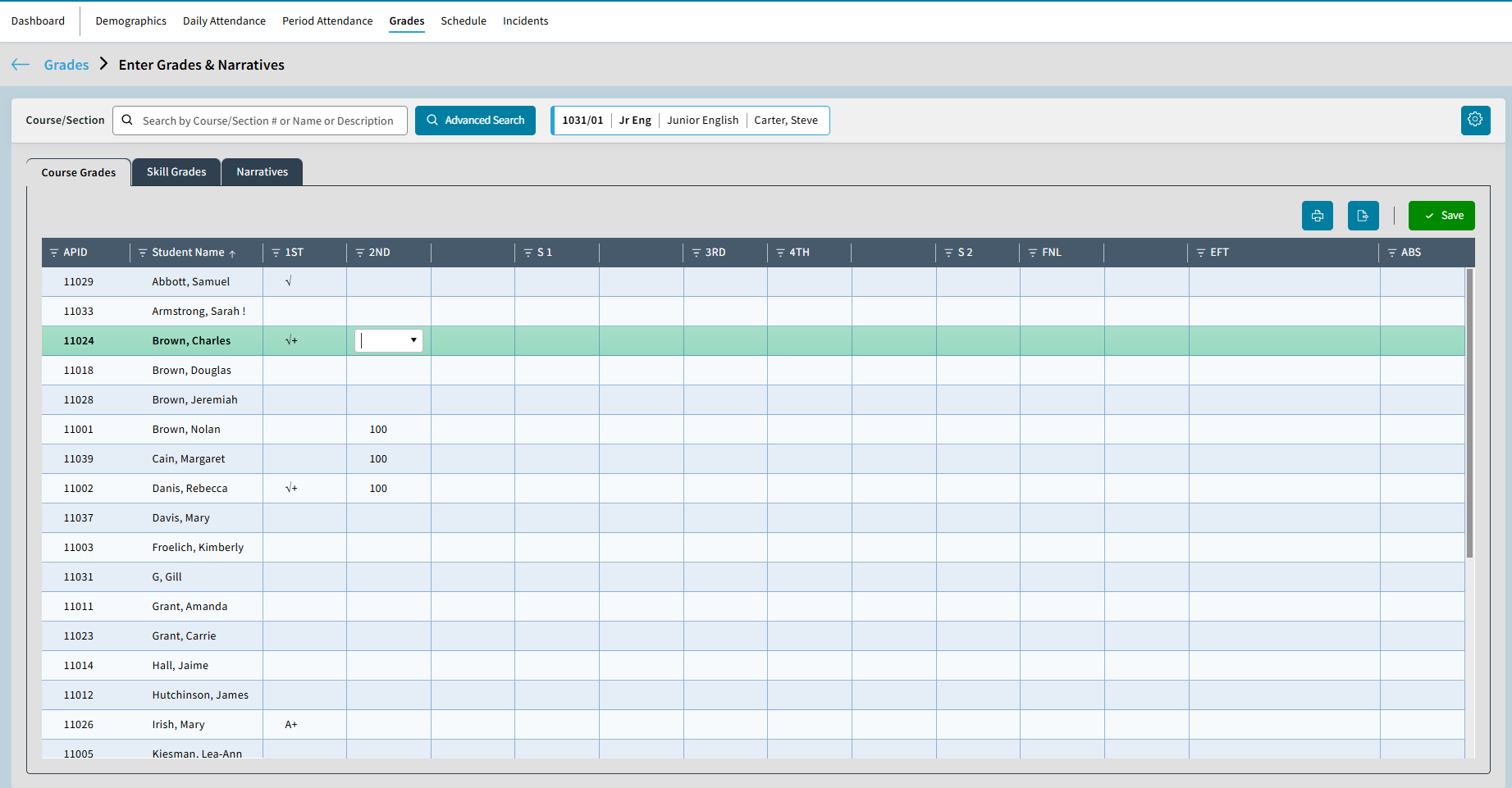
A new Enter Grades & Narratives feature is now available in AdminPlus.com under School > Grades > Enter Grades and Narratives, allowing users to enter and update Course Grades, Skill Grades and Narratives for Students within the same course section.
Users can search for and select a course section, view enrolled students, and enter information using three tabs:
- Course Grades: Enter and update student grades for the available grading columns.
- Skill Grades: Enter and update student skill grades.
- Narratives: Enter course-level and marking period narratives for individual students.
Improvements
Specifications for Schedule > Reports: Student/Staff Schedules
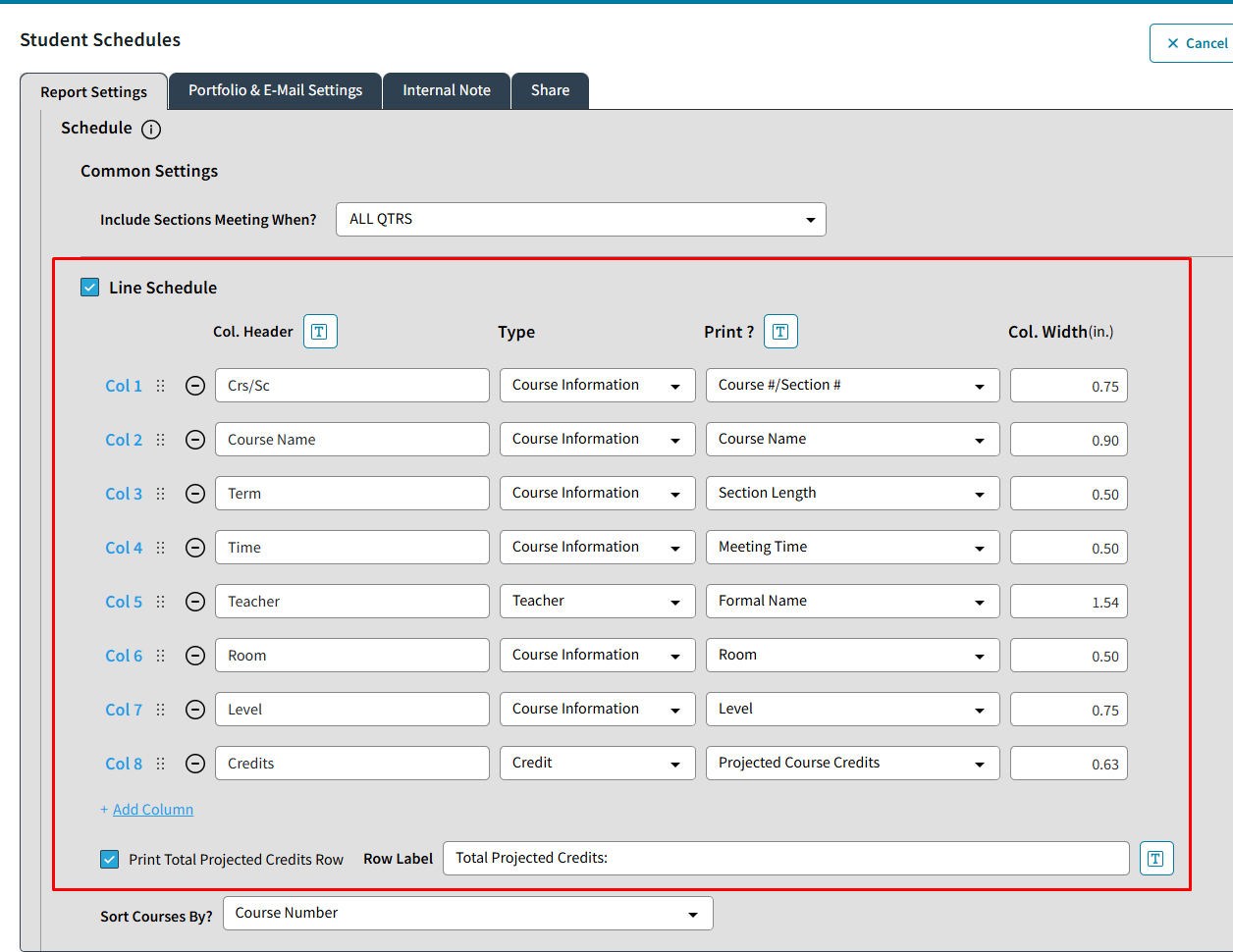
Users can now customize the Line and Grid Schedule Specifications when creating Student and Staff Schedule Reports in AdminPlus.com. For Line Schedules, users can select which information to include, customize column headings and widths, and arrange the columns in their preferred order.
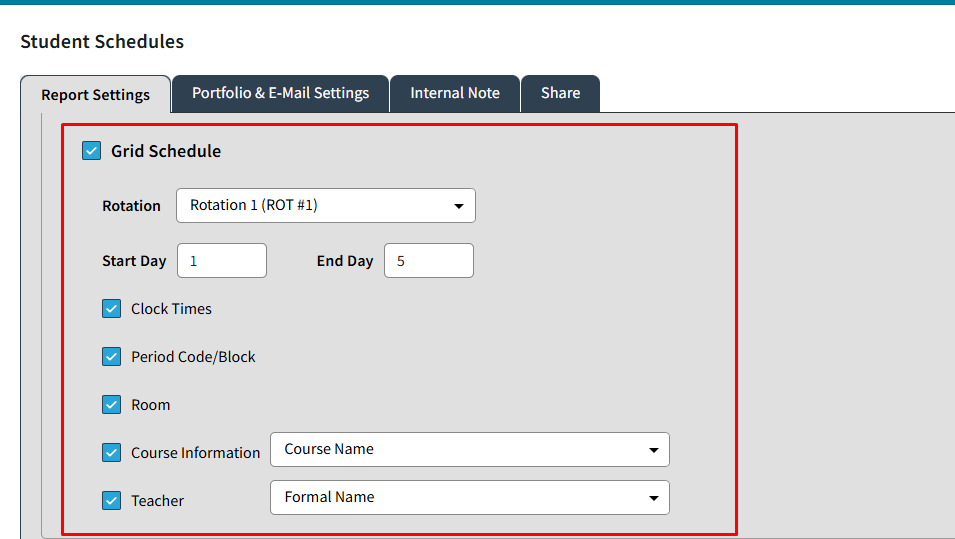
For Grid Schedules, users can configure the scheduling rotation, select the days to display, and choose which schedule details to include, such as course information, teachers, rooms, and meeting times.
Course Grade Change Log Export
Course Grade Change Log Export has been added to Exports > Logs > Course Grade Change Log. This log can be exported by Grade Level for Active and Inactive students, or for a Selected View. Select Download to open in Excel.
Student Daily Attendance Change Log Export
Course Grade Change Log Export has been added to Exports > Logs Student Daily Attendance Change Log. This log can be exported by Grade Level for Active and Inactive students, or for a Selected View. Select Download to open in Excel.
Enter Values for Absence and Comment Marking Period Types for Skills
Users can now enter in Absences and Comment Codes on the Skills Tab for Students. 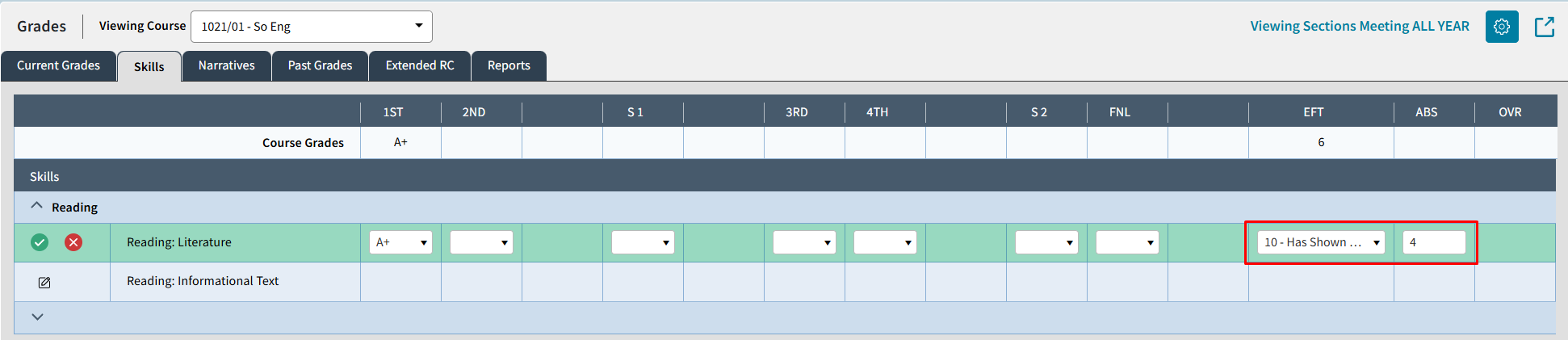
Redesigned Send Overview Screen
Send > Overview Screen has been redesigned as part of the AP Notify Release.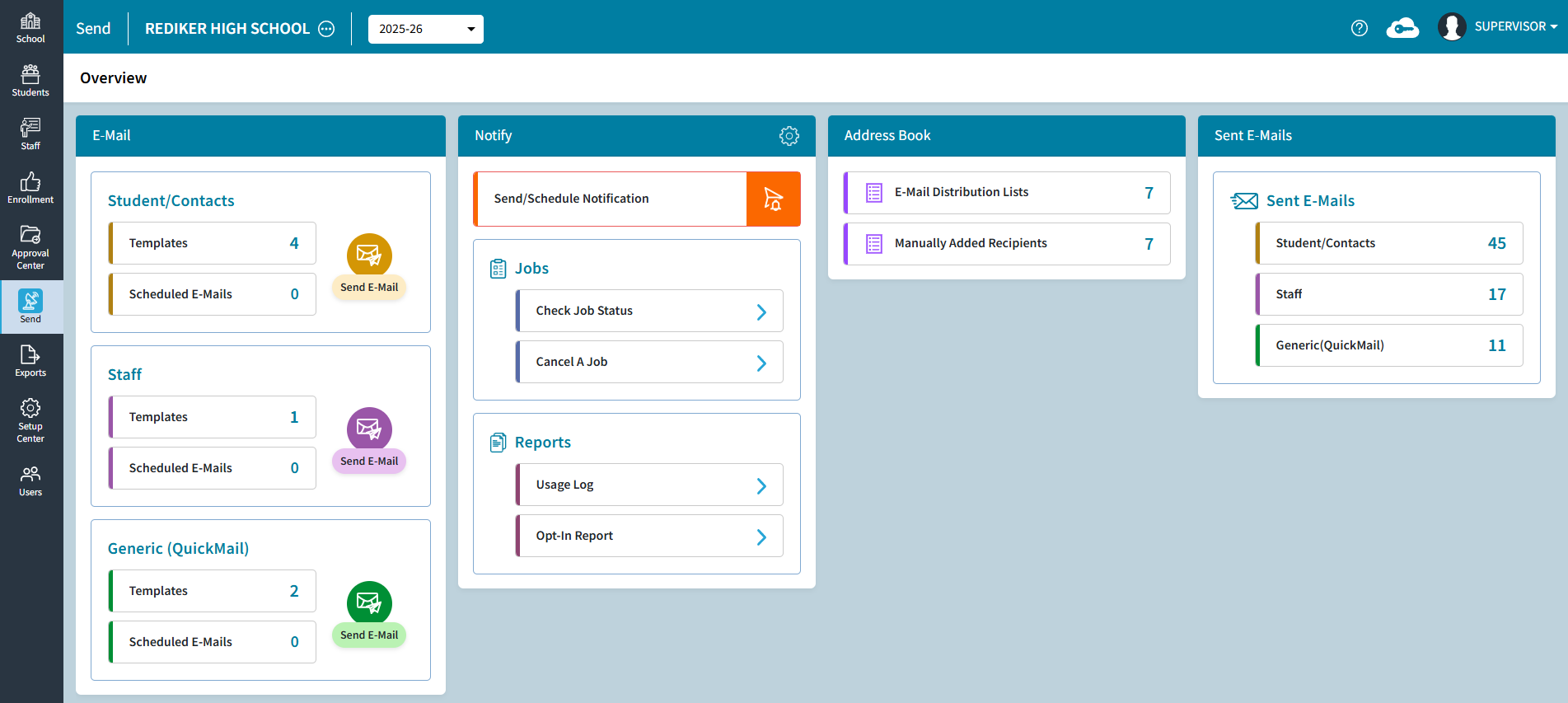
Redesign Contact Libraries
Contacts Setup options have been condensed in the Setup Center to Contacts Setup & Permissions. Each option of Global Fields, Local Fields, Relationships, and Suffixes each have their own tab. Select the tab to update.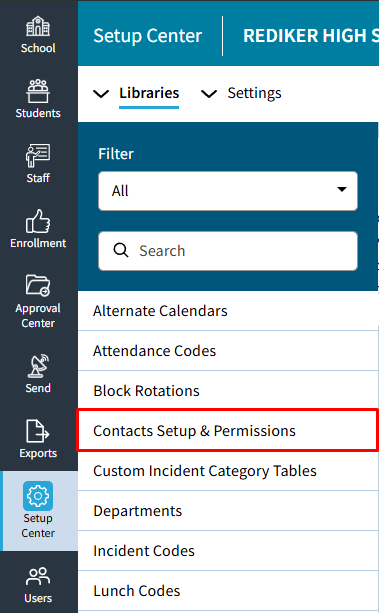
Improved Help Text for Batch Photo Upload
The Help Text has been updated to inform users that photos must be uploaded in a Zip file folder for Batch Photo Upload.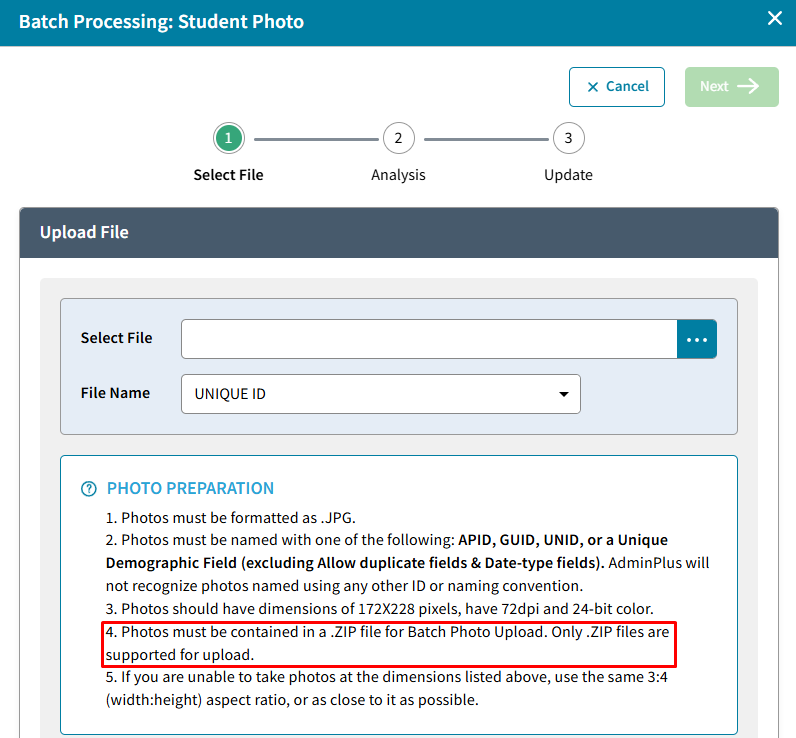
Improved Batch Add Schedule Messaging
Batch Add Schedule message has been updated to let customer know to check the log for additional details if students have not been added to a selected course section.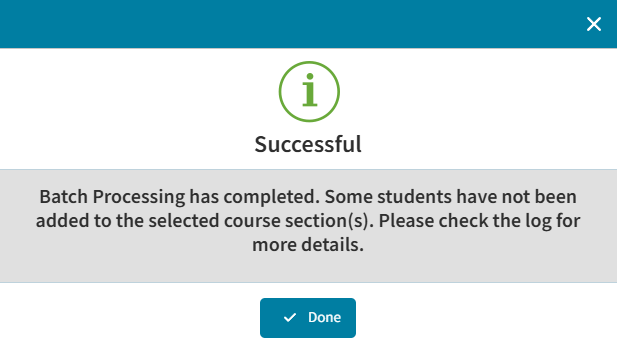
SuperDB Autofill Renamed to SuperDB Lookup
The SuperDB Autofill option has been renamed SuperDB Lookup to better reflect its functionality. This feature allows schools to link demographic fields to a SuperDB table, enabling users to select values from existing SuperDB records rather than manually entering information. 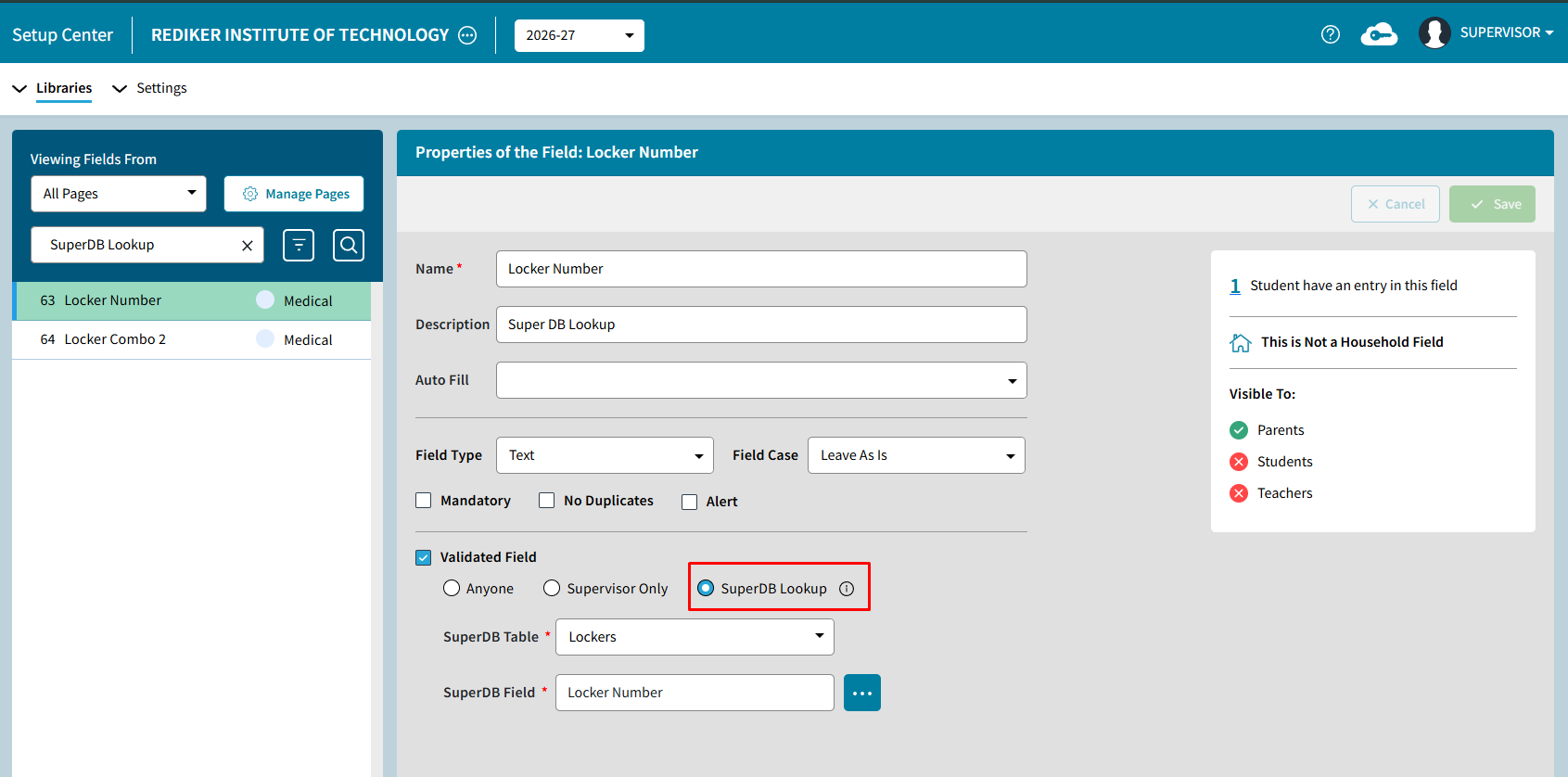
Feature Fixes
Schedule Printing
Fixed an issue that prevented users from printing schedules in AdminPlus.com.
Deleting Demographic Reports
Resolved an issue that prevented users from deleting Demographic Reports.
Grid Schedule Reports Display Issue
Resolved an issue where Student Grid Schedule Reports did not display all expected schedule information.
Transcript Reports Displayed Incorrect Year
Corrected an issue where the year headers displayed incorrectly on Transcript Reports.
Override Credits and Jobs
Resolved an issue where the Override Credits and Jobs process continued to display an "In Progress" status.