We've released several new features, and improvements for AdminPlus.com. Non-hosted schools will need to update to the latest version of classic. Please see Administrator's Plus February 6th, 2025. Highlights of this update include:
| New Features | ||
|---|---|---|
| Incident Report Creator | Incident > Reports introduces a new workflow for Incident report creation and generation. The new templates include an Action Summary Search List and an Incident Search List. Additional templates will be added in future releases. | |
| Add/Edit Skills | Skills can now be managed in Setup Center > Libraries > Skills. The Skills screen includes analytics displaying the number of courses that a skill is linked to and if the school is tracking standards, the number of standards that a skill is linked to. | |
| Manage Linked Skills | The Course > Linked Skills tab now includes edit options to Manage Linked Skills and Copy Skills To another course. | |
| Add/Edit Block Rotations | Block Rotations can be added and edited in Setup Center > Libraries > Block Rotation. The setup of Days, Periods, and Meeting Times are all on one screen so the schedule can be visualized. | |
| Add/Edit Lunch Codes | Lunch Codes and Descriptions can be added and edited in Setup Center > Libraries > Lunch Codes. | |
| Daily Attendance > Lunch Count Tile | School > Daily Attendance Dashboard now includes a Lunch Count Tile to view the Lunch Code counts for the day, set the Lunch Codes for the day, and export/print the Lunch Count Report. | |
| Add/Edit Household Fields | Setup Center >Settings > Household Fields is used to select the fields to synchronize between students in a household. Selected Student Household fields can be mapped to corresponding Contact fields. | |
| Add/Edit Contact Address Layout | Setup Center > Settings > Contact Address Layout is used to control the order of the address fields on the contact screen and the Contact Default Layout. | |
| Set Default Contact Access Permissions | Setup Center > Settings > Default Contact Access Permissions (formerly Default Local Field Values based on Relationship). This screen enables you to set the default Parent Portal Access and Report Rights based on Relationship. | |
| Improvements | ||
|---|---|---|
| Online Form Status Change | Approval Center for Online Forms and Receive Registration Forms now includes the option to Change Form Status. | |
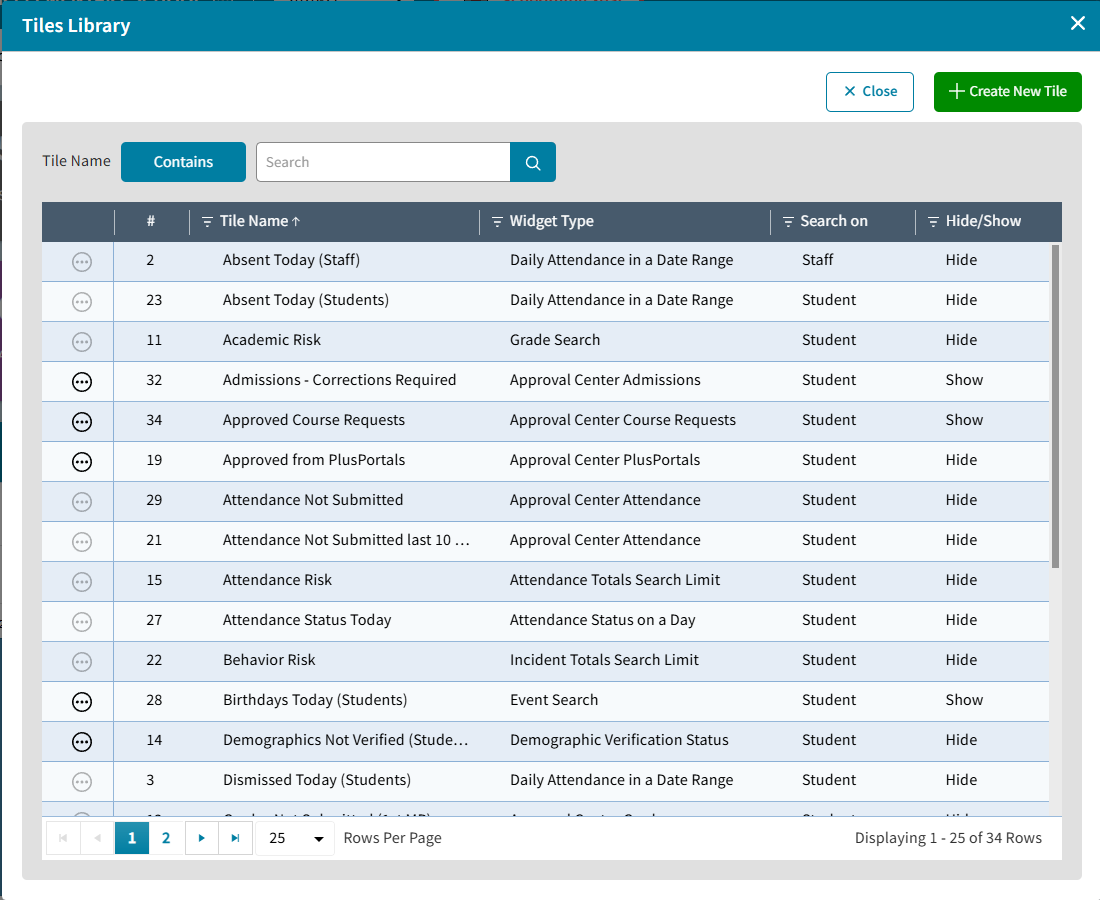
| Dashboard Library Copied to New Year | All the tiles a user has created in the active year will be copied over when the scheduling year is enabled in AdminPlus.com | |
New Features
Incident Report Creator
Incident > Reports introduces a new workflow to build custom Incident reports. Start by selecting a template, an Action Summary Search List or an Incident Search List, then refine your results using date ranges and search criteria. For more information see School: Incident Reports.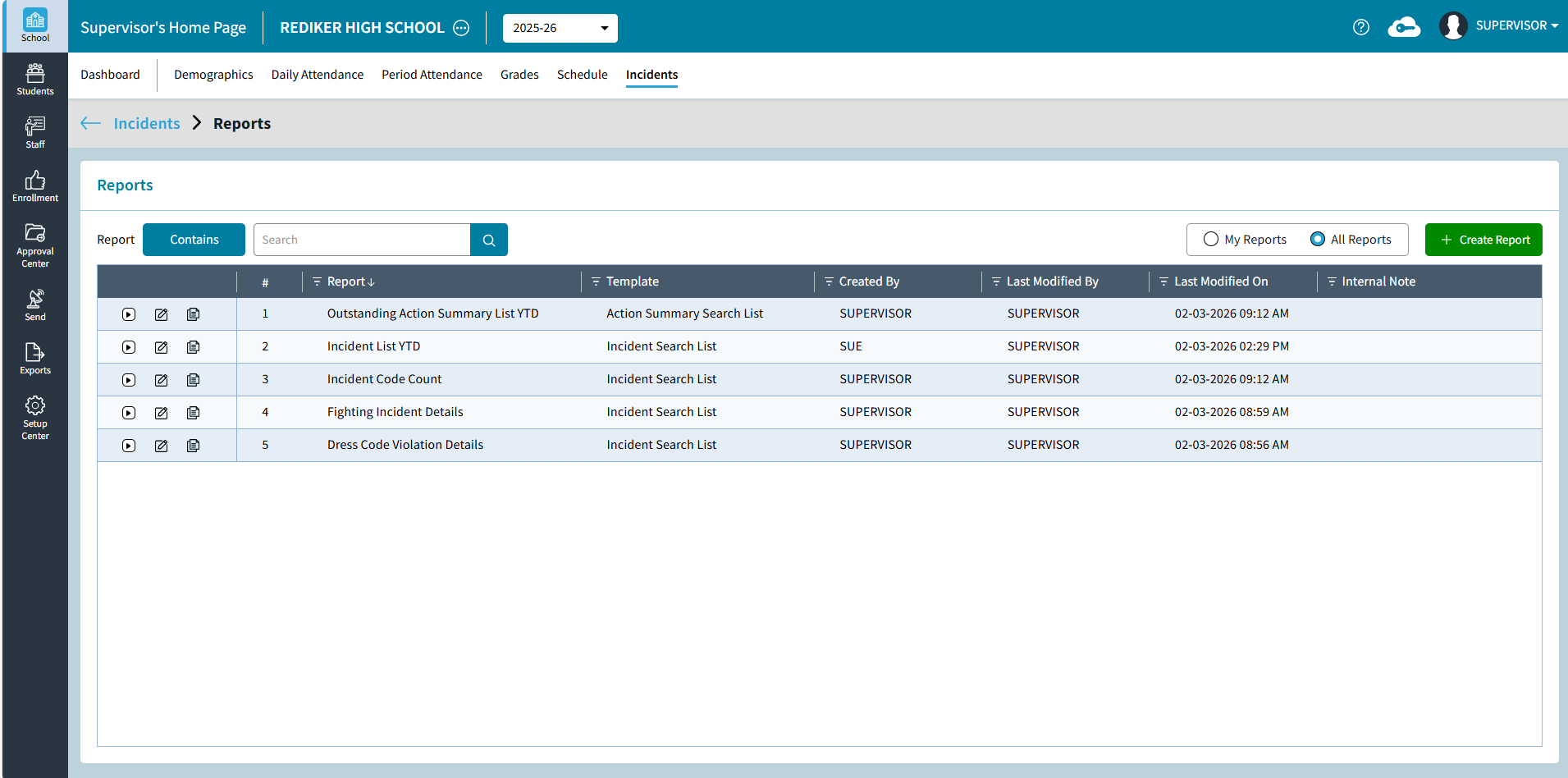
Add/Edit Skills
Setup Center > Libraries > Skills can be used by the Administrator's Plus Supervisor to manage the Skills list. The AdminPlus.com Skills List has an information panel on the right to see the number of courses a skill is linked to and if the school is tracking standards the number of standards the skill is linked to. Edit functionality requires that the school has selected to edit Scheduling in AdminPlus.com. For more information see Setup Center: Skills.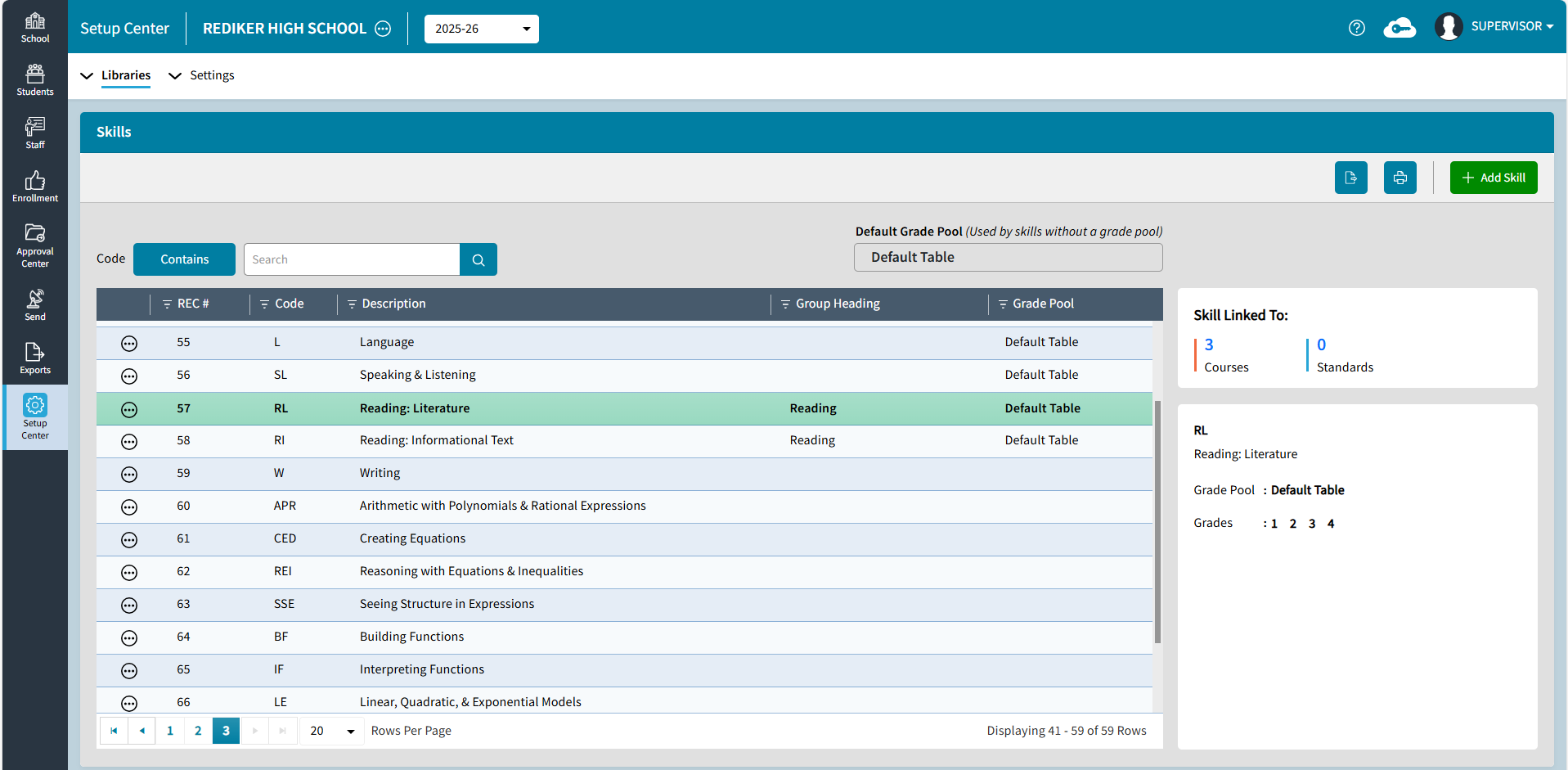
Manage Linked Skills
The Course > Linked Skills tab can be used to link skills to a course by selecting them individually or copy skills to other courses. For more information see Linked Skills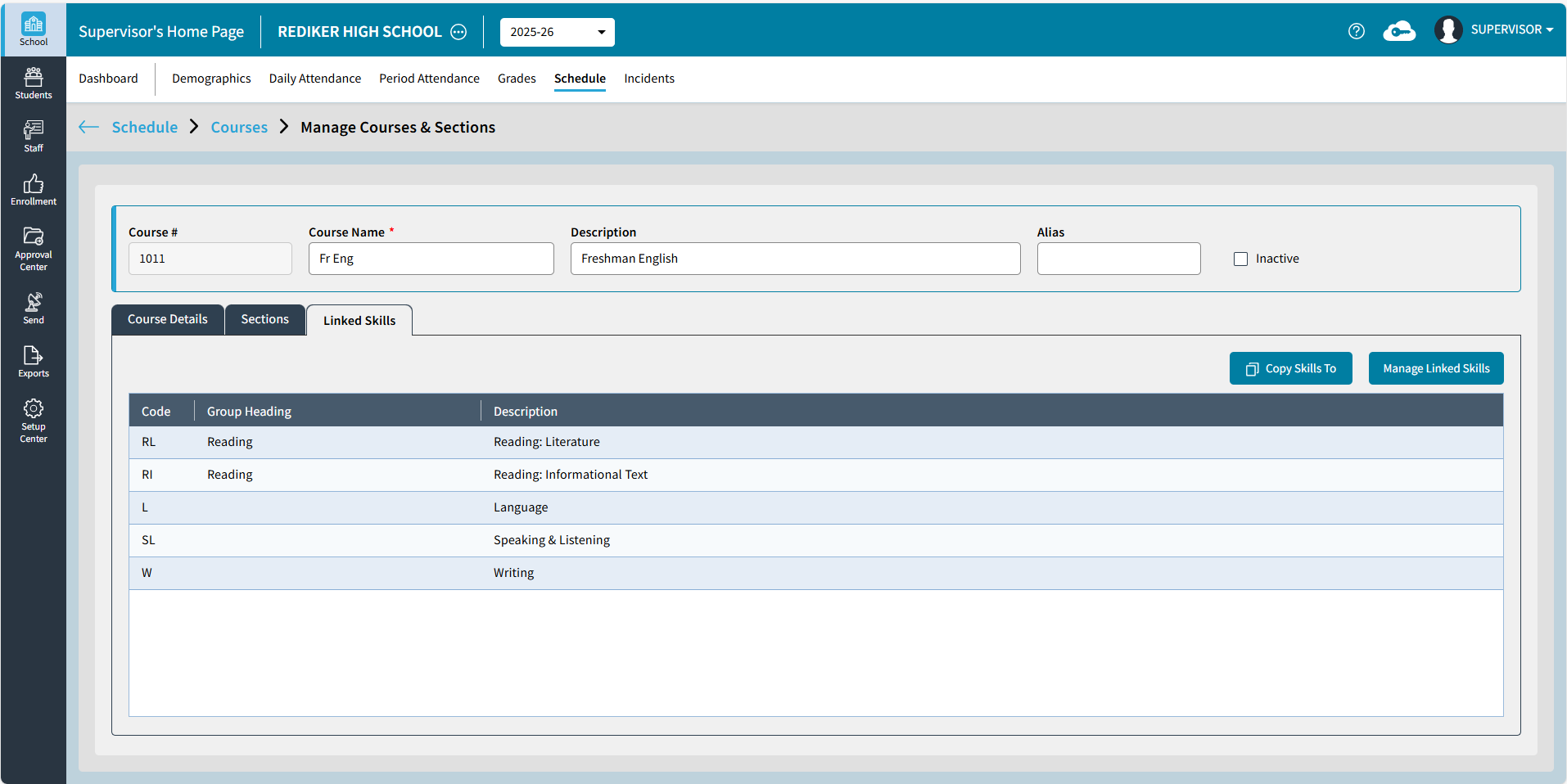
Add/Edit Block Rotations
Setup Center > Libraries > Block Rotations can be used by the Administrator's Plus Supervisor to visualize and edit block rotation, day headings, and meeting times. For more information see Setup Center: Block Rotations.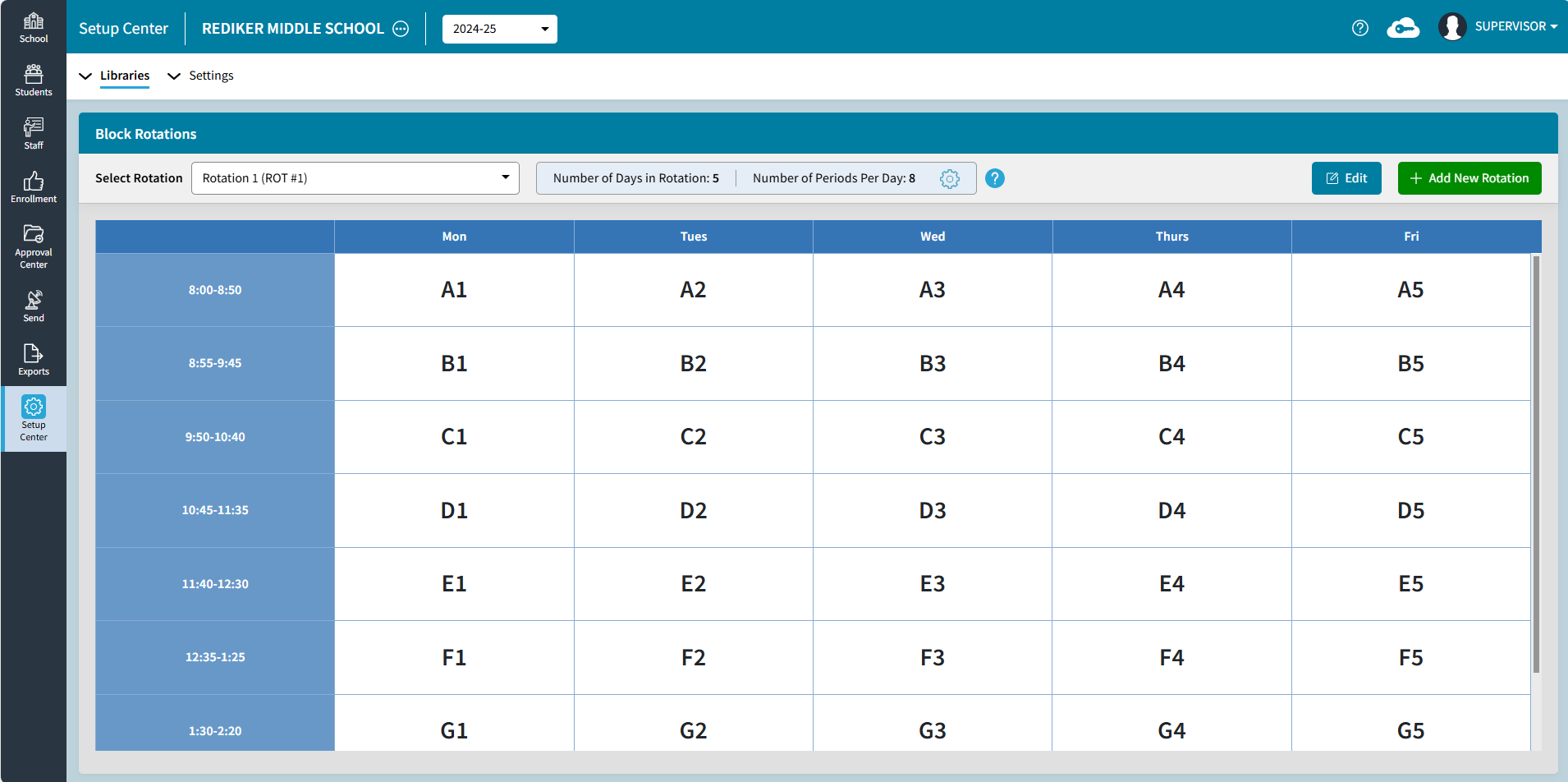
Add/Edit Lunch Codes
Setup Center > Libraries > Lunch Codes can be used to add Lunch Codes or edit Lunch Codes and Descriptions. For more information see Setup Center: Lunch Codes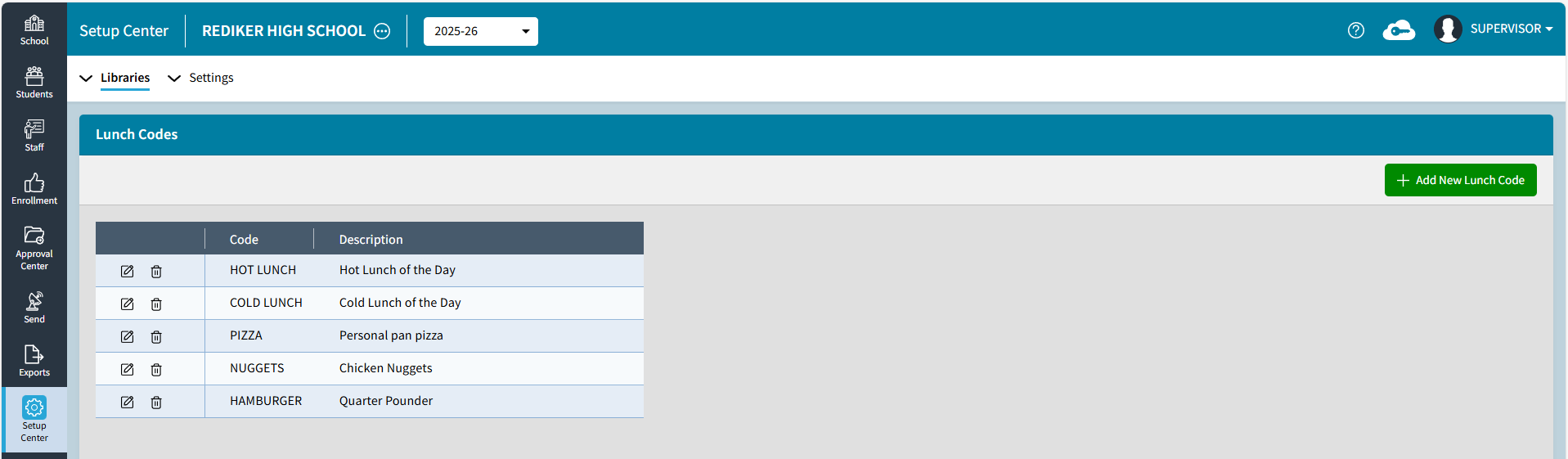
Daily Attendance > Lunch Counts Tile
Daily Attendance > Lunch Counts tile displays the Lunch Code - Description and count for the day, click the gear icon to select today's Lunch Codes, click expand to view the report. For more information see Lunch Counts.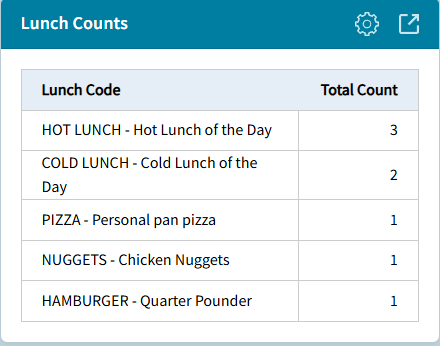
Add/Edit Household Fields
Setup Center > Settings > Household Fields is used by the AdminPlus Supervisor to select the fields to synchronize between students in a household. Selected Student Household fields can be mapped to corresponding Contact fields. For more information see Setup Center: Household Fields.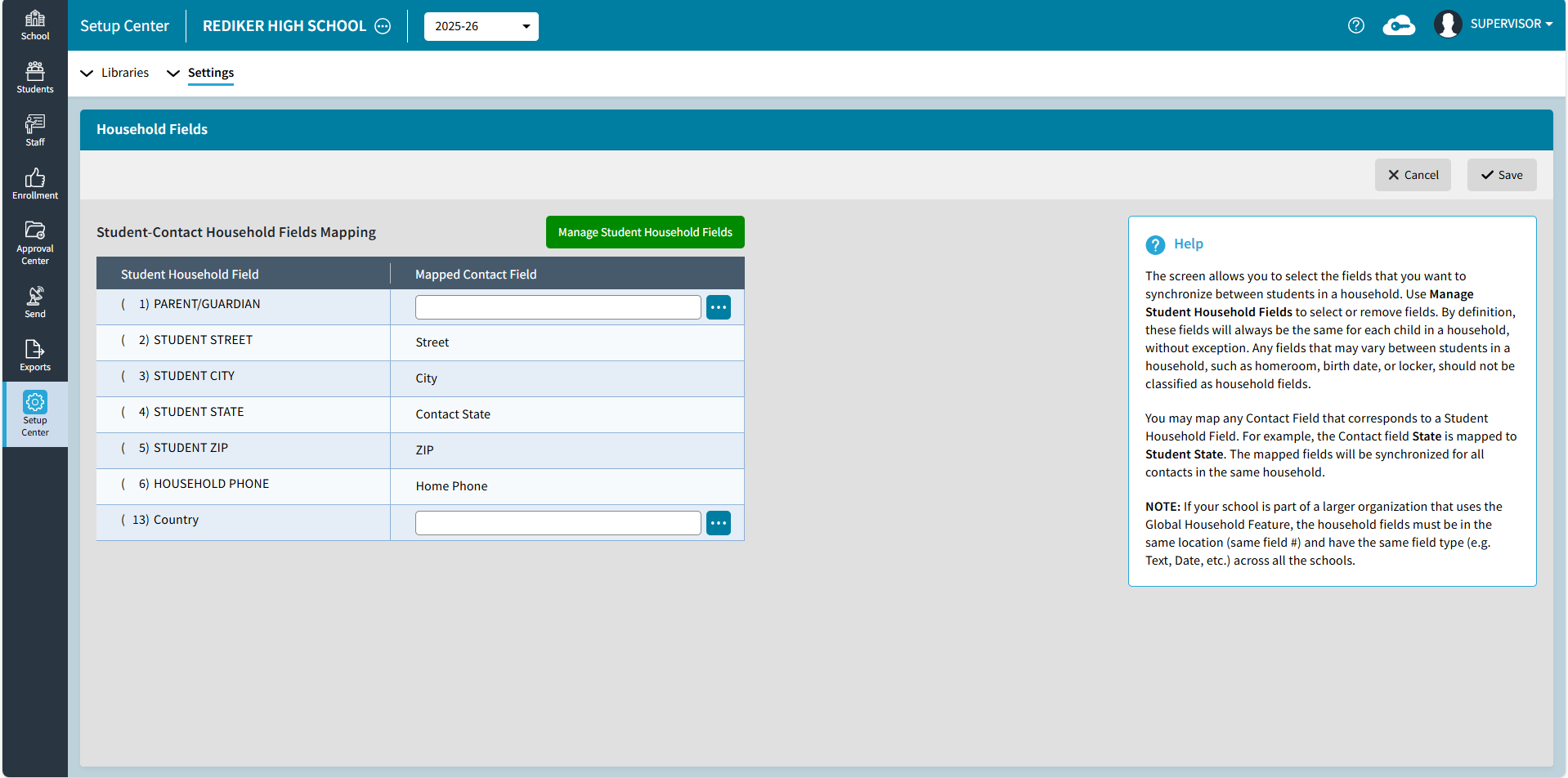
Add/Edit Contact Address Layout
Setup Center > Settings > Contact Address Layout is used by the Administrator's Plus Supervisor to control the order of the address fields on the contact screen and the Contact Default Layout. For more information see Setup Center: Contact Address Layout.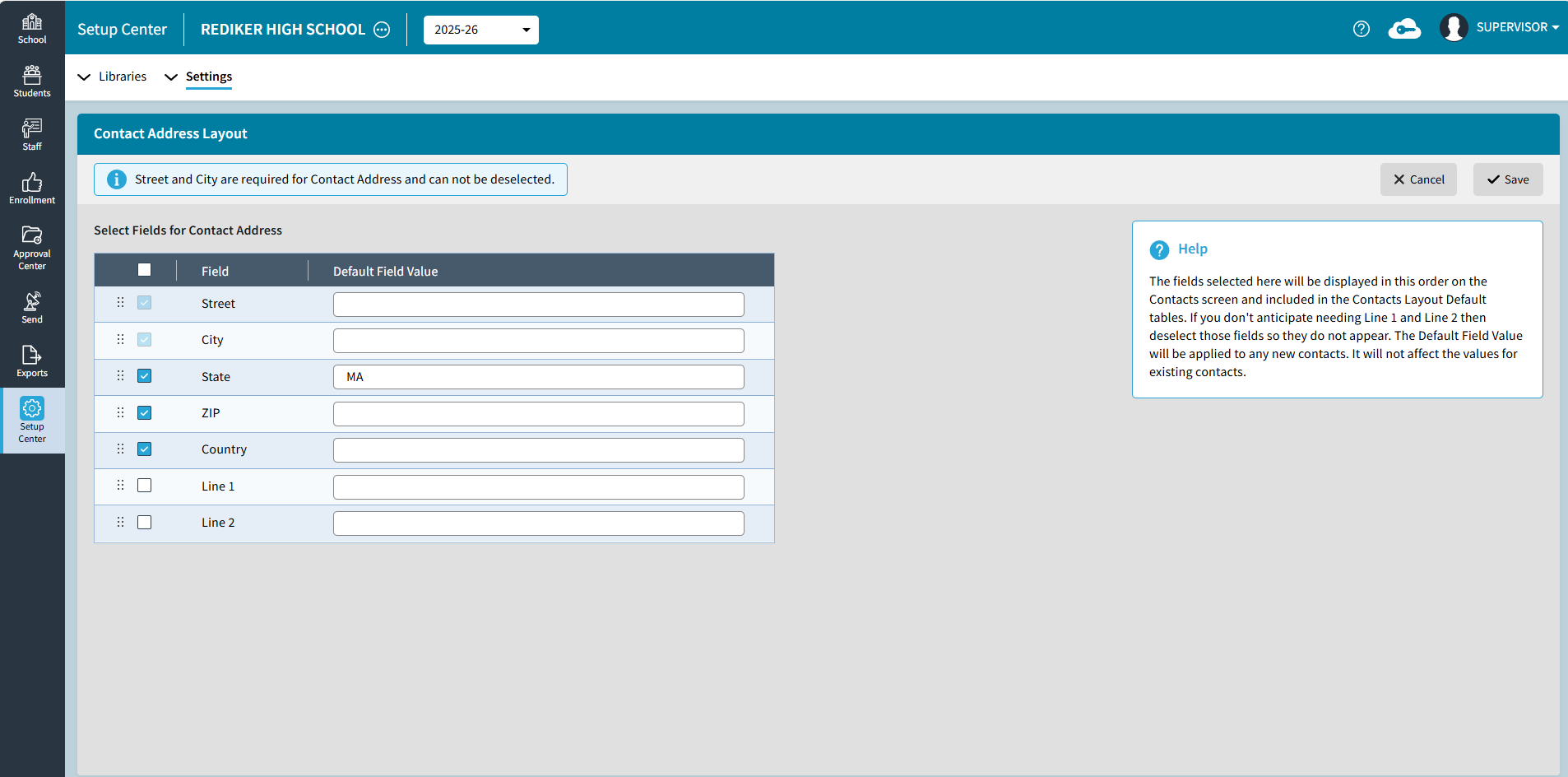
Set Default Contact Access Permissions
Setup Center > Settings > Default Contact Access Permissions (formerly Default Local Field Values based on Relationship). This screen enables the Administrator's Plus Supervisor to set the default Parent Portal Access and Report Rights based on Relationship. For more information see Setup Center: Default Contact Access Permissions.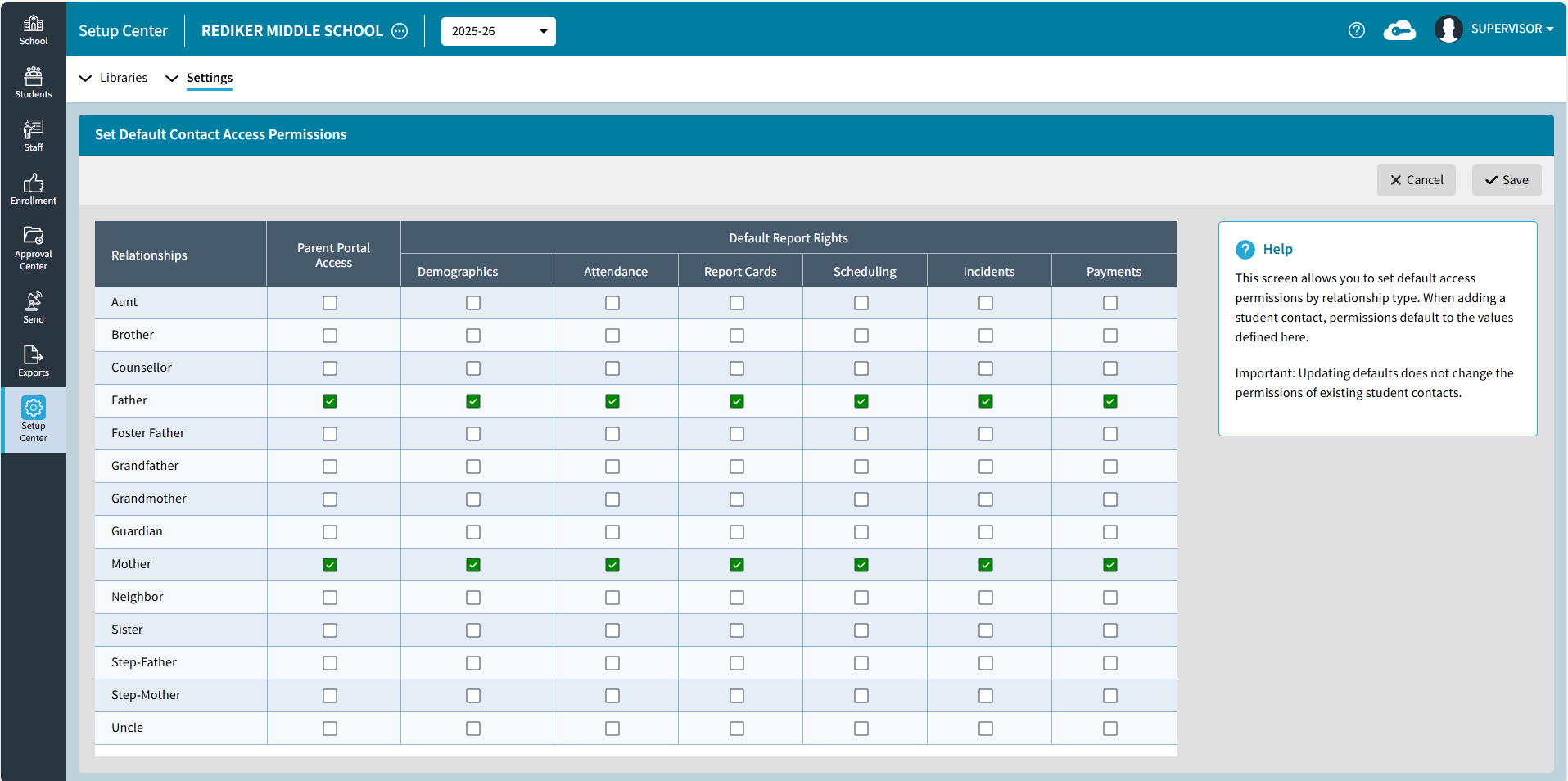
Improvements
Online Forms Status Change
The Approval Center for Online Forms and Receive Registration Forms includes the Change Form Status option. Once a form is selected, they can click Change Form Status, choose the New Form Status and Save to move the form to a different status. 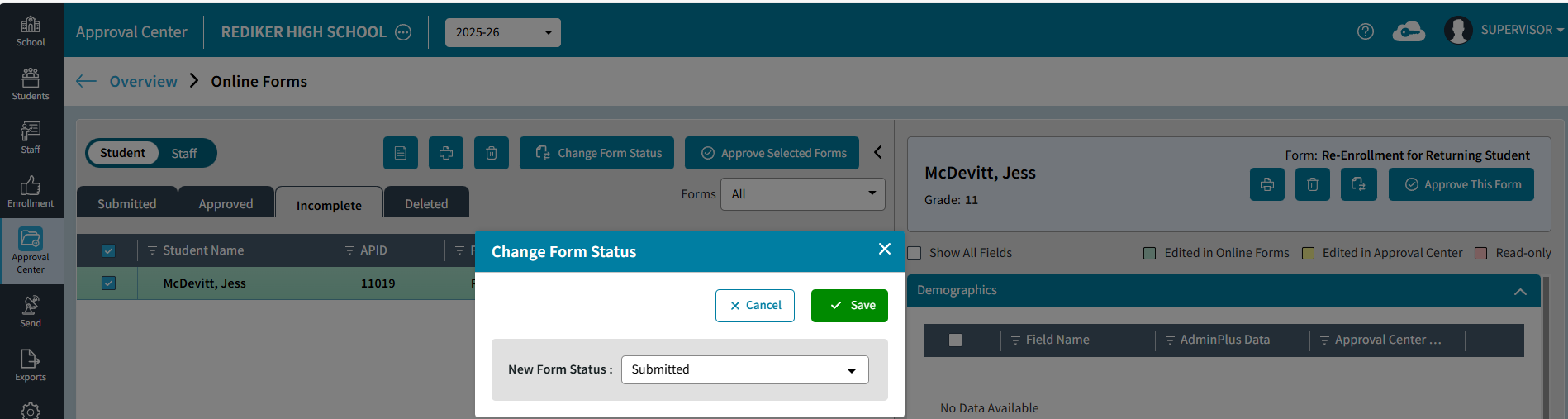
Dashboard Library Copied
All the tiles a user has created in the active year will be copied over when the scheduling year is enabled in AdminPlus.com.
In the Scheduling Year, tiles related to Attendance, Incidents, and Grades will be disabled and will not display on the Dashboard. They will be re-enabled when the Scheduling year becomes the active year. The Scheduling Year Dashboard will only display items having to do with Admissions, Demographics, Contacts, Households, and Scheduling.